
You can send reminders for multiple envelopes from the envelope list to remind recipients to complete pending signing tasks, without handling each envelope individually.
1. When to Use
When multiple envelopes need signing reminders, you can use the All Envelopes, Inbox, Sent, or Waiting for Others list on the desktop website to remind selected envelopes or all eligible envelopes within the current filter results.
2. Remind Selected Envelopes
- Open the envelope list and select the envelopes you want to remind.
- Click [Remind] above the list.
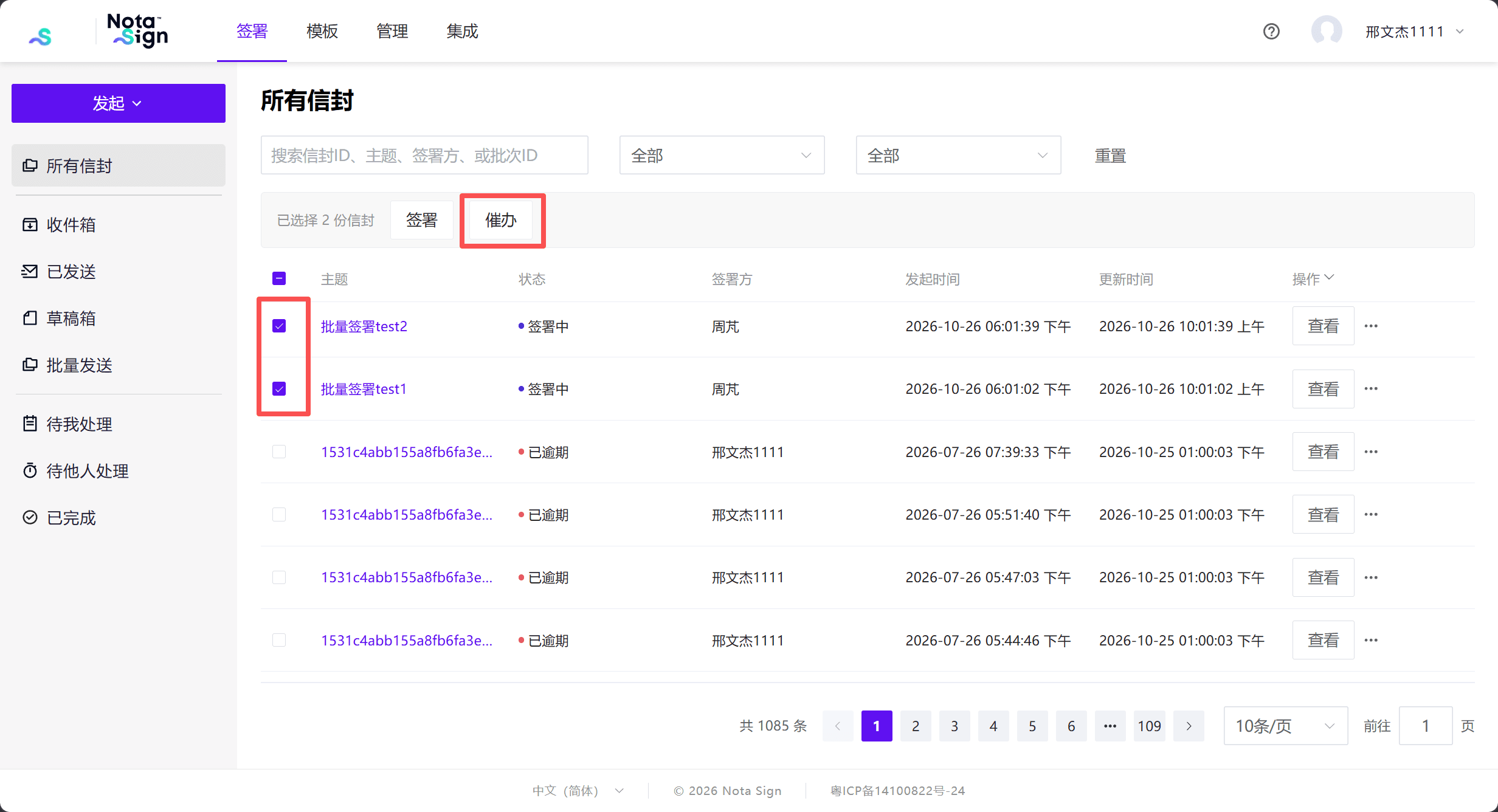
Note: Only envelopes with the [Signing] status can be reminded. Once an envelope has been reminded, it cannot be reminded again within 24 hours.
- In the [Reminder Confirmation] dialog, check the number of eligible envelopes and click [Confirm].
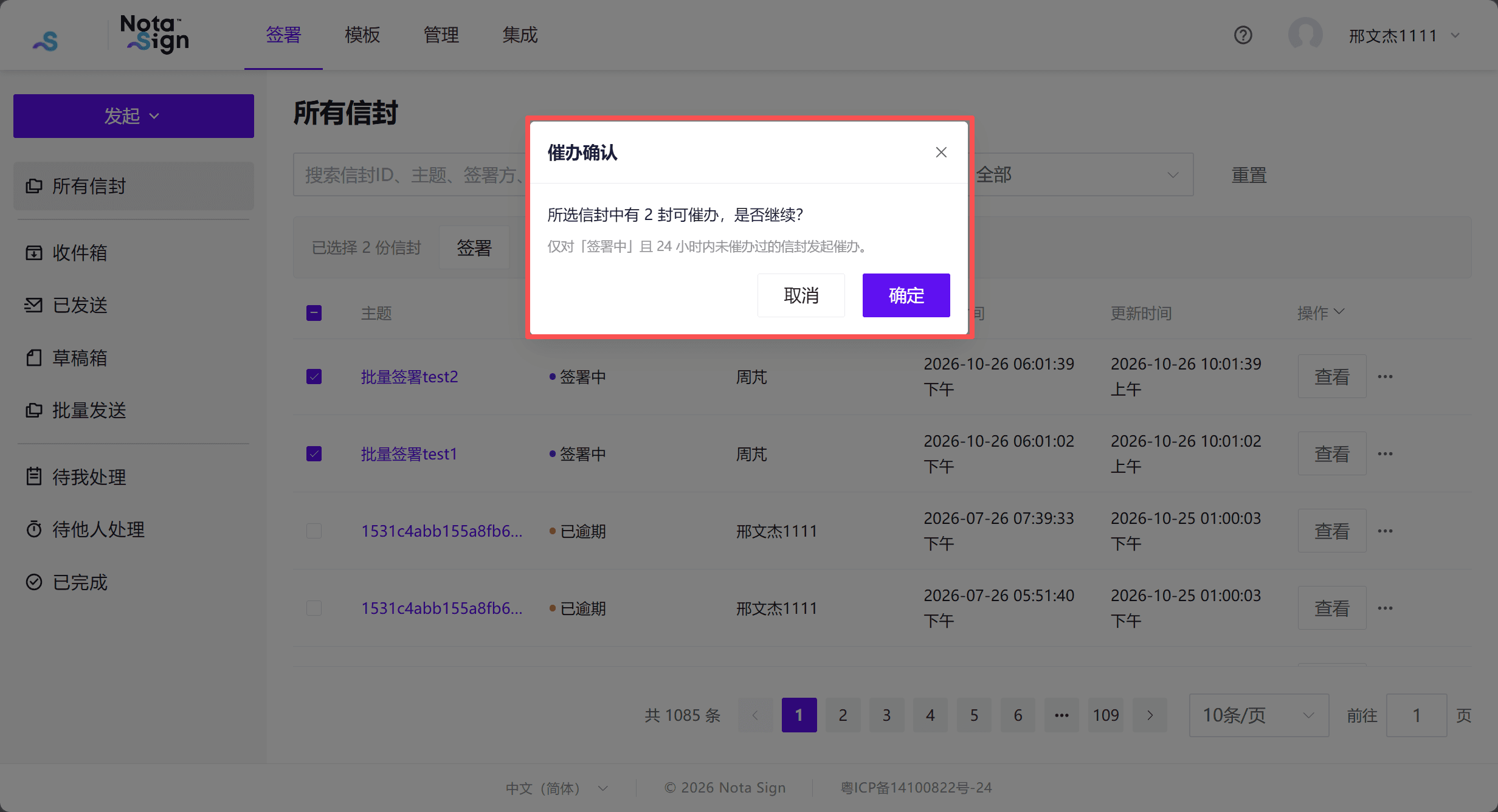
Note: The dialog shows the number of envelopes eligible for reminders, which may be fewer than the number selected. If none are eligible, the system displays “No envelopes to remind”.
- The system processes the reminders in the background and displays “Reminders are being sent and may take a few minutes.”
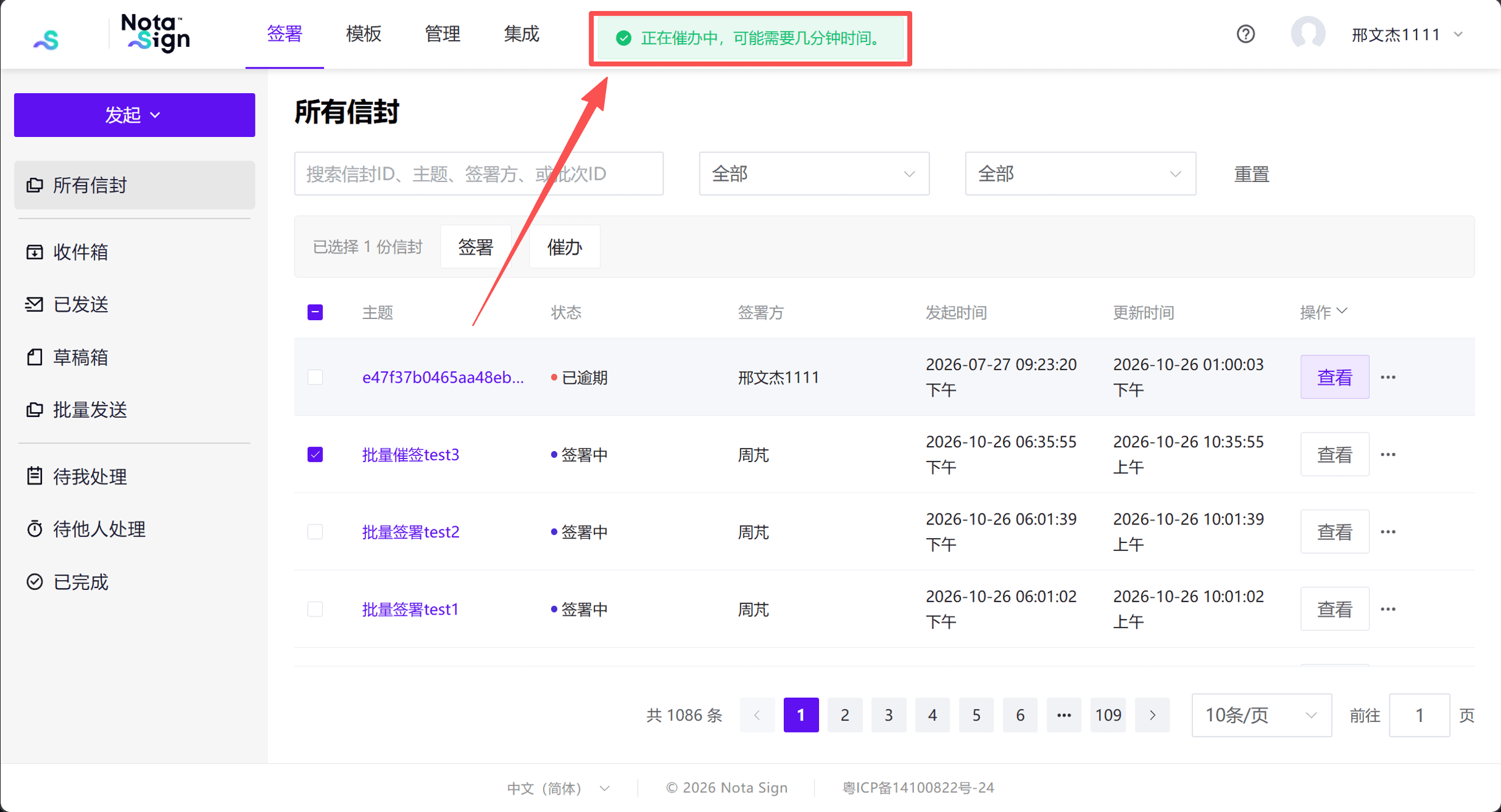
Note: While a reminder request is being processed, the [Remind] button for that envelope displays [Reminding…] and is temporarily unavailable. The button is restored after processing.
3. Remind All Envelopes
- Open the envelope list, click the dropdown menu in the action column header, and select [Remind All].
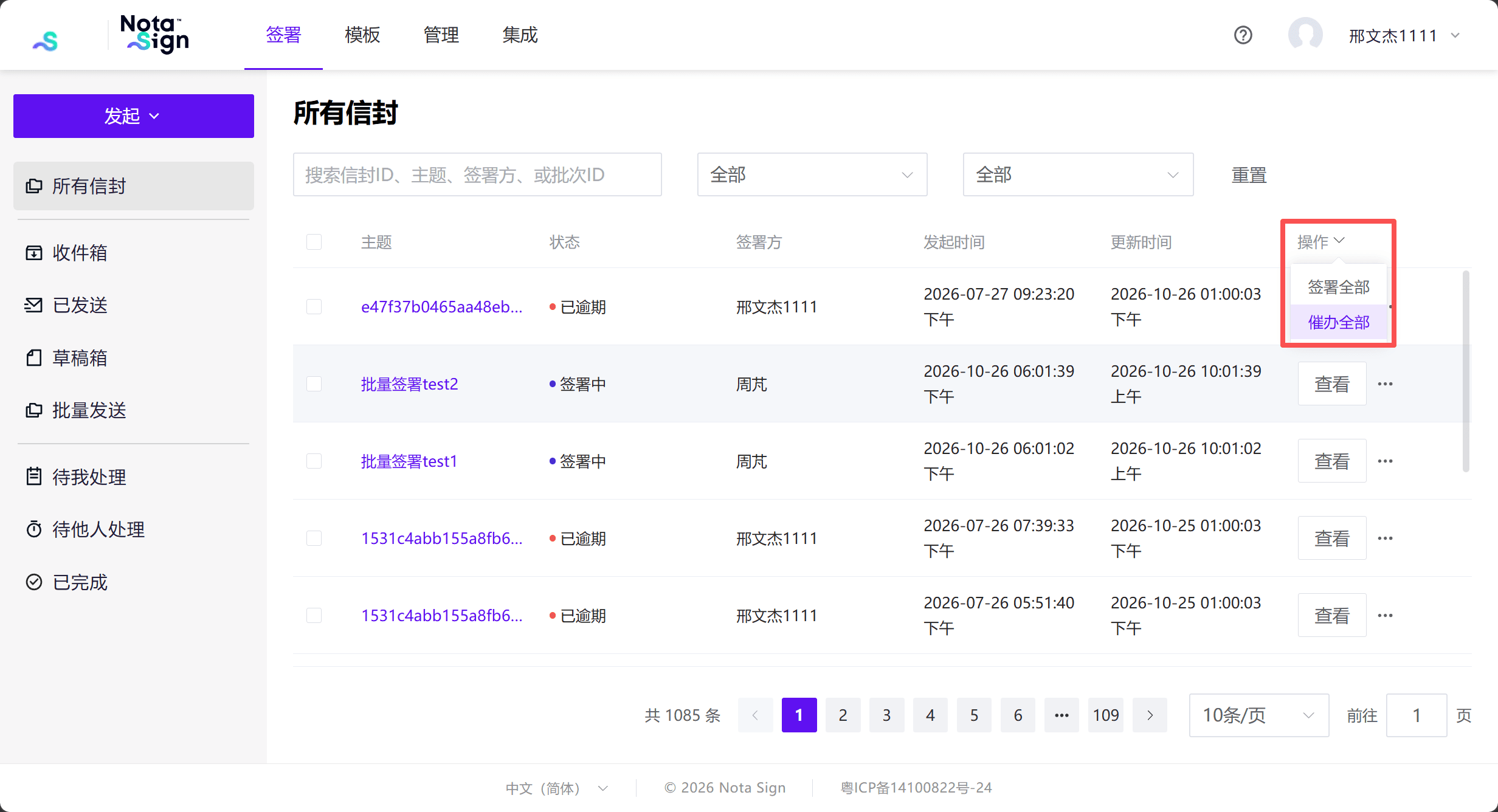
- In the [Reminder Confirmation] dialog, check the number of eligible envelopes and click [Confirm].
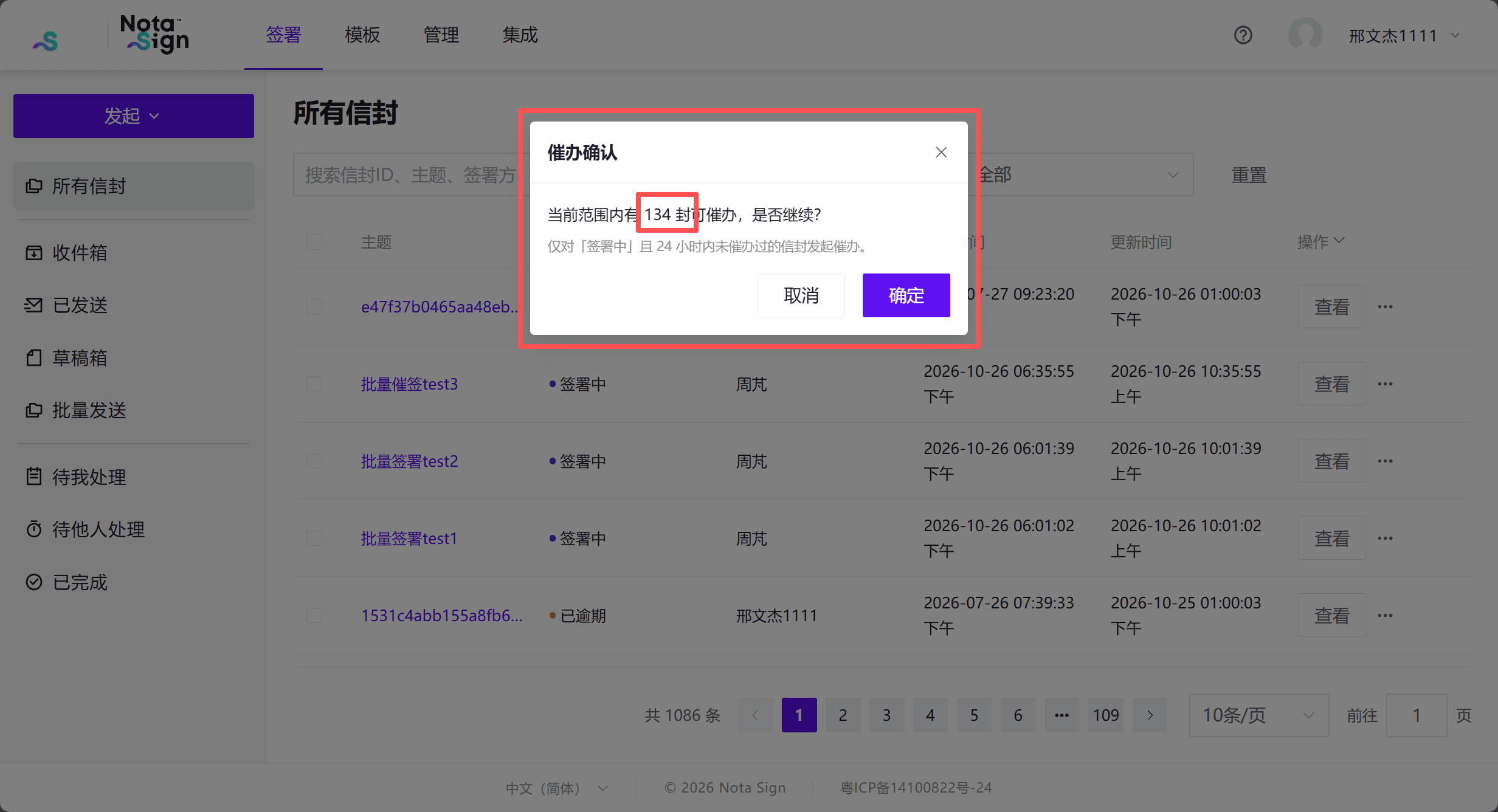
Note: [Remind All] sends reminders for all eligible envelopes you are authorized to remind within the current search and filter results, including envelopes on other pages.