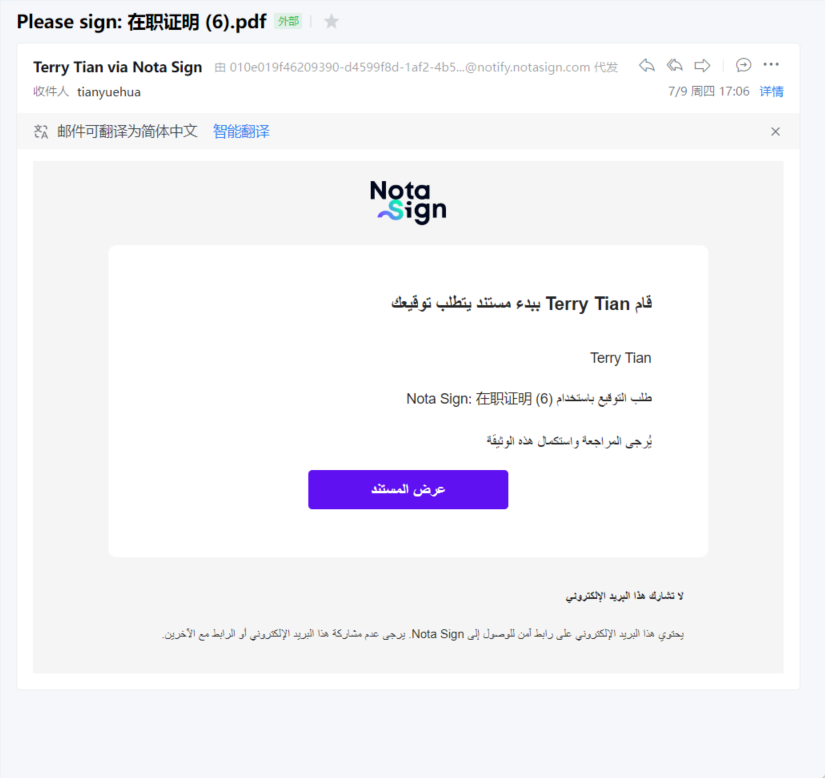
When signing documents, you can switch the signing page to Arabic, and the page layout will automatically adapt to right to left reading habits.
1, Switch signing page language
After opening the signing link and entering the signing page, you can find the * * Arabic * * option in the language selector at the bottom of the page.
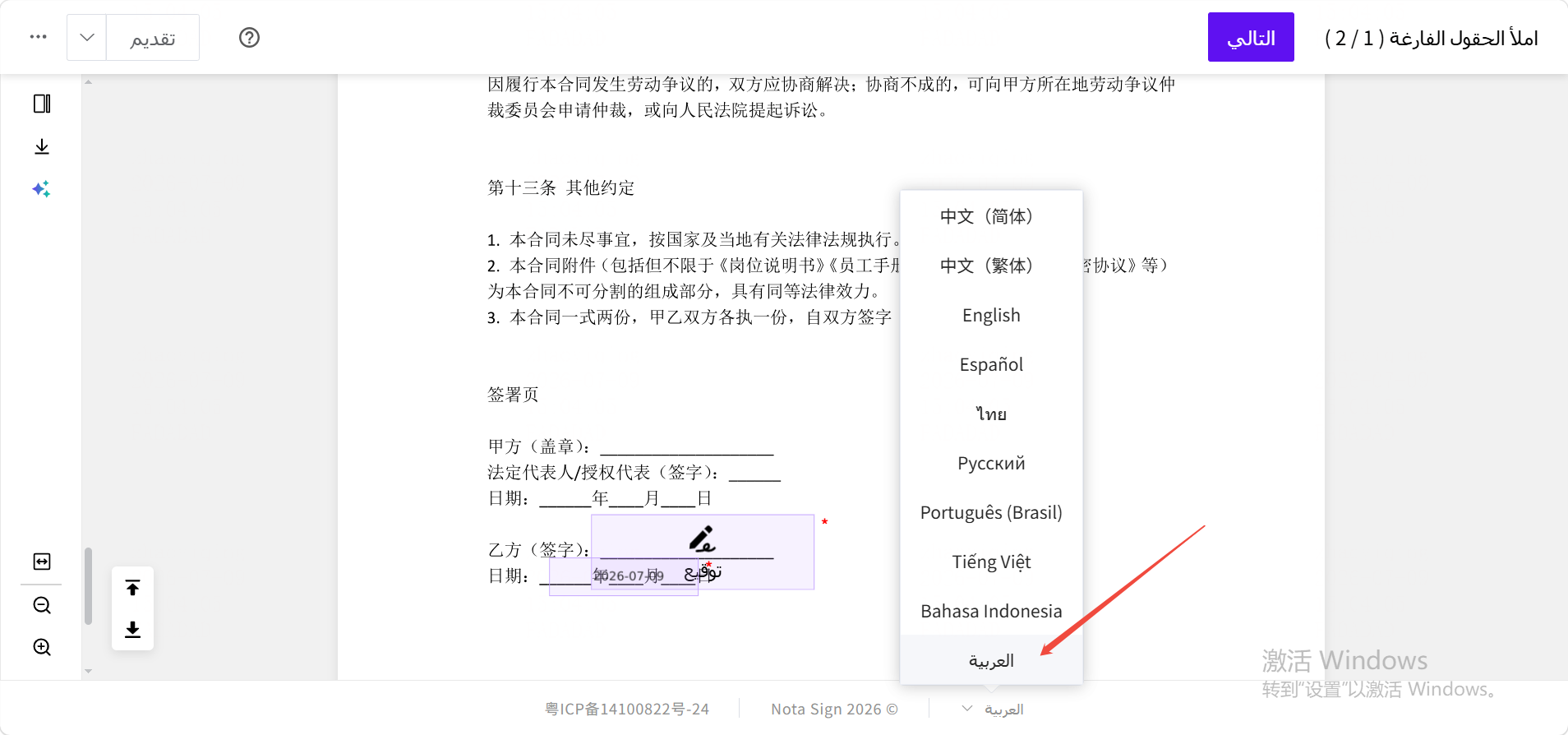
After switching, the buttons, prompt text, and control labels on the page will all turn into Arabic, and the signing process itself will not be affected in any way.
At present, Arabic only supports signing pages, and other pages such as initiating signatures and managing the backend are not currently supported.
2, Layout changes on Arabic language pages
The reading order of Arabic is from right to left, so there will be the following adjustments to the page layout after switching:
-Forms and controls: Input boxes, signature areas, etc. are arranged from the right side of the page
-* * Button Position * : Operation buttons (such as [Next], [Submit Signature]) will be moved to the left side of the page
- * Text Direction * *: All text is displayed with right alignment
-The signing process remains unchanged: You will still follow the same steps to complete the signing, except for the interface orientation and language
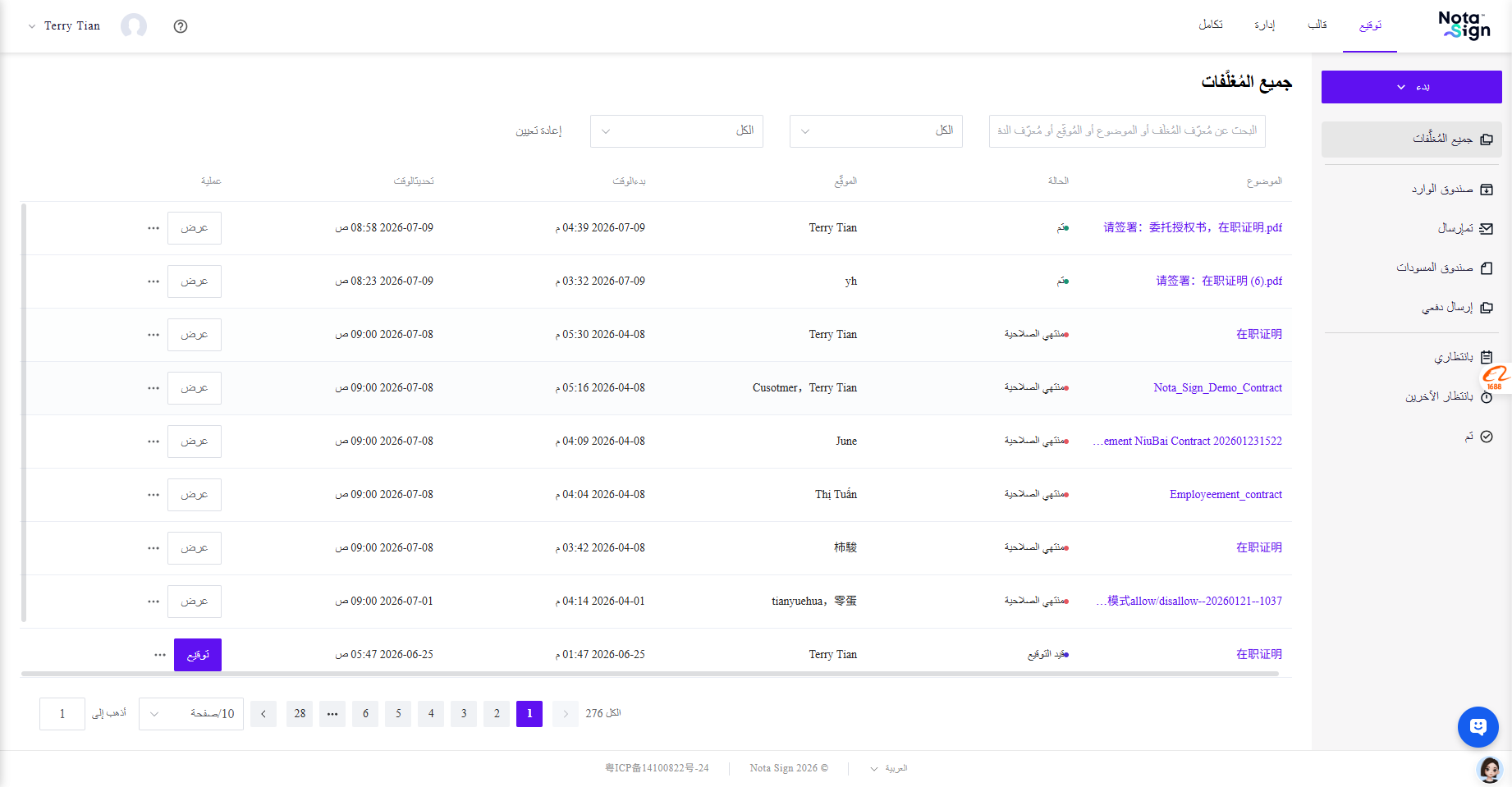
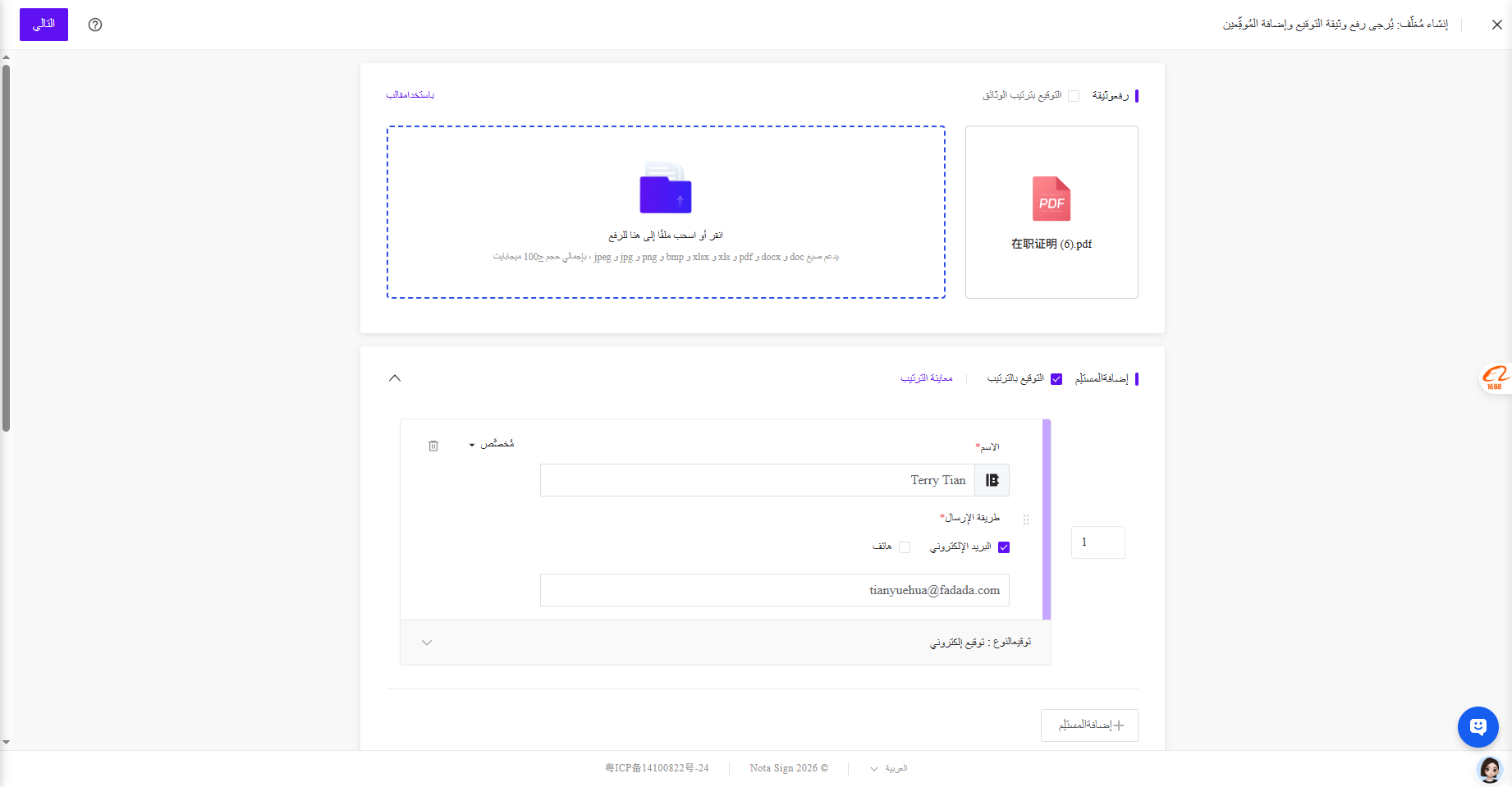
3, Email and SMS for signing notifications
If you select Arabic on the signing page, email notifications and text messages received during the signing process will also be sent in Arabic, making it easier for you to have a unified language experience.