
With the Global Sign feature, you can access Nota Sign directly from the Fasc backend without re-registering or logging in again.
I. Enterprise E-Sign Admin: Activating Global Sign (Nota Sign) in Fasc Admin Console
If you are an enterprise e-sign admin, you need to log in to the Fasc platform (www.fadada.com) and bind your Fasc enterprise with a Nota Sign workspace. Once done, your enterprise members can use Global Sign (Nota Sign).
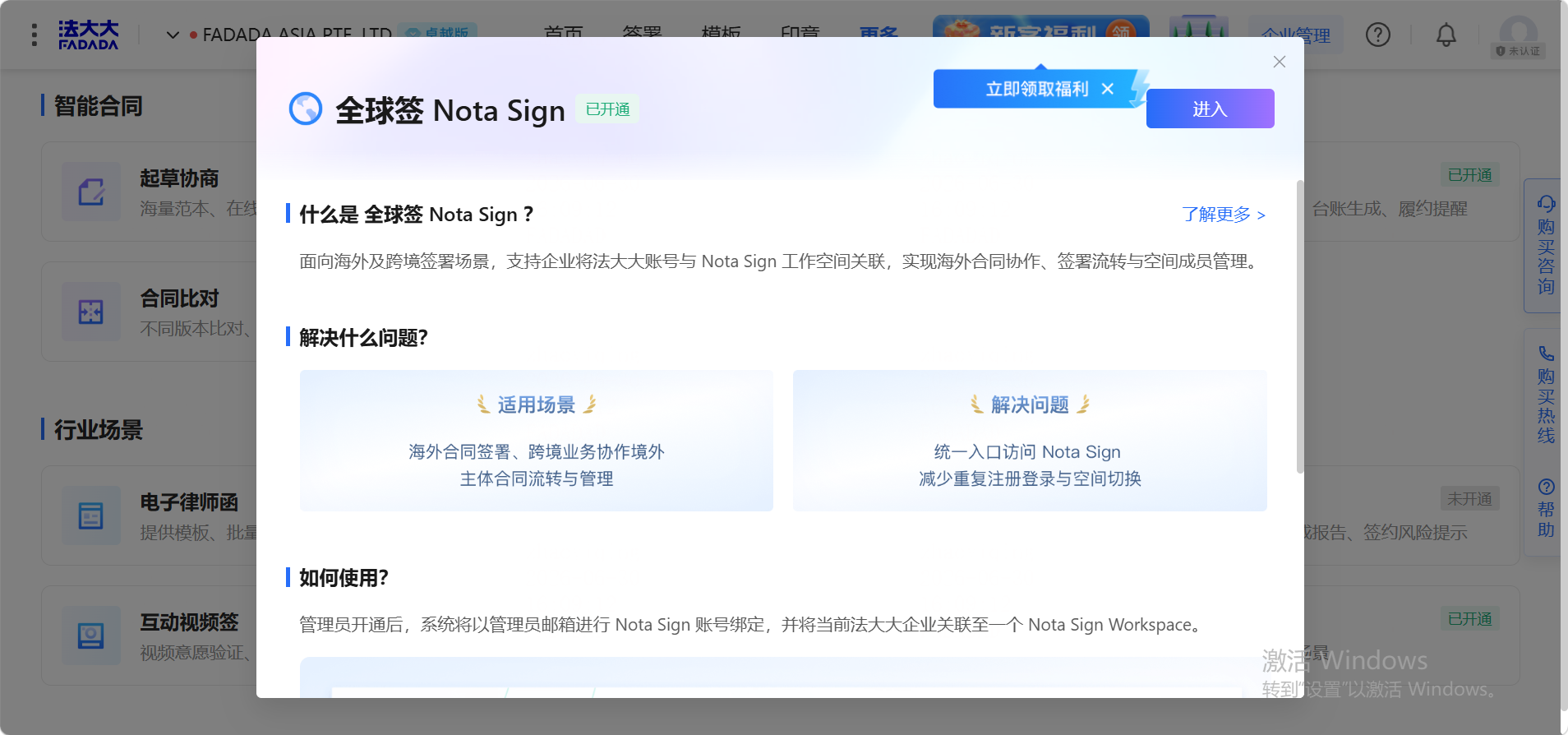
- Log in to the Fasc backend, go to Advanced Features, find Global Sign (Nota Sign), and click Activate;
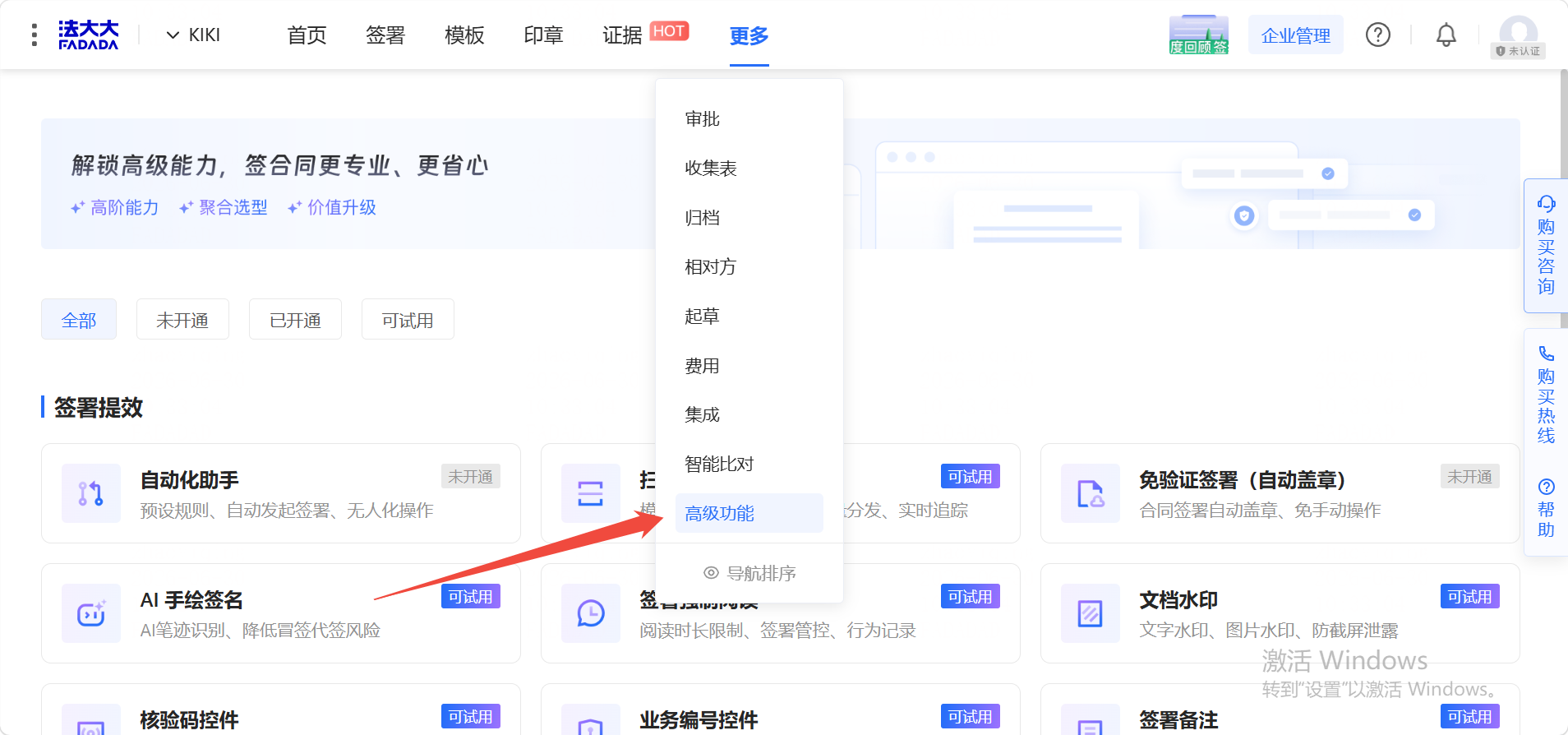
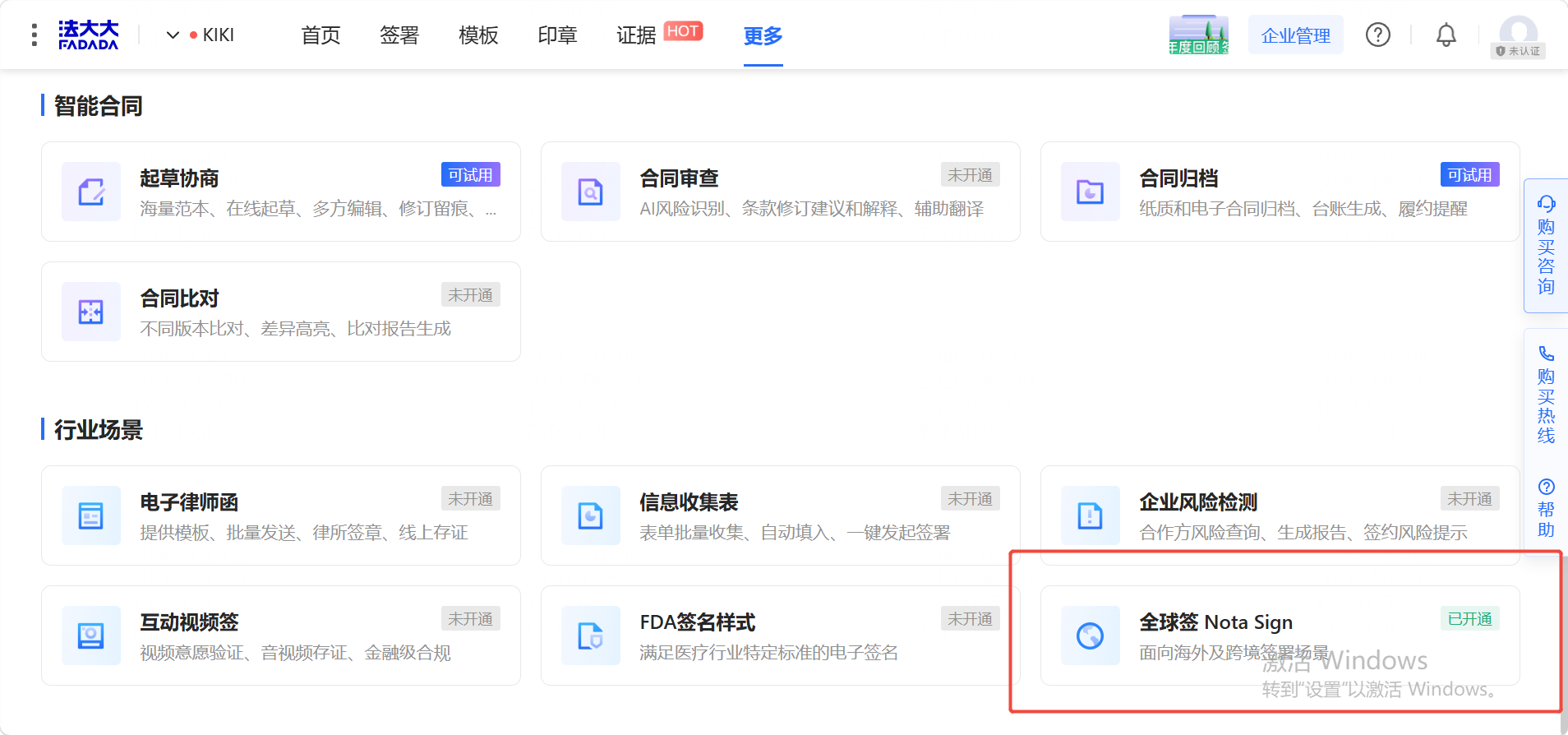
If you cannot see this option, please contact Fasc customer support to confirm that advanced features have been enabled.
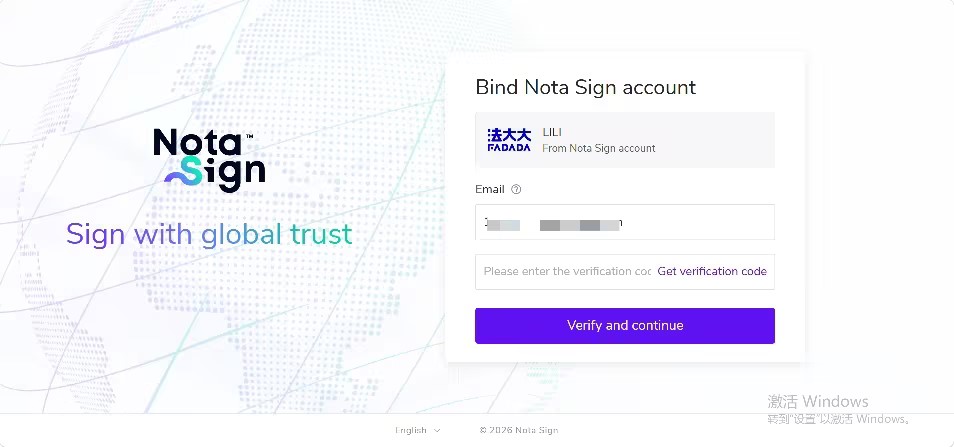
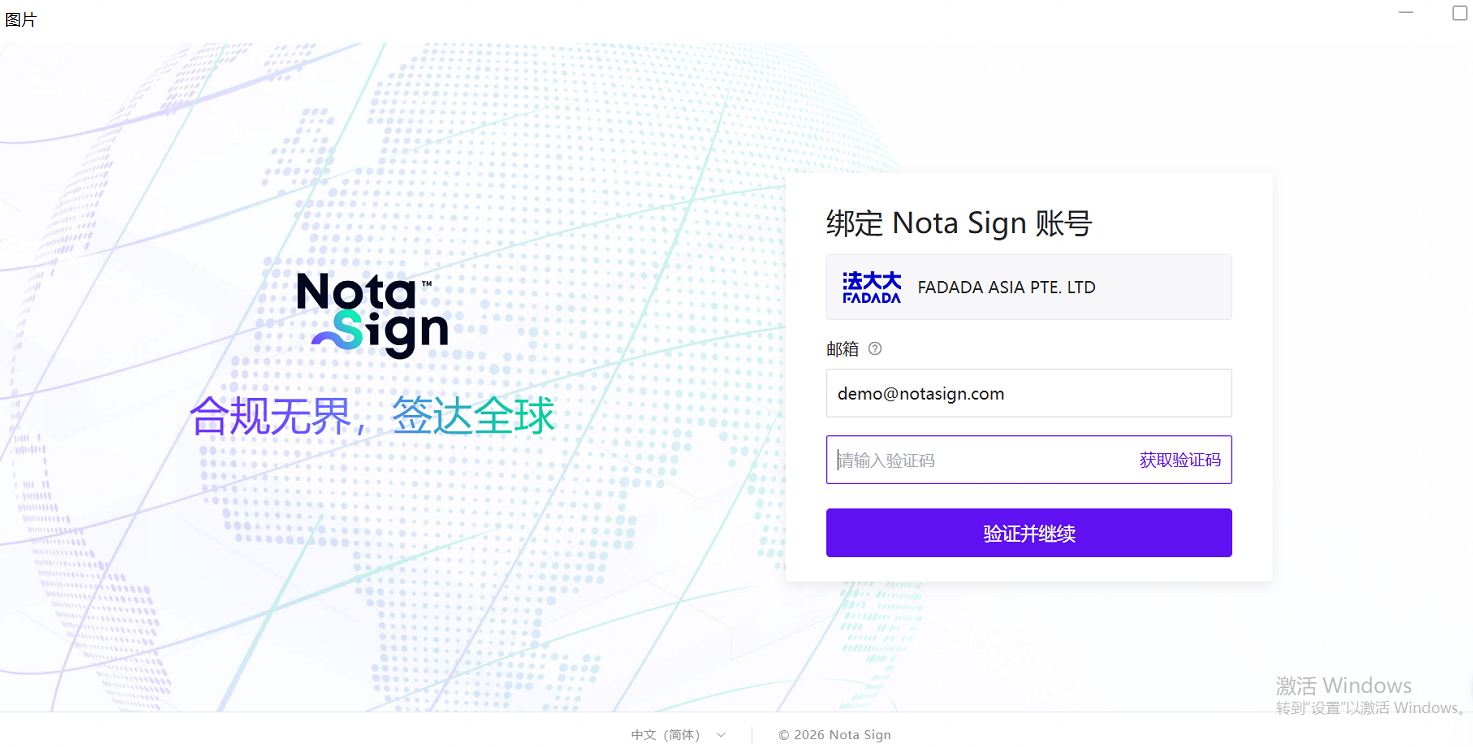
- After clicking Activate, the page will automatically redirect to Nota Sign. Enter your email and get the verification code:
-
If your account has already been bound: you will enter the workspace directly after verification;
-
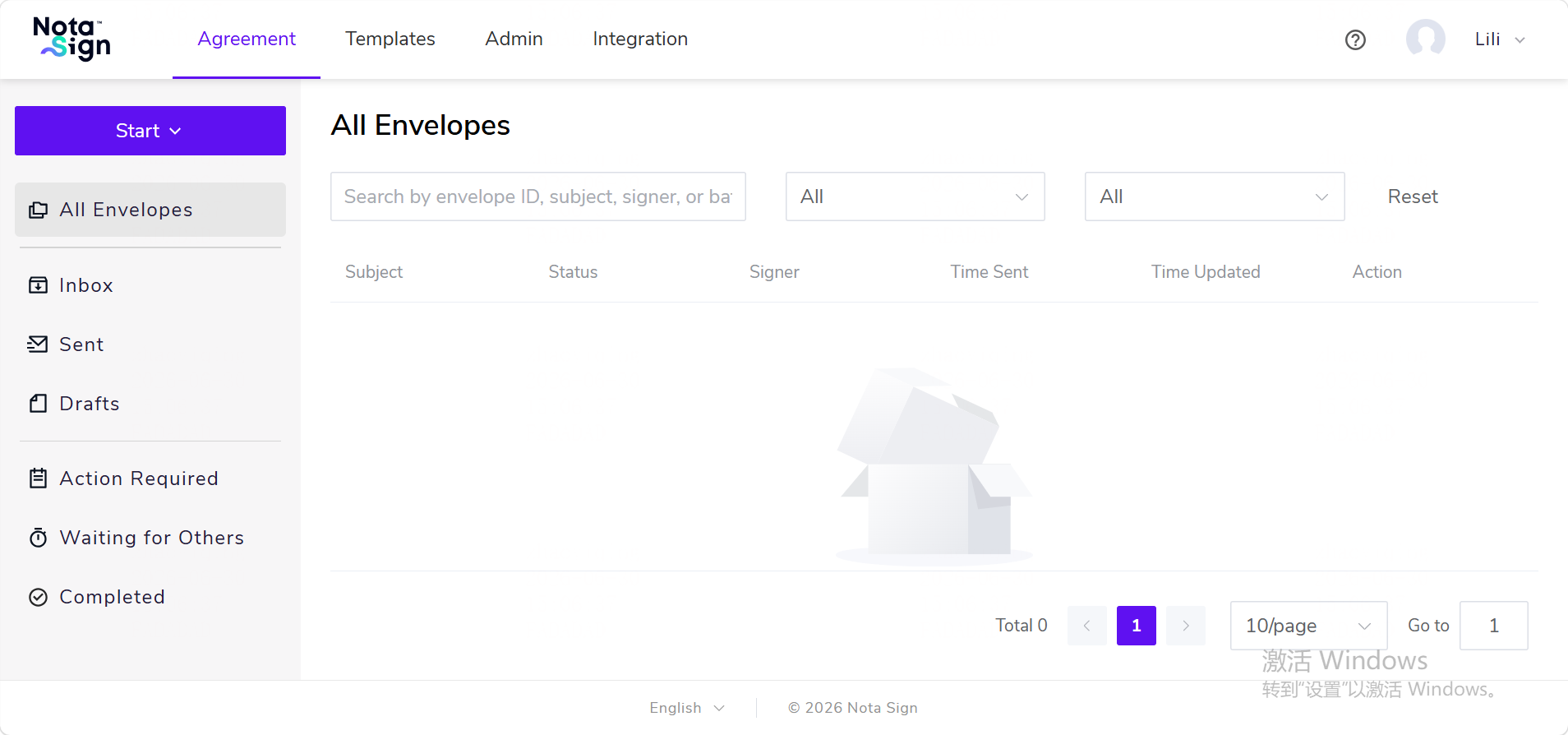
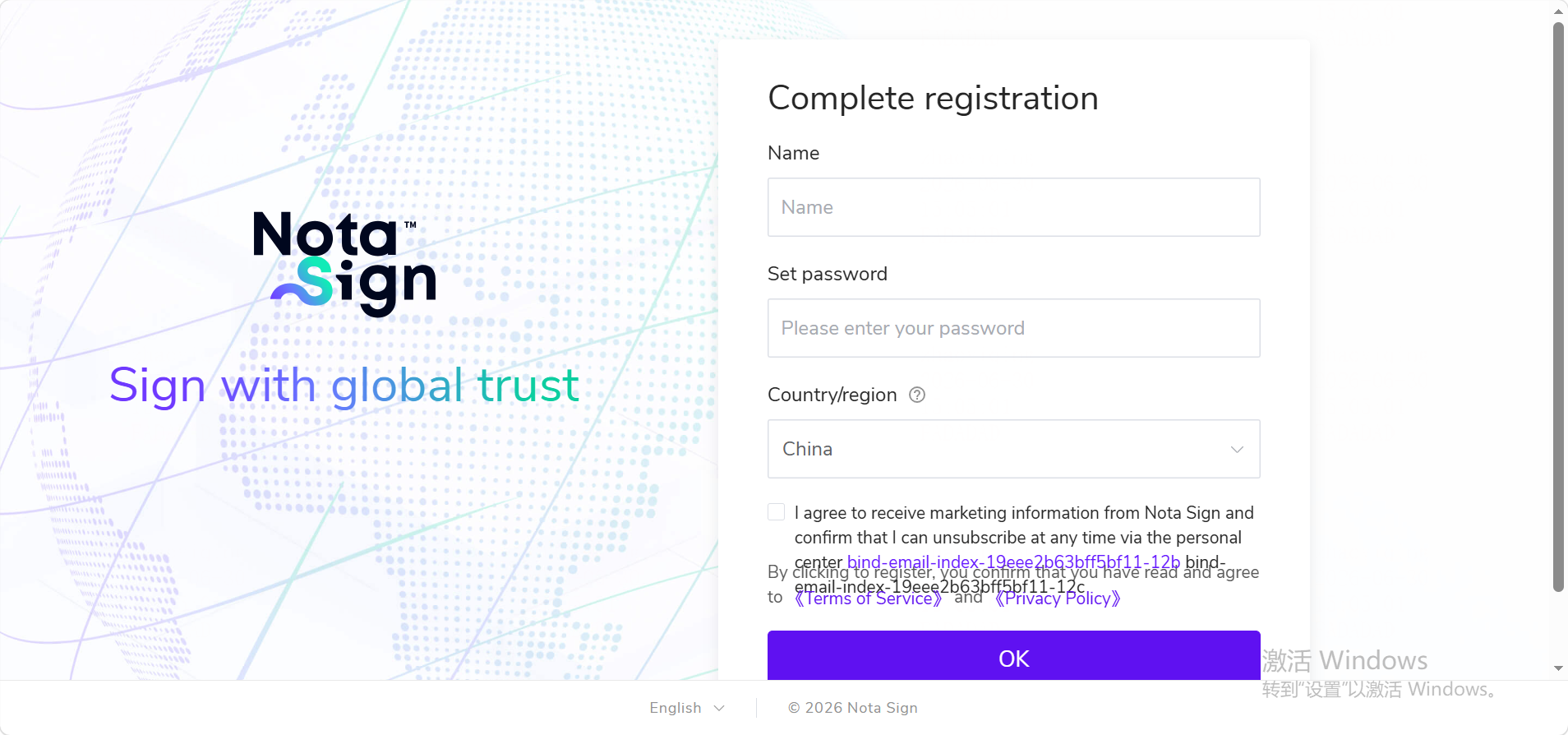
If your account has not been bound yet: fill in your name, set a password, select your country/region, and complete registration to enter the workspace.
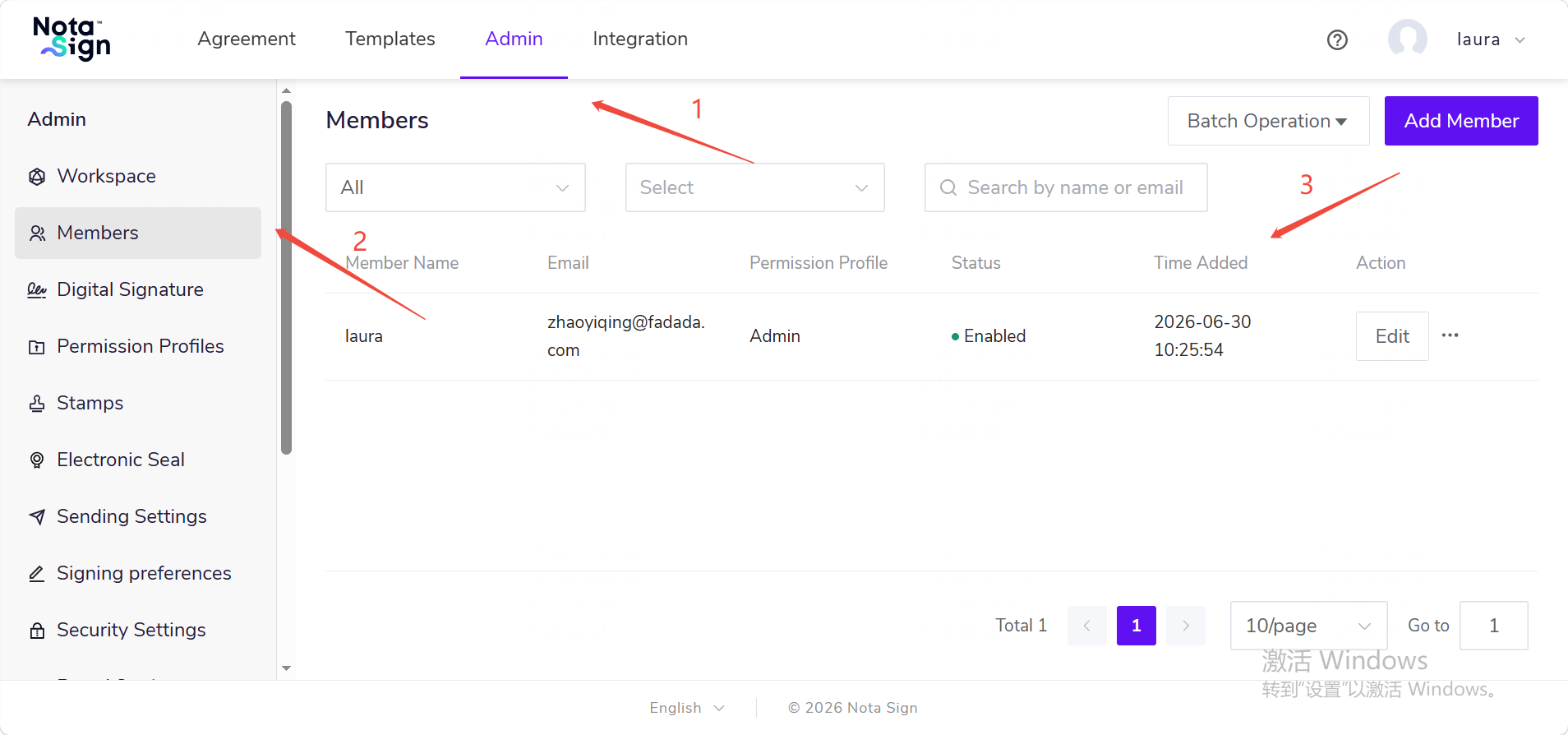
- After entering the workspace, you can add members in Member Management. Once added, these members will have access to Global Sign (Nota Sign) and can enter the workspace directly from the Global Sign entry in the Fasc backend.
II. Enterprise Members: Requesting Access to Global Sign (Nota Sign)
-
Log in to the Fasc backend, go to Advanced Features → Global Sign (Nota Sign);
-
If the admin has already activated Global Sign: you will see the Enter button;
-
If the admin has not activated it yet: you will see the Request Activation button. Click it to submit a request to the enterprise e-sign admin for activation.
-
After the request is approved, click Enter. If your Nota Sign account is already bound, you will enter the workspace directly; if not, you will be redirected to the binding page. Enter your email and complete verification. The system will then automatically check whether you have been added as a workspace member and whether your membership is active.
-
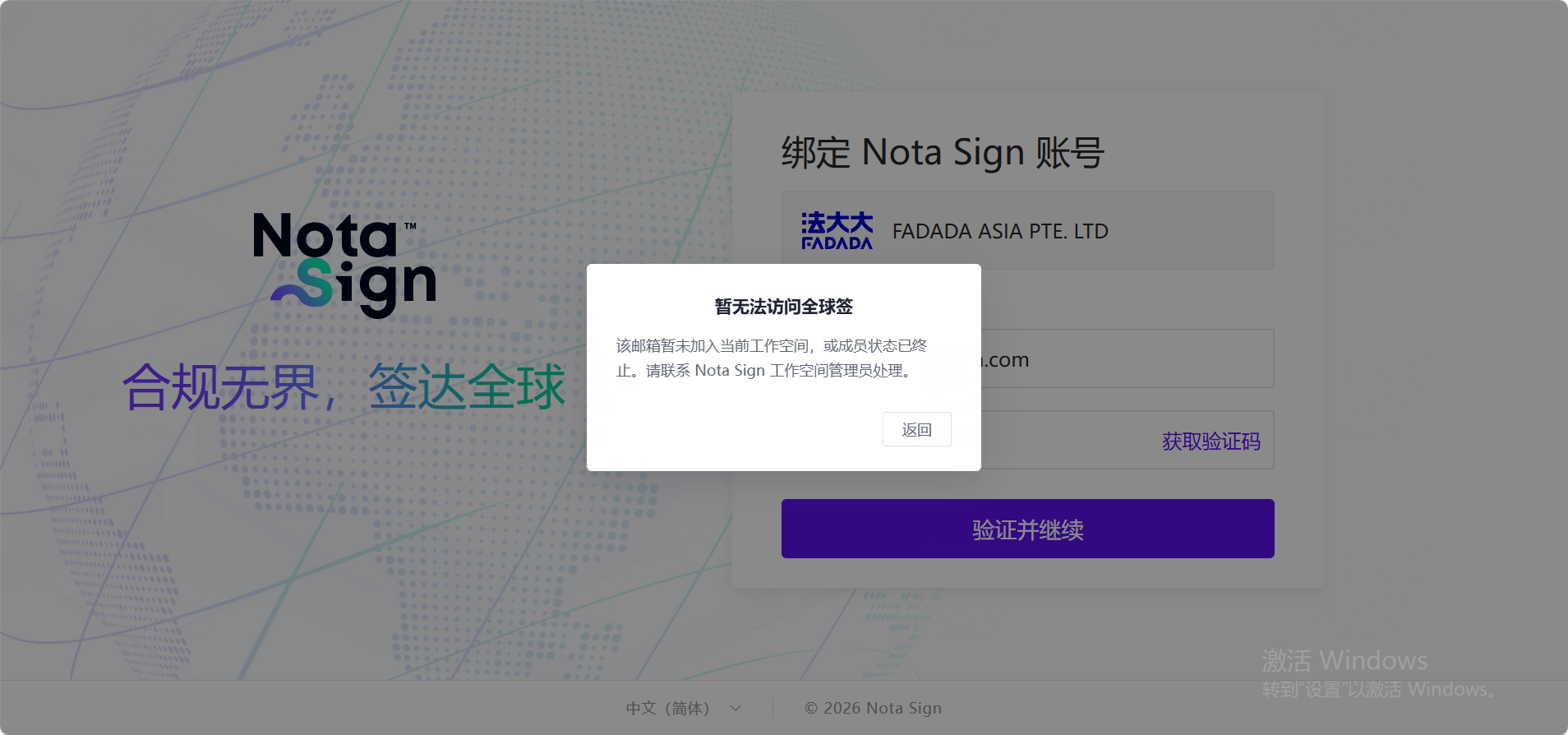
If your email has not been added as a member, or your membership has been deactivated: a popup will show “Unable to access Global Sign”. Please contact your admin for assistance;
-
If your email has been added as a member and your account is active:
-
If this email is already registered with a Nota Sign account → you will enter the workspace directly;
-
If this email is not registered with Nota Sign → you will be redirected to the registration page. Complete the registration to enter the workspace.