The ‘Cost’ module provides clear and transparent subscription management and usage details, helping administrators to understand the subscription status and usage details of products in the workspace in real time.
1, View purchased product information
-
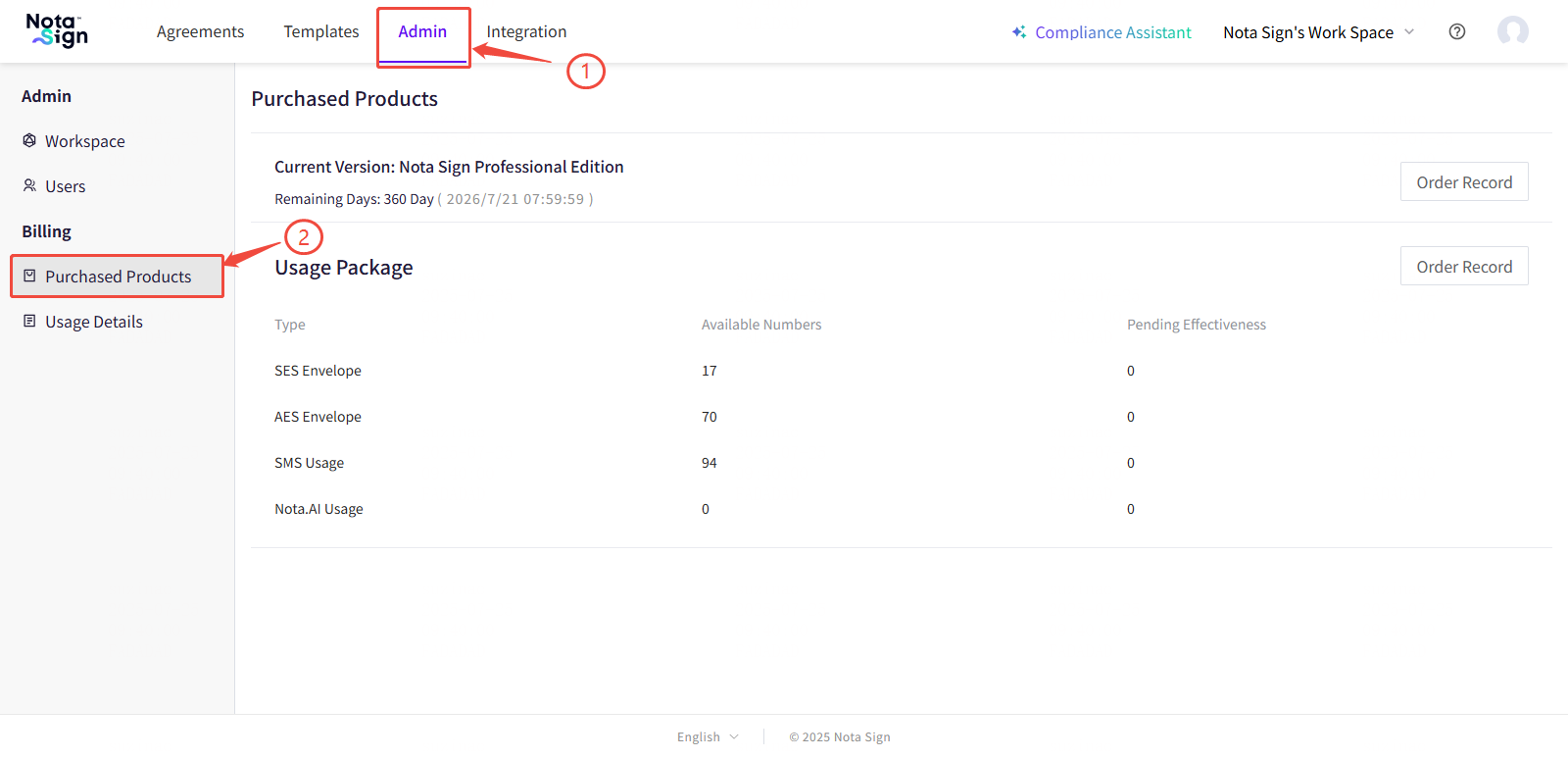
Log in to the Nota Sign workbench;
-
Click on “Manage” in the upper right navigation bar to enter the workspace administrator console;
-
Click on “Package and Billing” in the left menu.
Product Information Panel Description
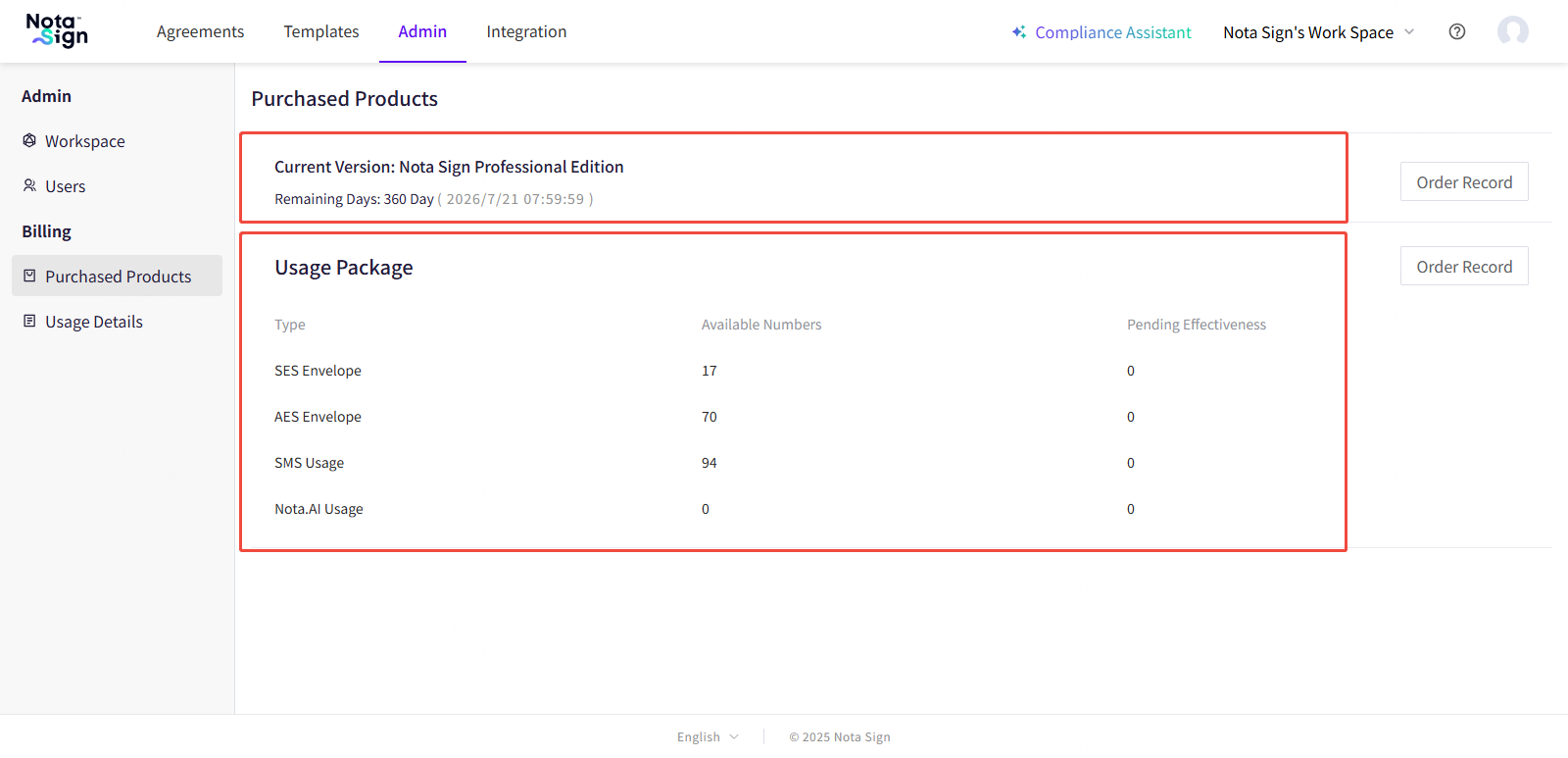
-The current subscribed product version (such as trial version, professional version, etc.);
-Remaining subscription days;
-Purchased data package information (such as signed limit, number of SMS messages, etc.);
-Subscription usage details.
2, View History
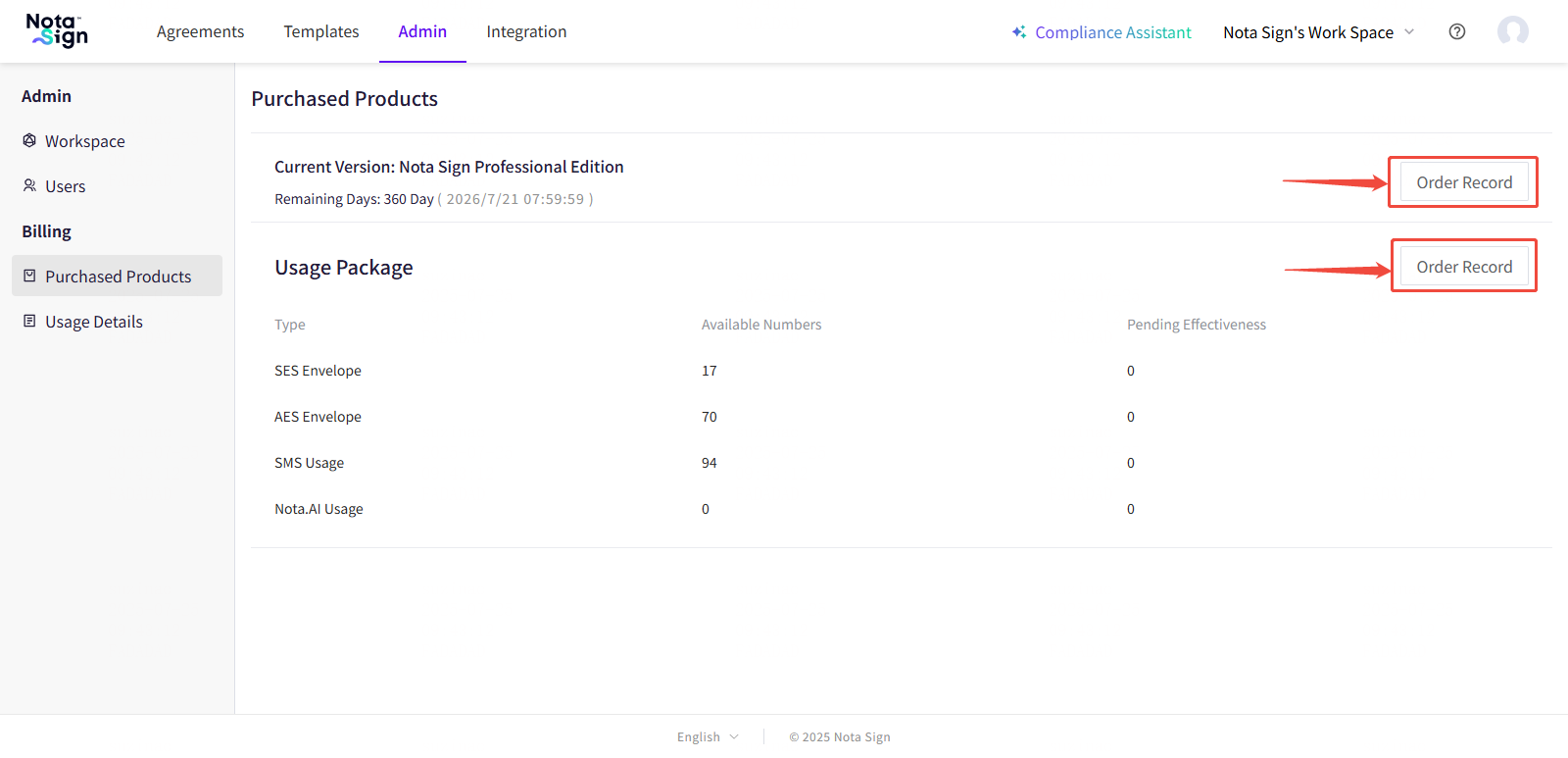
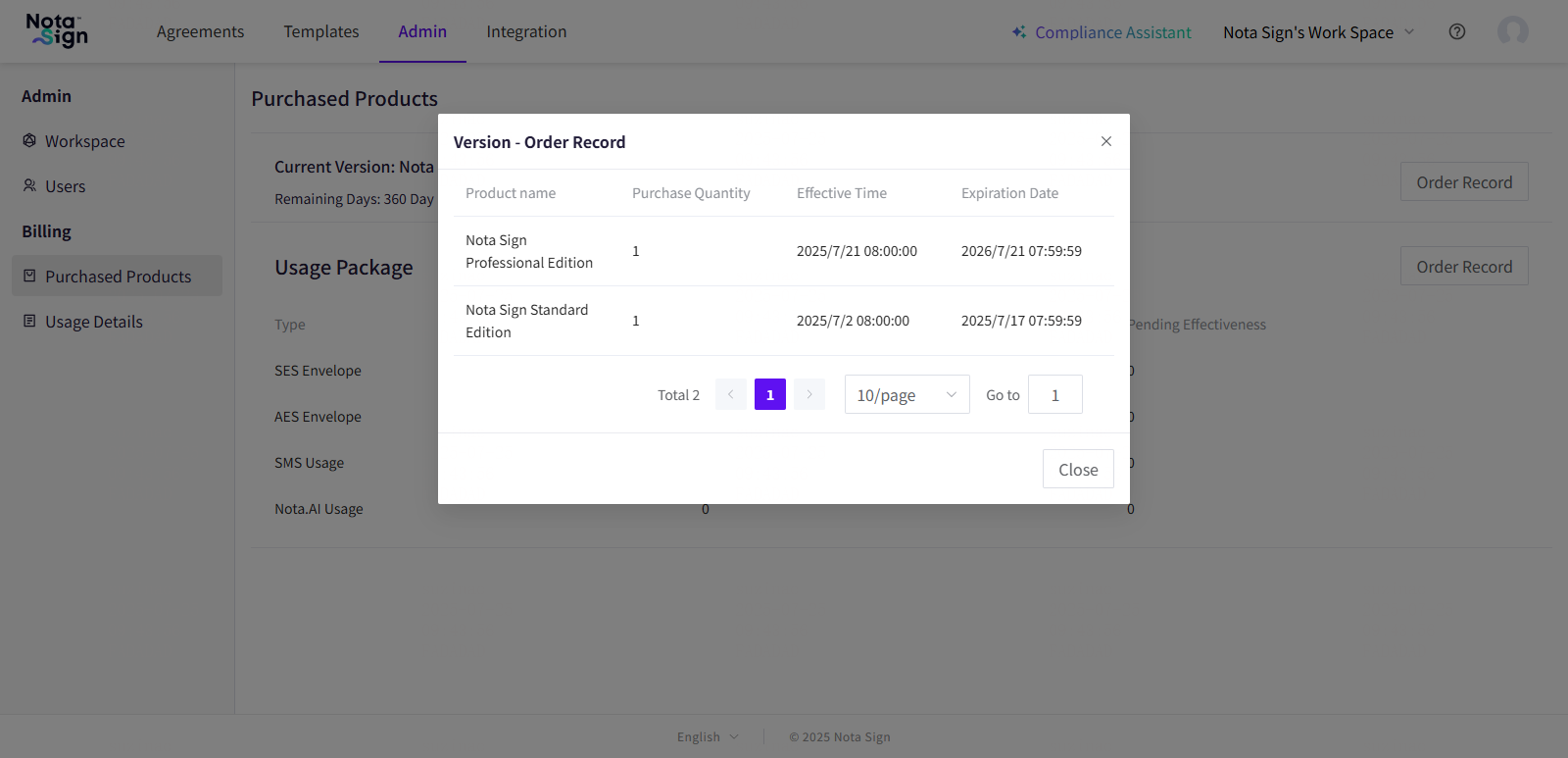
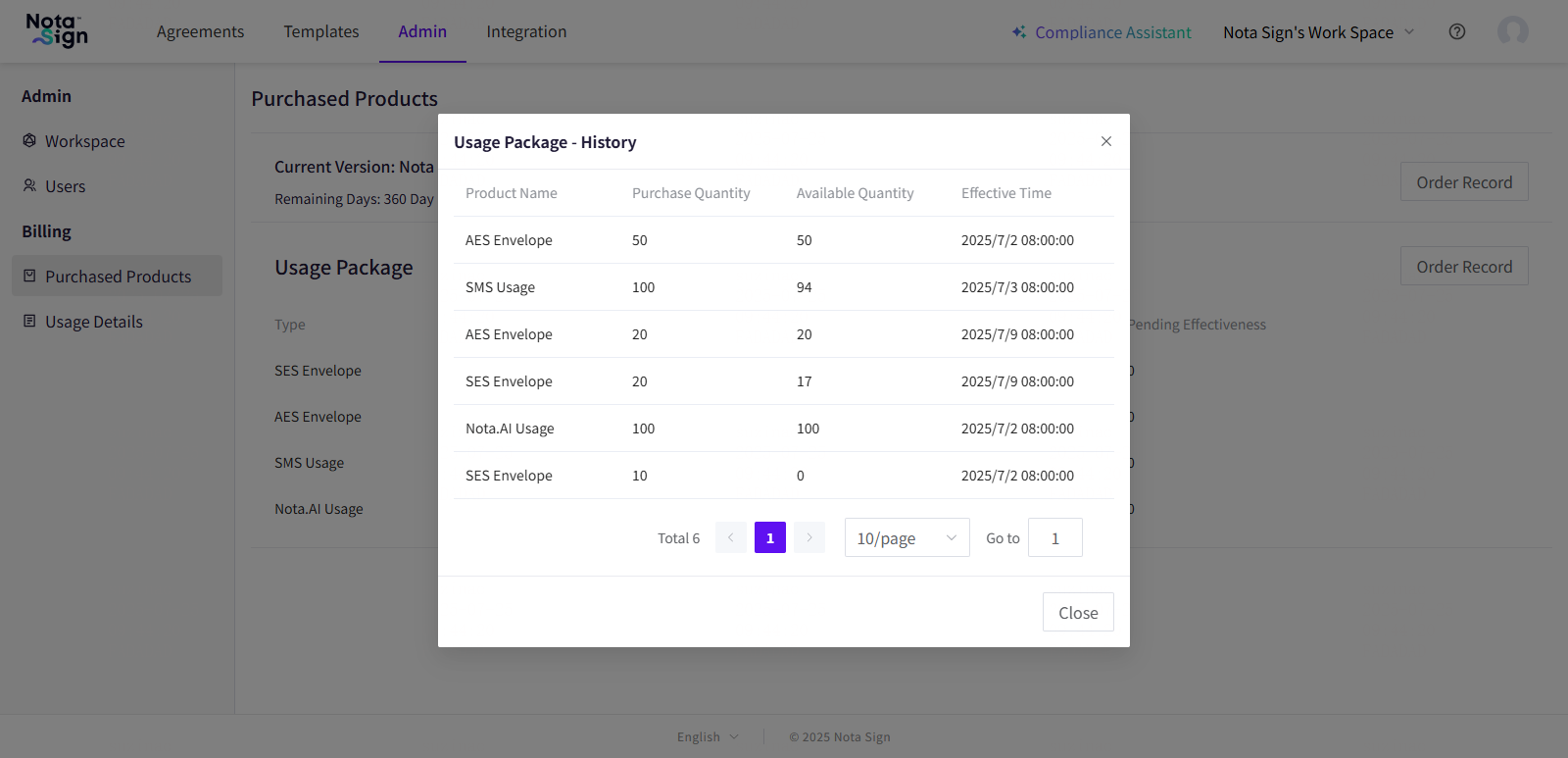
Click on the ‘Subscription Records’ button in the upper right corner of the page to expand and view historical subscription records and details of used data packages, including:
-Subscription items and quantity
-Activation and expiration time
-Historical traffic package details
3, View product usage details
-
Log in to the Nota Sign workbench;
-
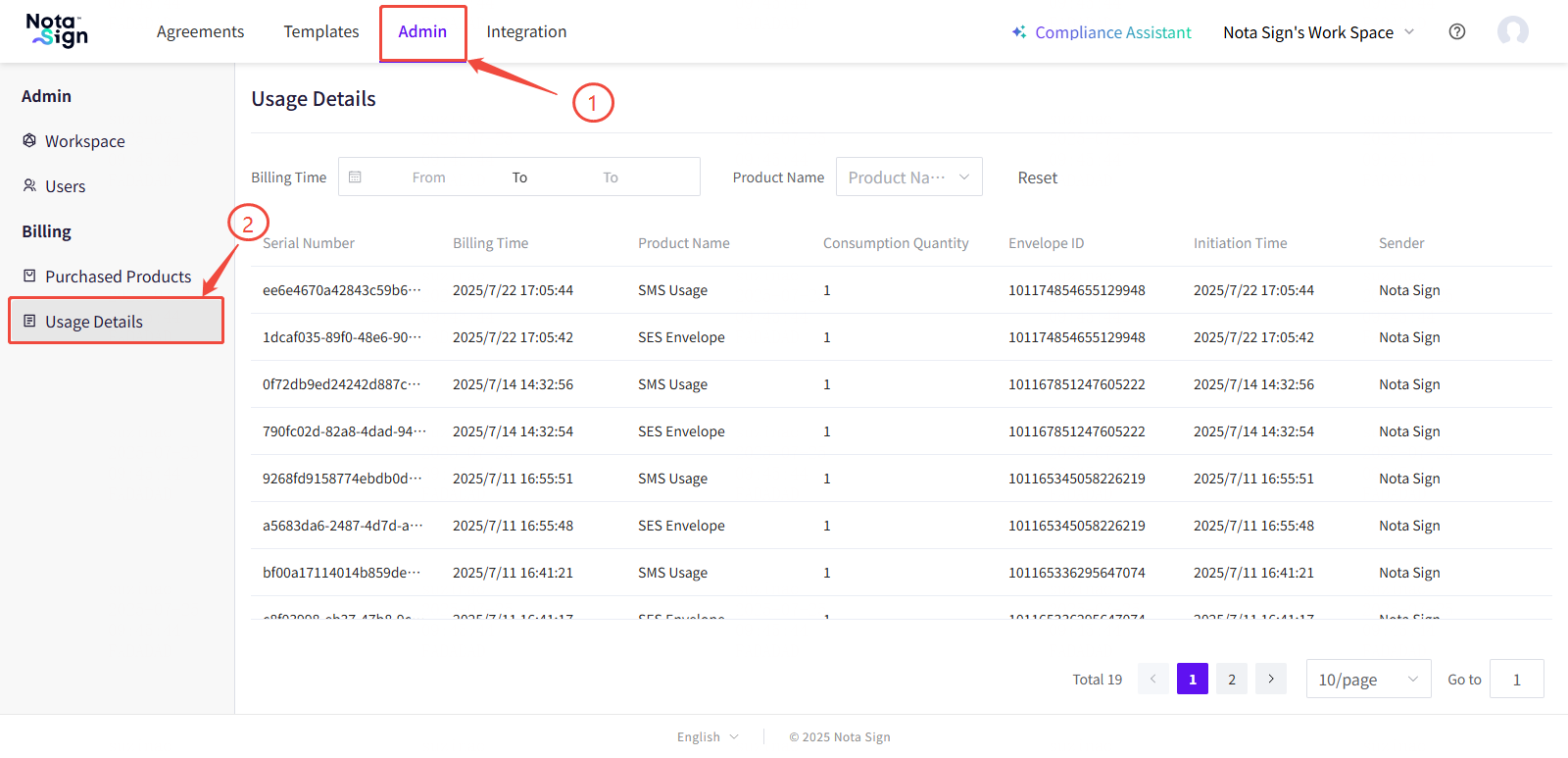
Click on [Management] - [Usage Details] to open the product usage viewing page.
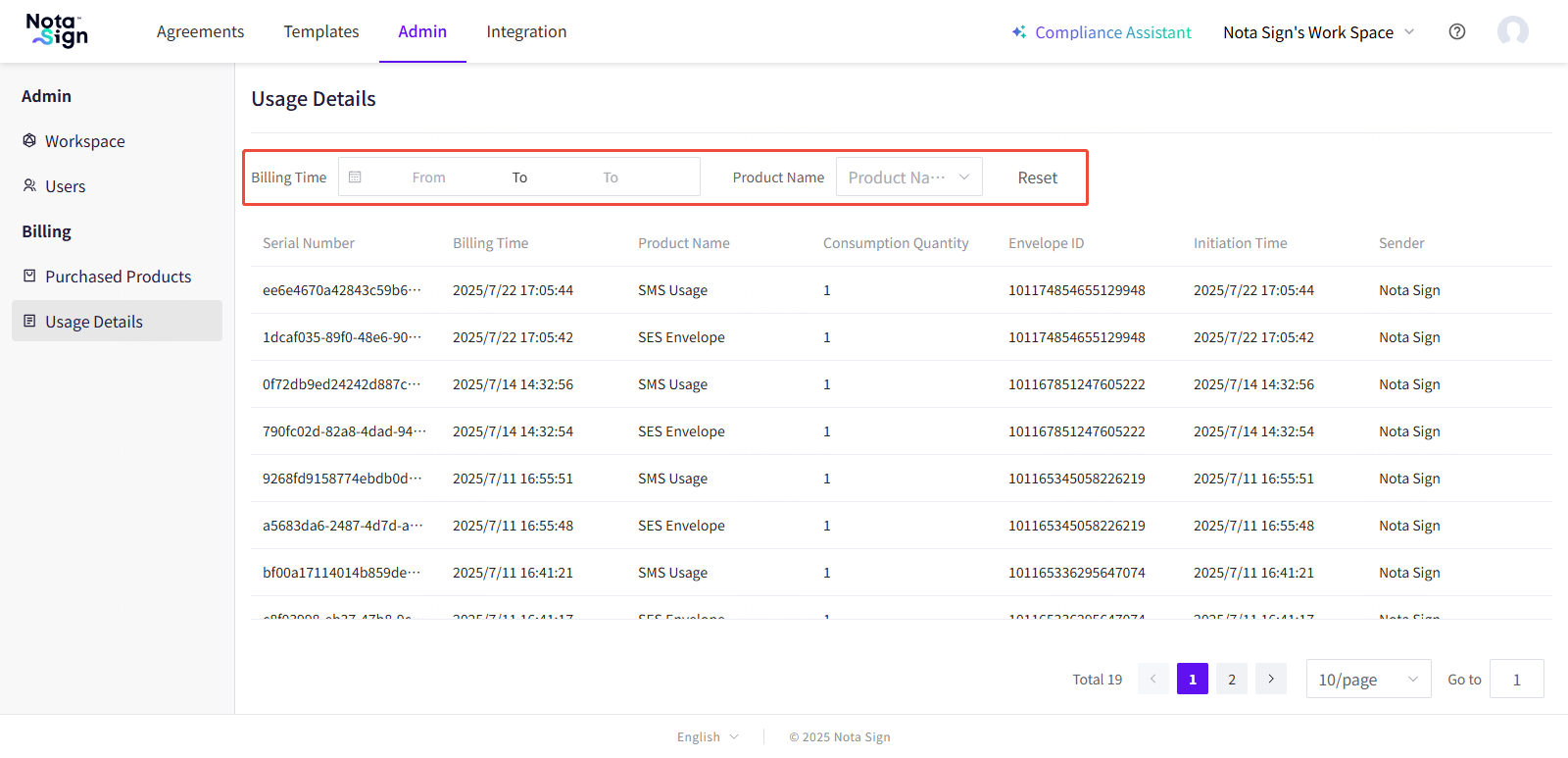
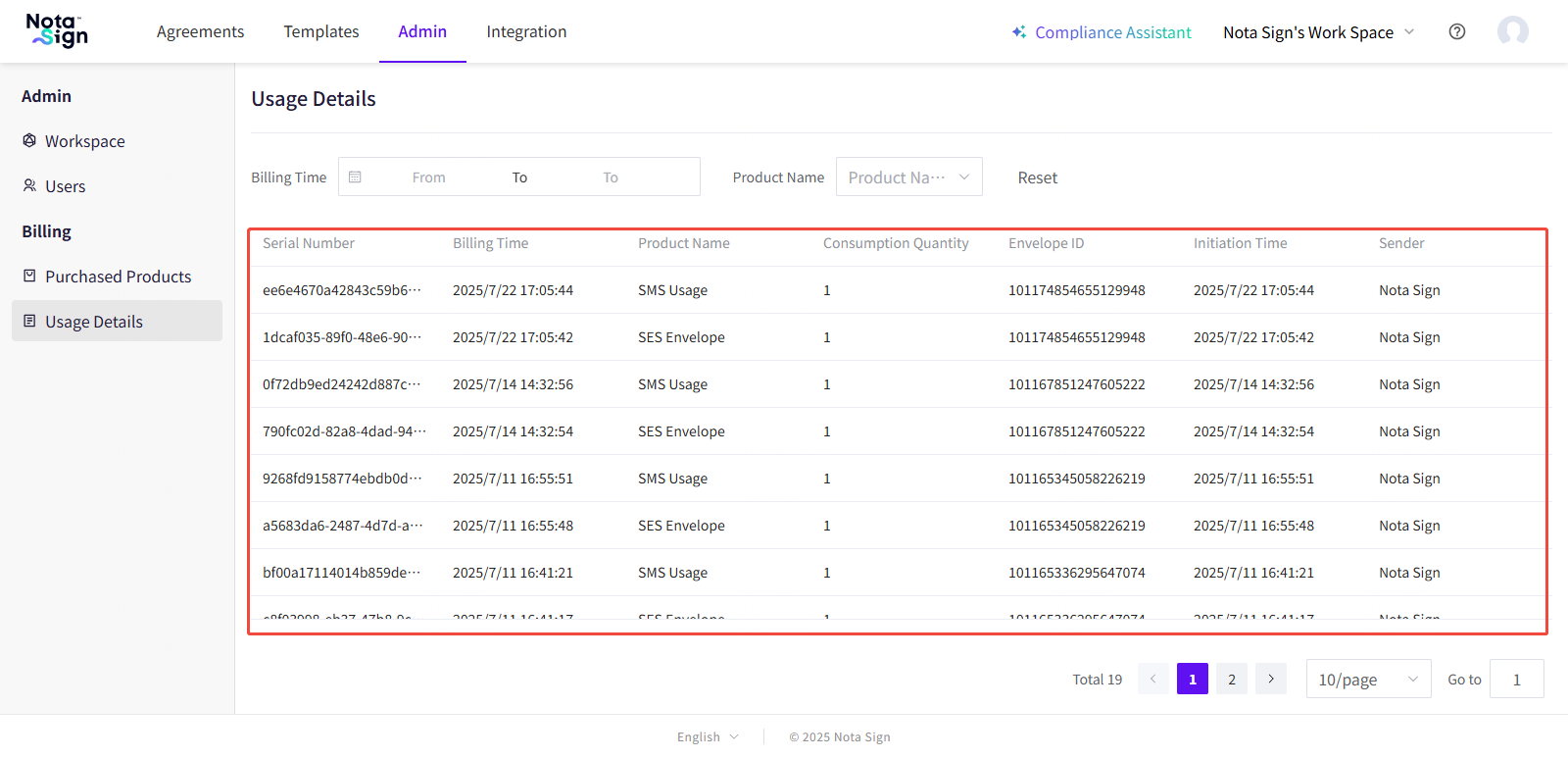
Usage Details Panel Description:
-Serial Number
-Billing Time
-Product Name
-Consumption Quantity
-Envelope ID
-Initiated Time
-Initiator (Initiator)
4, Advanced filtering function
You can quickly locate the target record by using the filter bar at the top of the page based on the following criteria:
-Filter by billing time
-Filter by [Product Type]