
1. Feature Overview
CFR envelopes support the use of digital signatures for signing. Administrators can view installed digital signature applications in the GxP workspace and set the default TSP (Trust Service Provider) for signers. After configuration, senders can select [Digital Signature] for recipients when creating CFR envelopes, and set the available CA scope based on actual needs.
During signing, recipients must first complete CFR Part 11 / GxP verification, then proceed to the digital signature process and complete the signing according to the corresponding digital signature method.
2. Step-by-Step Instructions
(1) Log in to Nota Sign and enter the corresponding GxP workspace;
(2) Click [Manage] → [Digital Signature] to enter the digital signature management page;
(3) The page will display the TSP trust service providers that have been installed from the Nota Sign Extension Center for the current workspace;
(4) In [Default TSP selected by signers], select the TSP you want to set as the default option;
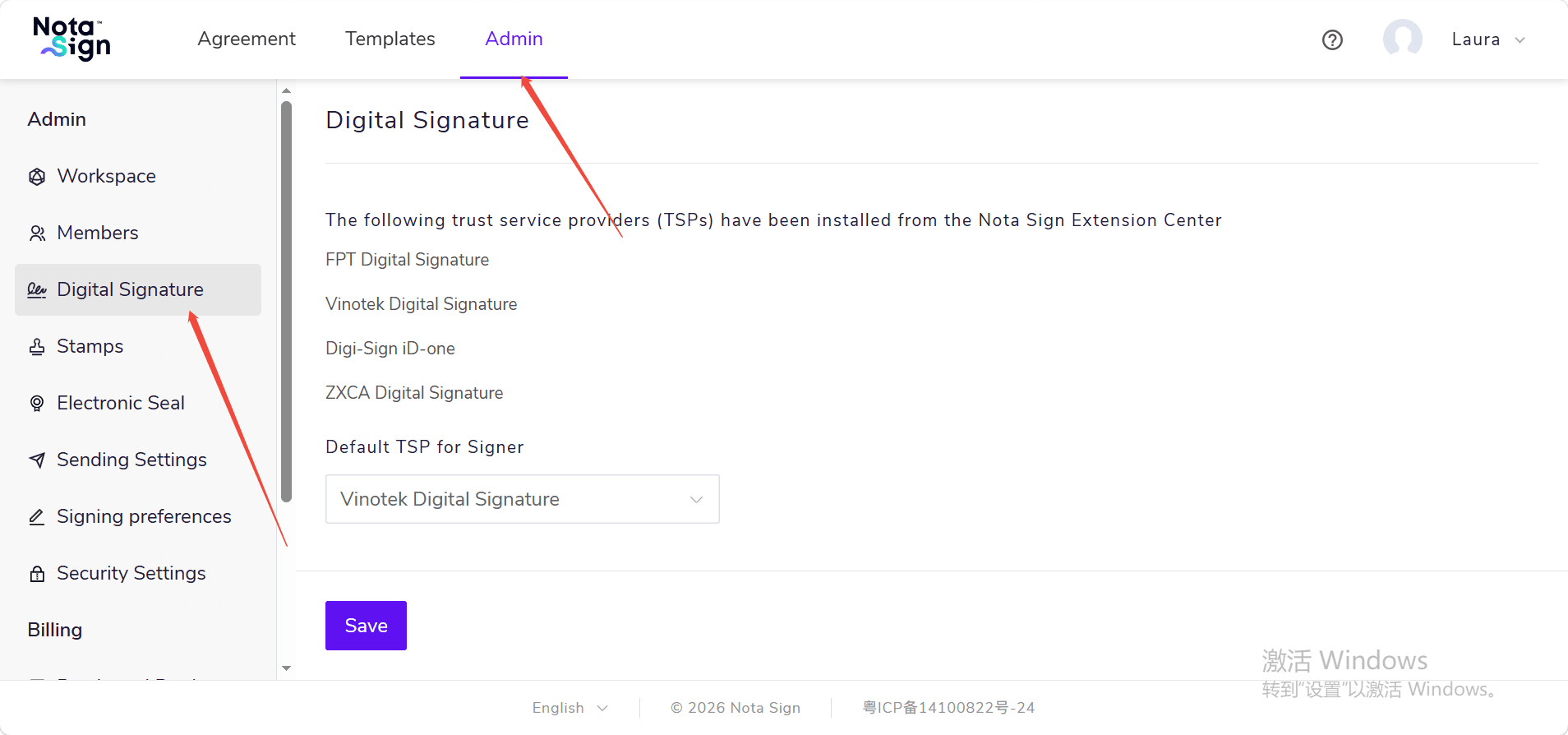
(5) Click [Save] to complete the configuration.
If you need to use other digital signature applications, please go to the Nota Sign Extension Center to install them first. Installed digital signature applications will be displayed on the [Digital Signature] page.