
1. Feature Overview
CFR envelopes support the use of digital signatures for signing. When creating a CFR envelope, senders can set the recipient’s signature type to [Digital Signature] and configure the CA scope based on actual signing requirements.
The following two CA scopes are supported:
- No CA Restriction: No specific CA is pre-specified. Recipients can choose from the available digital signature CAs during signing.
- Specify CA: A specific CA is pre-specified by the sender. Recipients can only use the specified CA during signing.
After the envelope is sent, recipients will first complete CFR Part 11 / GxP verification, and then proceed to the corresponding digital signature process.
2. Step-by-Step Instructions
2.1 Setting the Recipient’s Signature Type
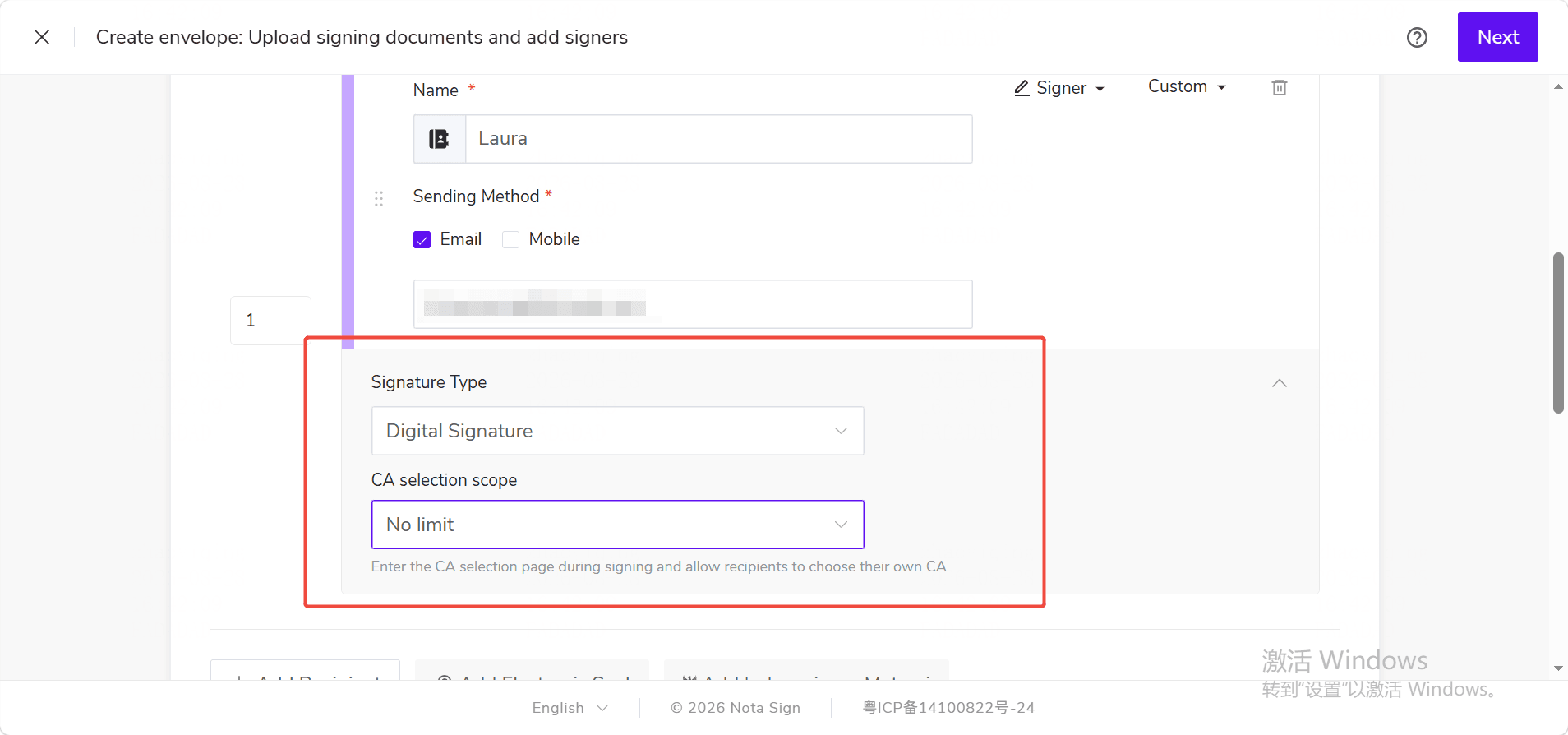
(1) Create a CFR envelope and add the documents to be signed; (2) Add a recipient and fill in the recipient information; (3) Select [Digital Signature] in the [Signature Type] field; (4) After selection, the CA scope options will be displayed on the page.
2.2 Setting the CA Scope
Based on the actual signing requirements, select either [No CA Restriction] or [Specify CA].
- No CA Restriction: No specific CA needs to be pre-specified. Recipients can choose from the available CAs to complete the digital signature during signing.
- Specify CA: Select the CA that the recipient should use. After the envelope is sent, recipients can only use the specified CA during the signing process and cannot switch to another CA.
When selecting [Specify CA], the available CA options are based on the digital signature applications displayed on the page.
2.3 Sending the CFR Envelope
After completing the recipient’s digital signature and CA scope settings, continue with the other envelope configurations. Once the envelope information is confirmed to be correct, send the CFR envelope.
When recipients submit their signing, the system will first complete the corresponding verification according to the CFR Part 11 / GxP process. After verification is passed, they will proceed to the digital signature process.