
1. Feature Overview
CFR envelopes support the use of electronic seals (eSeal) for stamping.
After the administrator completes the electronic seal-related configuration and enables the electronic seal feature Configure an Electronic Seal in a CFR Envelope, senders can add electronic seal participants when creating a CFR envelope and add electronic seal controls for them.
When an electronic seal is applied, the system will perform the corresponding GxP verification in accordance with the CFR Part 11 signing process, and record the signing reason and related signing information.
2. Step-by-Step Instructions
2.1 Adding an Electronic Seal Participant
(1) Create a CFR envelope and upload the documents to be signed; (2) In the participant addition area, click [Add Electronic Seal];
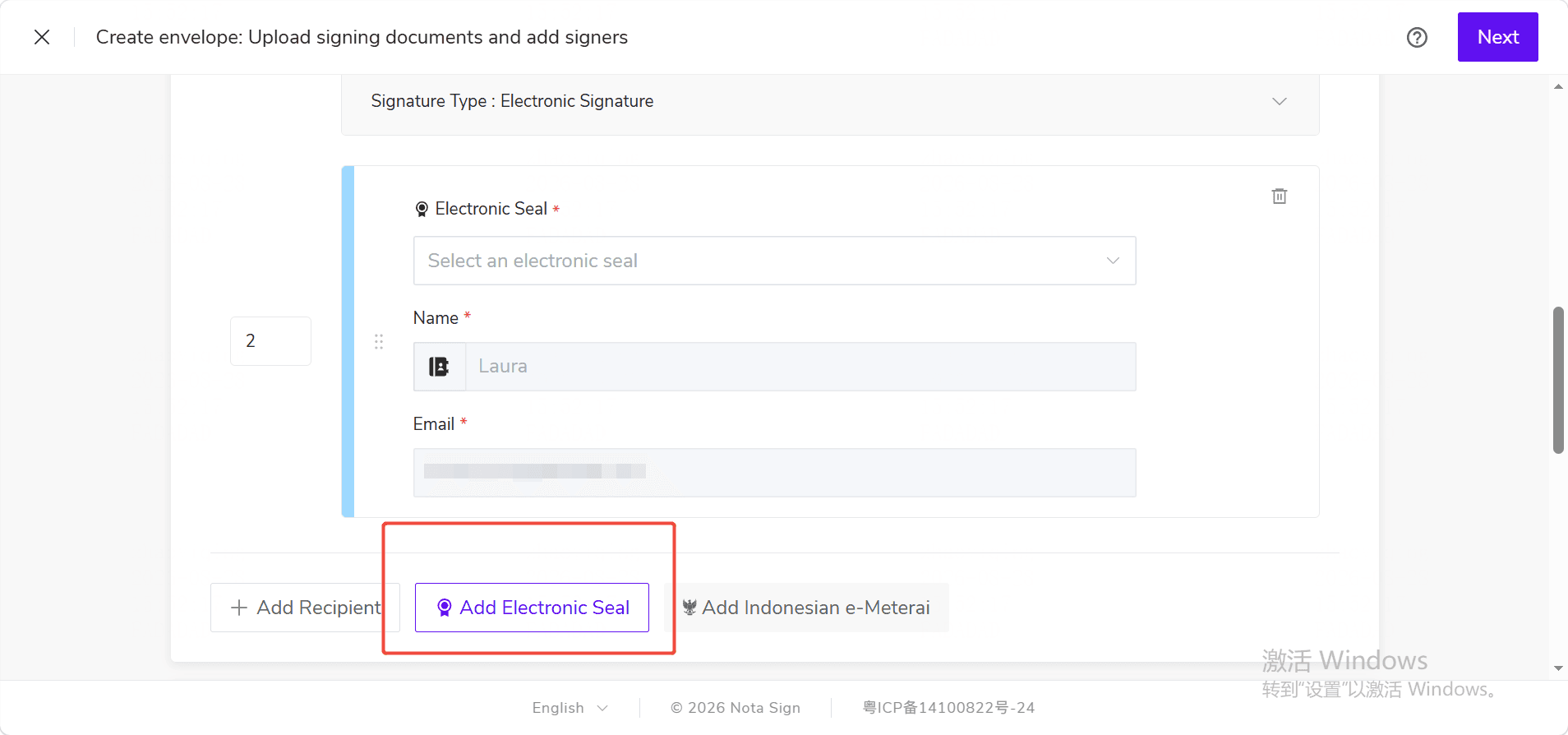
(3) Select the electronic seal according to actual stamping needs and complete the relevant configuration.
If the [Add Electronic Seal] entry is not displayed on the page, please contact the administrator to confirm whether the electronic seal feature has been enabled for the current workspace.
2.2 Selecting the Electronic Seal Application Method
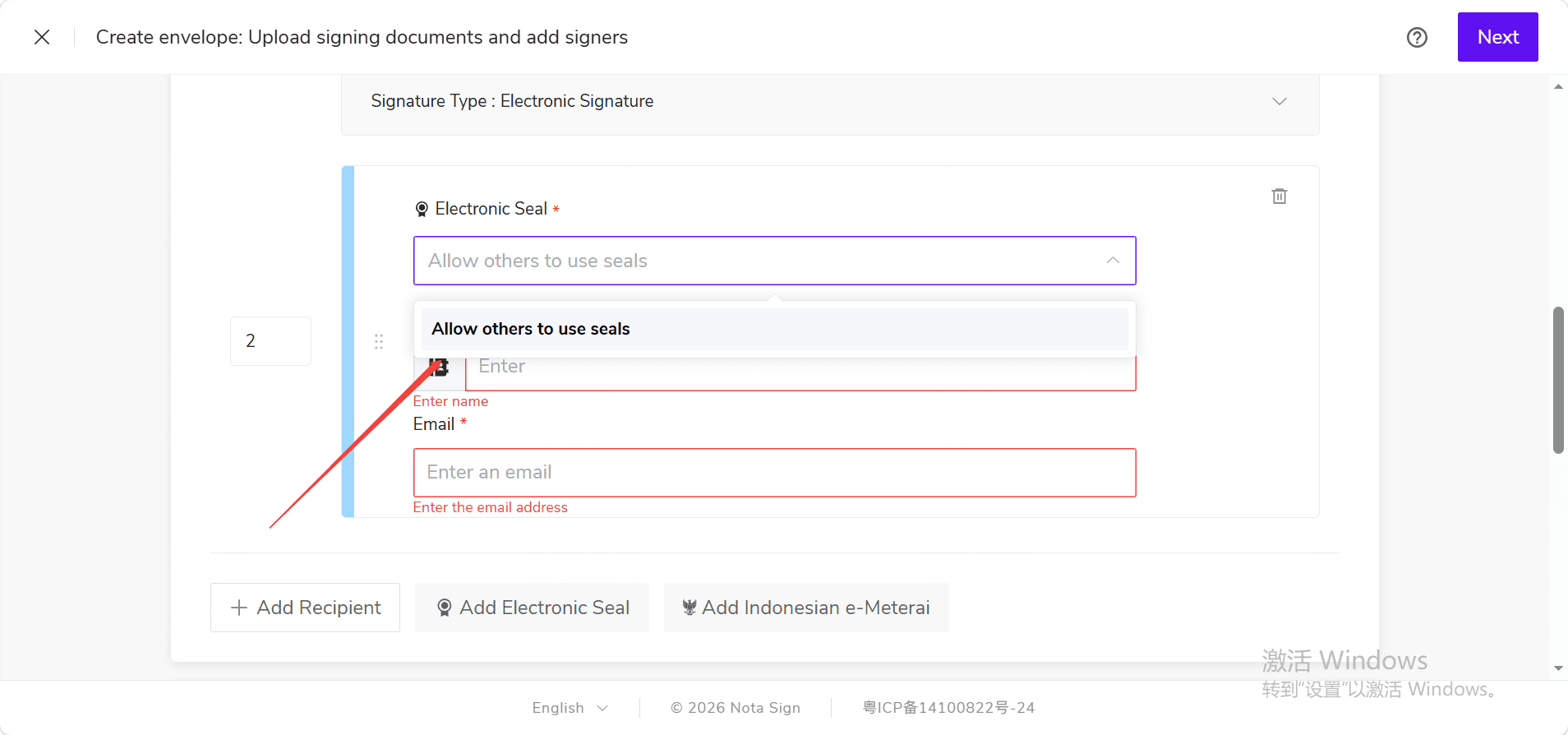
When adding an electronic seal participant, select the appropriate electronic seal and application method based on the actual business scenario. If another member needs to apply the seal, you can select the appropriate seal applier and complete the configuration as prompted on the page.
2.3 Adding an Electronic Seal Control
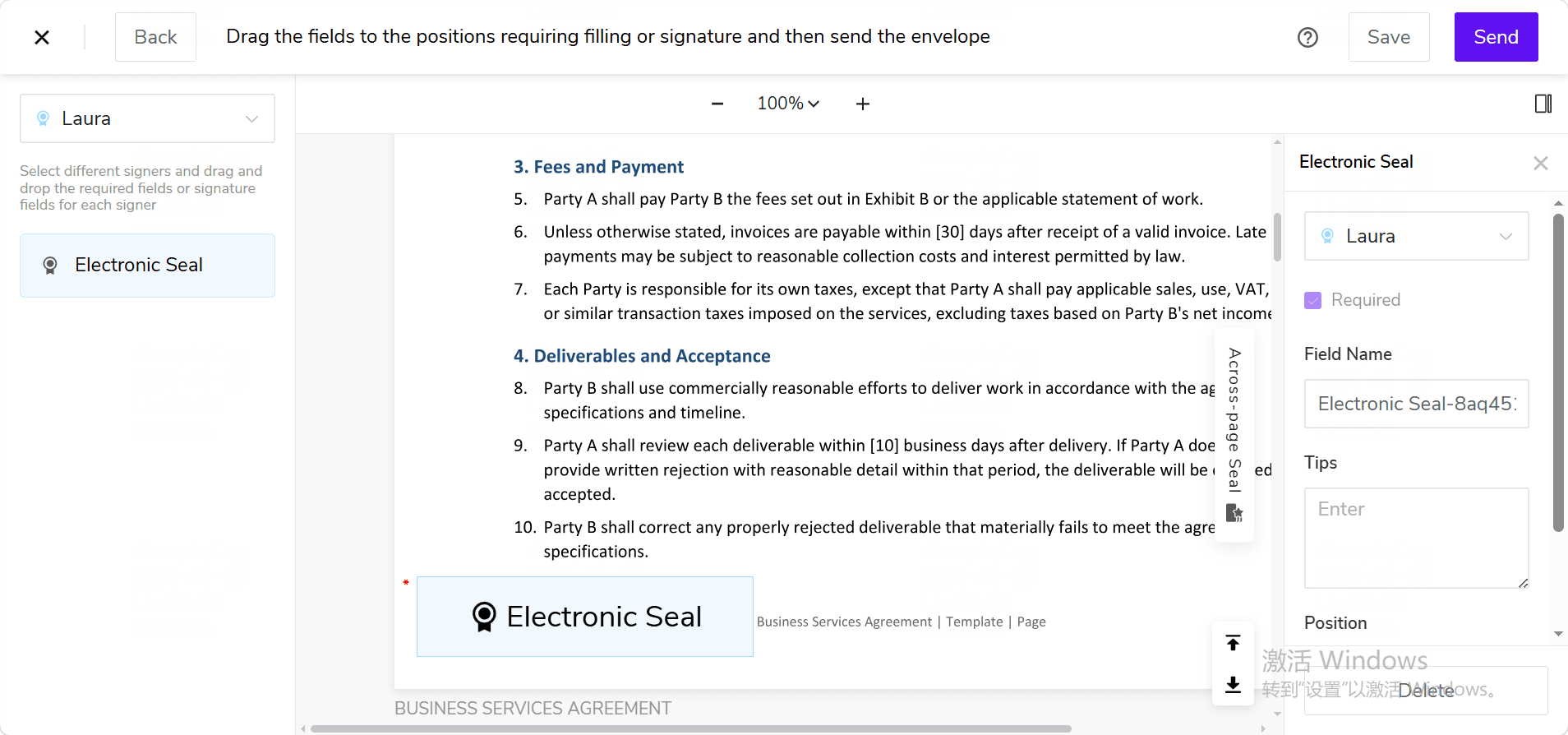
(1) After completing the participant configuration, enter the control settings page; (2) Select the corresponding electronic seal participant; (3) Drag and drop the [Electronic Seal] control to the position in the document where the seal needs to be applied; (4) Adjust the position and size of the control as needed.
2.4 Sending the CFR Envelope
After confirming that the documents, participants, and electronic seal control configurations are correct, send the CFR envelope.
When an electronic seal is applied, the system will perform the corresponding GxP verification in accordance with the CFR Part 11 signing process, and record the signing reason and related signing information.