
Set password expiration date
Administrators can set the validity period of member passwords in the workspace. After the password expires, members need to set a new password to log in.
Operation steps:
-
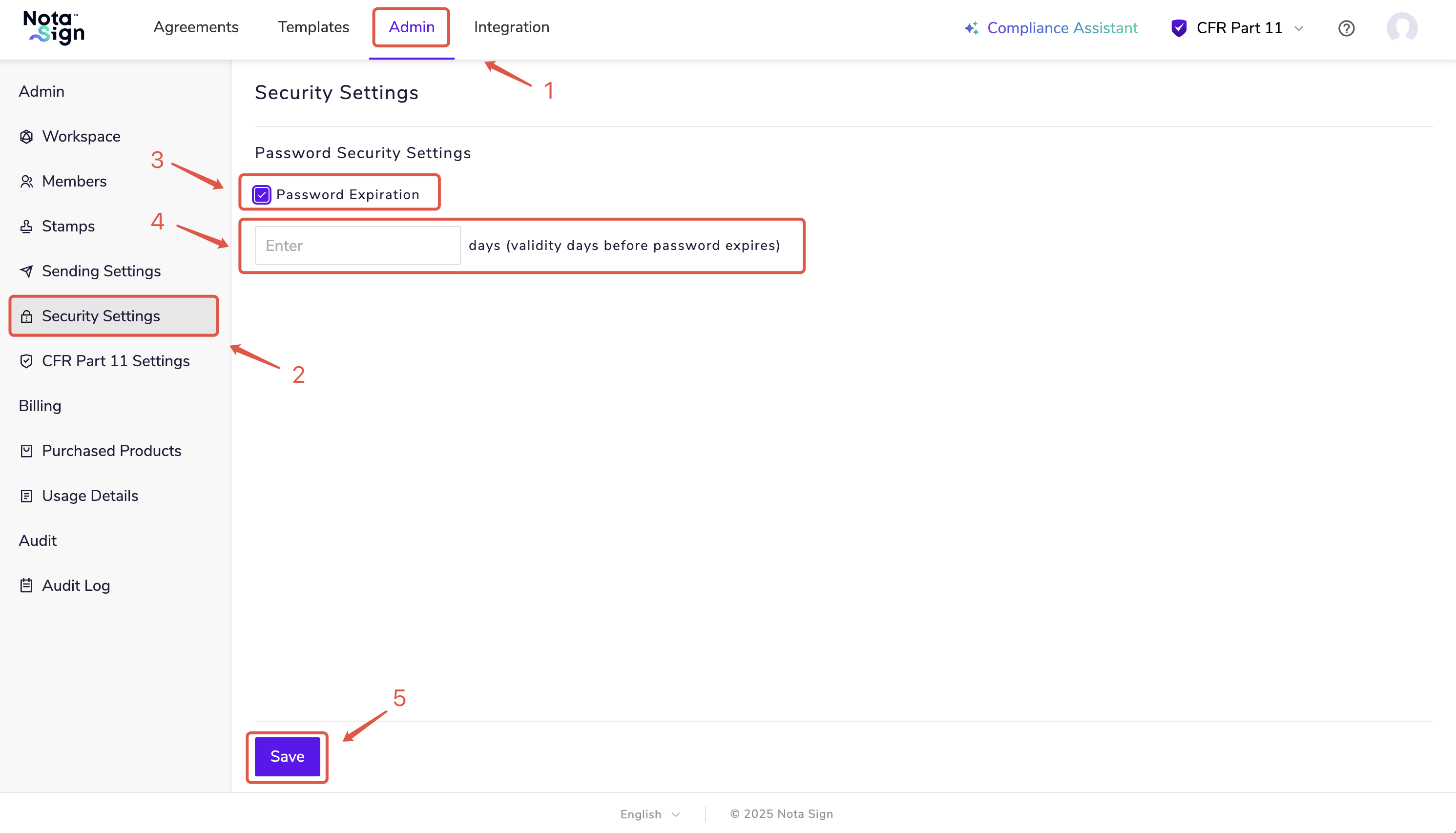
Log in to the Nota Sign workbench;
-
Click on [Management] - [Security Settings];
-
Check the option for automatic password expiration and set the expiration date to a maximum of 730 days;
-
Click [Save] to complete the settings.
When members log in using SSO, password expiration settings cannot take effect.