
1. Submit signature and select FPT digital signature
The recipient opens the signing link to complete the signing and submission, and the page will pop up displaying the currently available digital signature services.
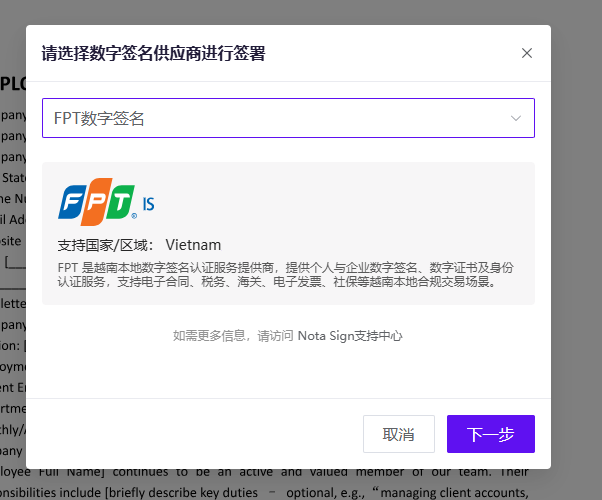
Click Next:
-If you already have the certificate, proceed directly to sign authorization (skip steps 2, 3, and 4).
FPT is a short-term certificate with a validity period of 24 hours. -If there is no certificate, enter the authentication information page
2. Fill in authentication information
On the FPT certification information page, fill in the following information:
-ID Name -Document type: Personal ID/Citizen ID/Passport -Document ID -Authentication contact information (email or phone, phone prefix+84 Vietnam)
After completing the form, click on ‘Continue Authentication’.
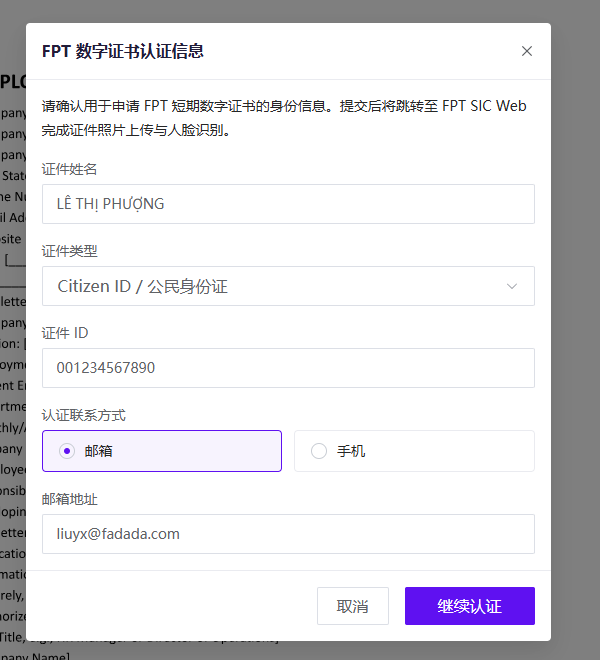
3. Complete eKYC and certificate application
The page will redirect to FPT SIC Web to complete identity authentication (eKYC) and short-term certificate application.
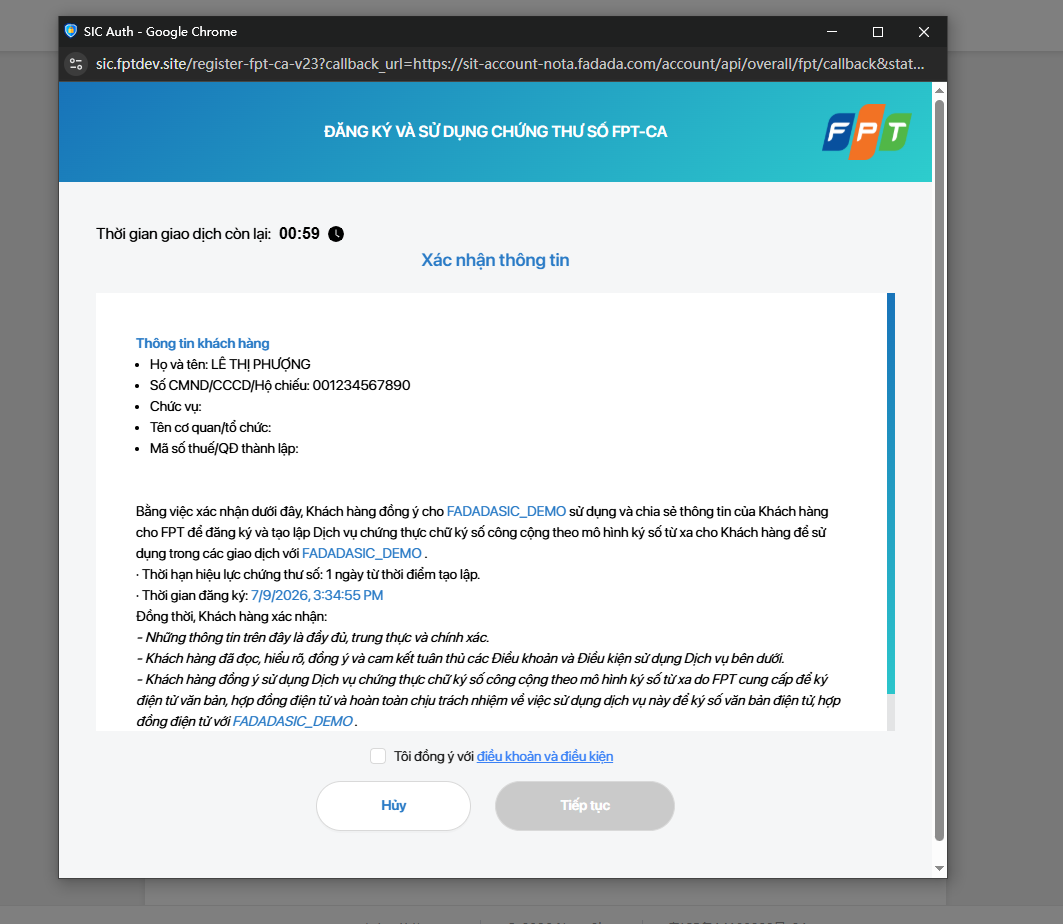
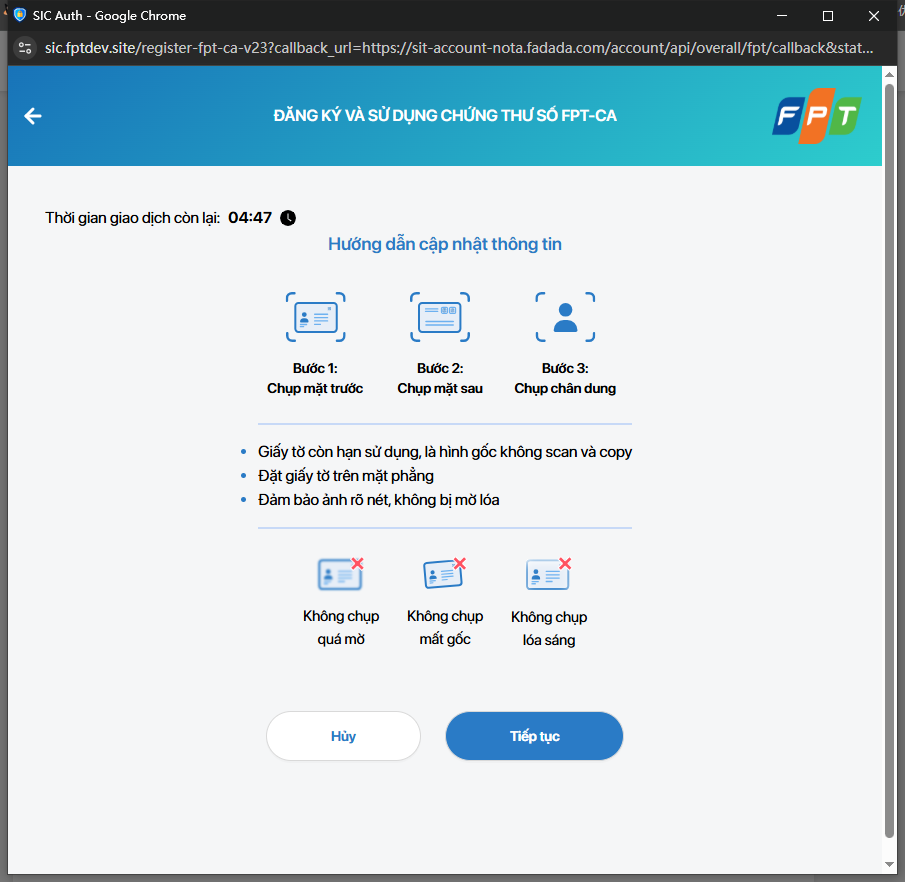
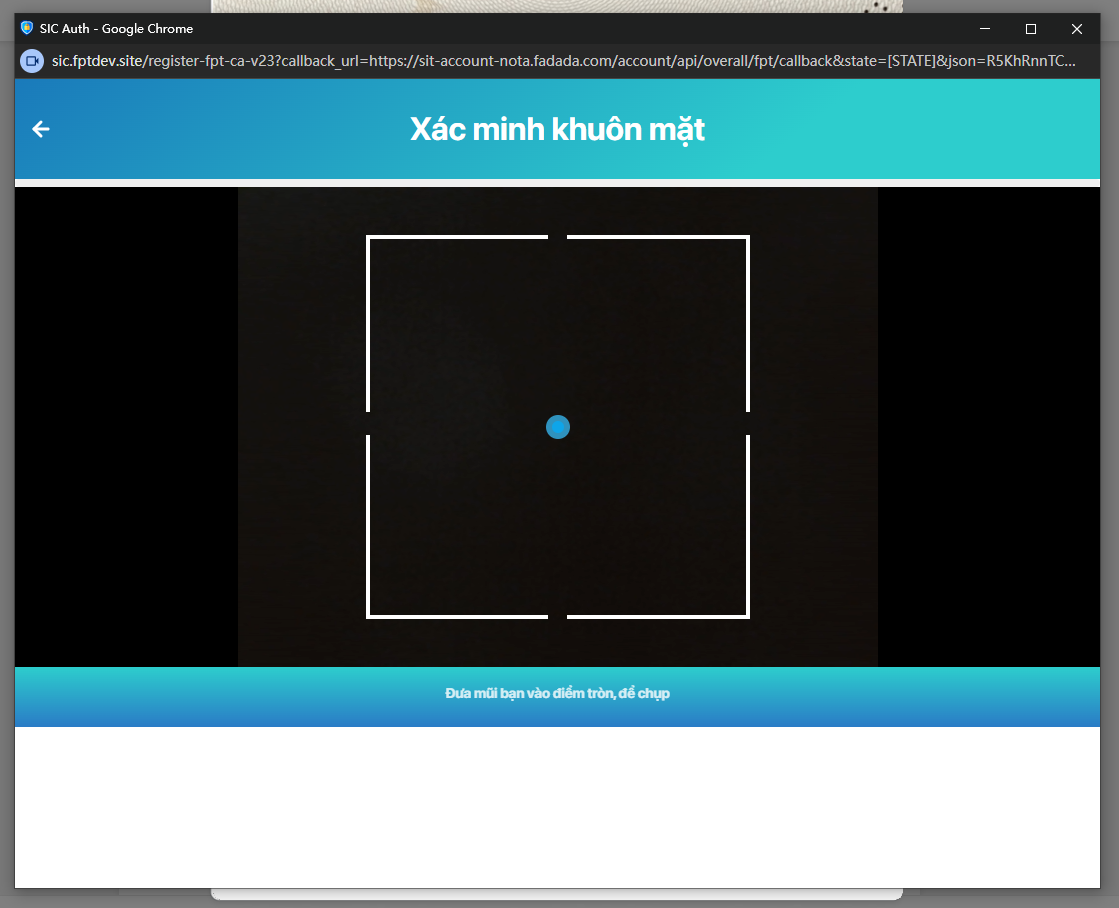
If tested in China, it is necessary to connect to an external VPN to access FPT SIC Web normally.
4. Waiting for certificate query
After returning to Nota Sign, the page displays certificate query, and the signing process will automatically continue after the query is completed.
5. Sign authorization
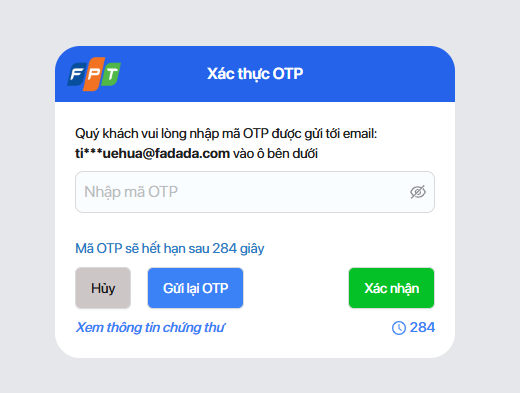
Enter FPT SIC Web to complete OTP authorization signing. After the system obtains the signature value and certificate details, complete the digital signature of the document.
6. Confirmation of willingness to sign
During the validity period of the certificate, if you need to sign multiple documents, there is no need to register and eKYC again. You can directly reuse the existing certificate to enter the signing authorization.
7. Frequently Asked Questions
Certificate application failed
The page will display the reason for the failure, and you can click on ‘reapply’ to try again.
The signing failed
-If the certificate is still valid (within 24 hours), the signing authorization can be re initiated -If the certificate has expired, you need to re-enter the authentication information page to apply for a new certificate
The page keeps showing processing
In case of network latency or slow system processing, the page will display a processing status. Please be patient and do not close or refresh the page.
Unable to access domestic trial access
FPT SIC Web needs to be accessed in an overseas network environment in Vietnam. If you are trying it in China, you need to enable an external VPN proxy.