
ZXCA Personal Digital Certificate (International)
1. Product Introduction
ZXCA Personal Digital Certificate (International) is a digital certificate service for personal identity verification. Through the identity verification process, ZXCA can issue digital certificates to individual users. These certificates can be used to generate personal digital signatures, helping verify the signer’s identity and enhance the security and reliability of the electronic signing process.
In Nota Sign, signers can use ZXCA Personal Digital Certificate (International) to complete identity verification and sign documents using a personal digital signature.
2. Applicable Scenarios
ZXCA Personal Digital Certificate (International) is mainly intended for non-Mainland China residents and is used in cross-border electronic signing scenarios that require personal identity verification and digital signatures.
You can use this service in the following situations:
- The signer is a non-Mainland China resident;
- The document involves a Mainland China entity or business;
- The signing scenario requires a personal digital signature that complies with relevant legal requirements in Mainland China.
For example:
- Overseas employees signing documents related to Mainland China companies;
- Overseas customers signing contracts involving Mainland China entities;
- Cross-border business scenarios that require identity verification for non-Mainland China signers.
3. How to Enable This Feature
Before using ZXCA Personal Digital Certificate (International), you need to purchase and activate the corresponding service.
3.1 Purchase ZXCA Personal Digital Certificate (International)
Please contact the Nota Sign Sales team to purchase ZXCA Personal Digital Certificate (International). Talk to Nota Sign Sales To start an envelope, see:Send a digitally signed envelope
4. How to Use It After Activation
After the service is activated, signers can use ZXCA Digital Signature to sign documents in an envelope.
Steps:
(1) Open the signing link sent by the sender, read and agree to the signing terms, and complete the required fields in the document;
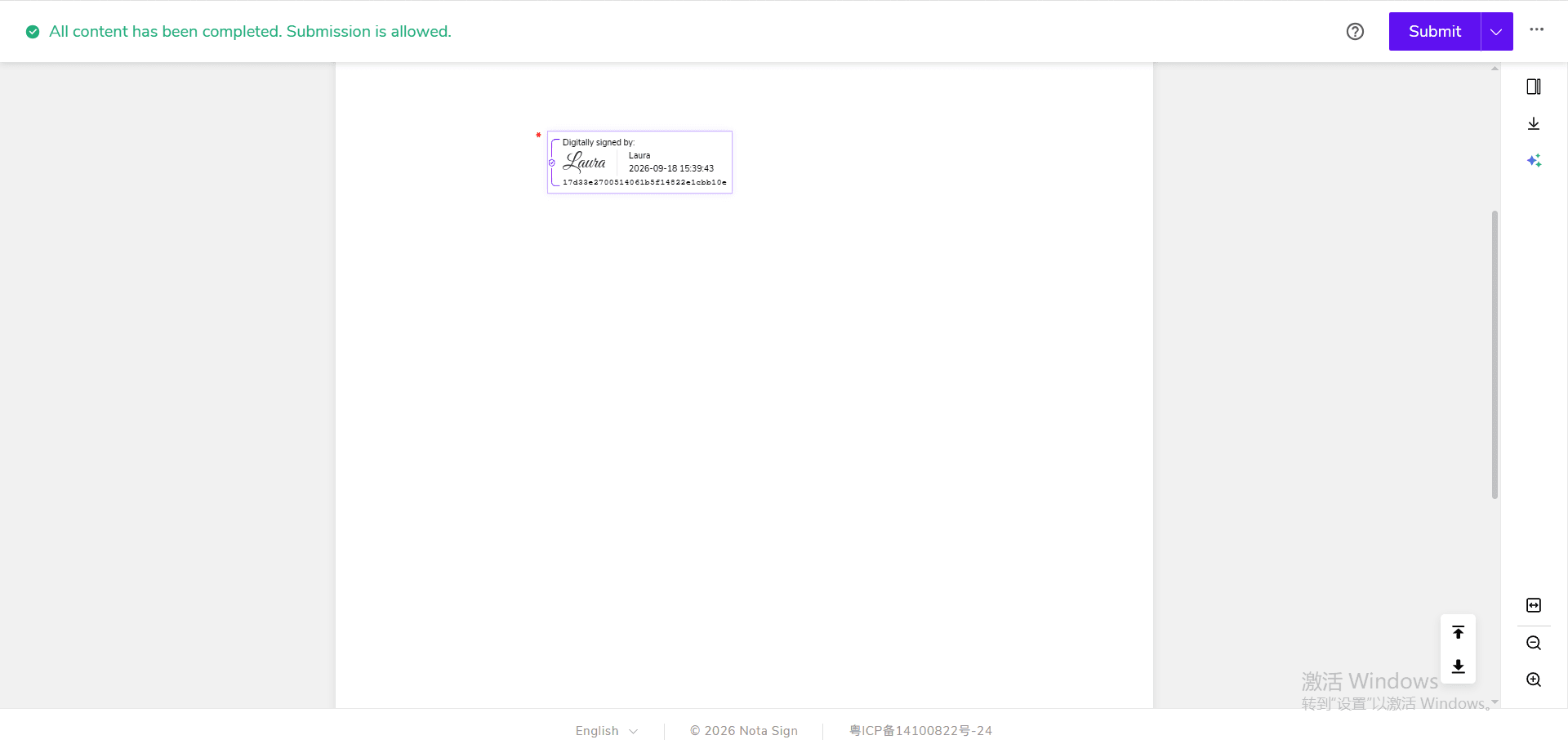
(2) Click Submit and select 【ZXCA Digital Signature】;
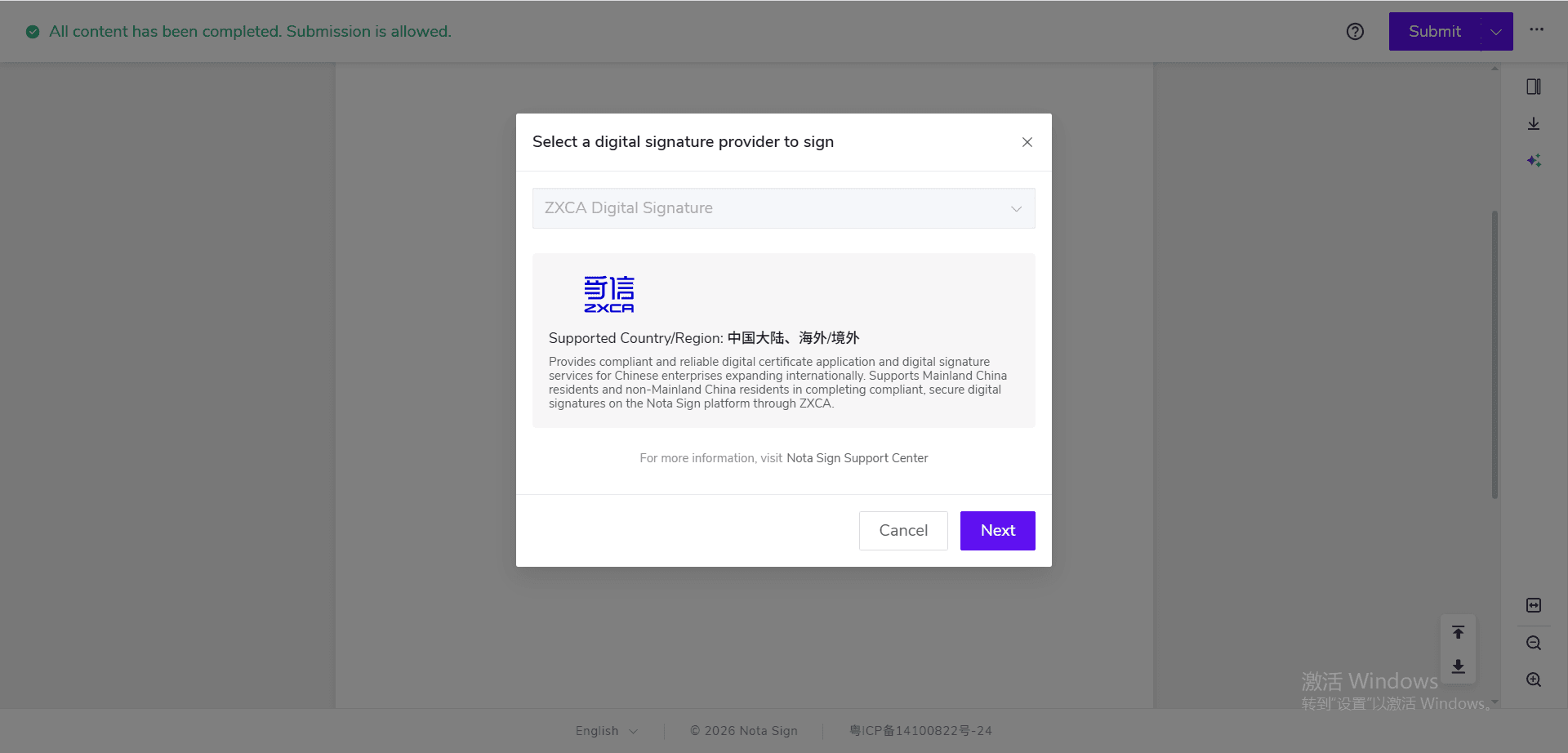
(3) Select 【Non-Mainland China resident】;
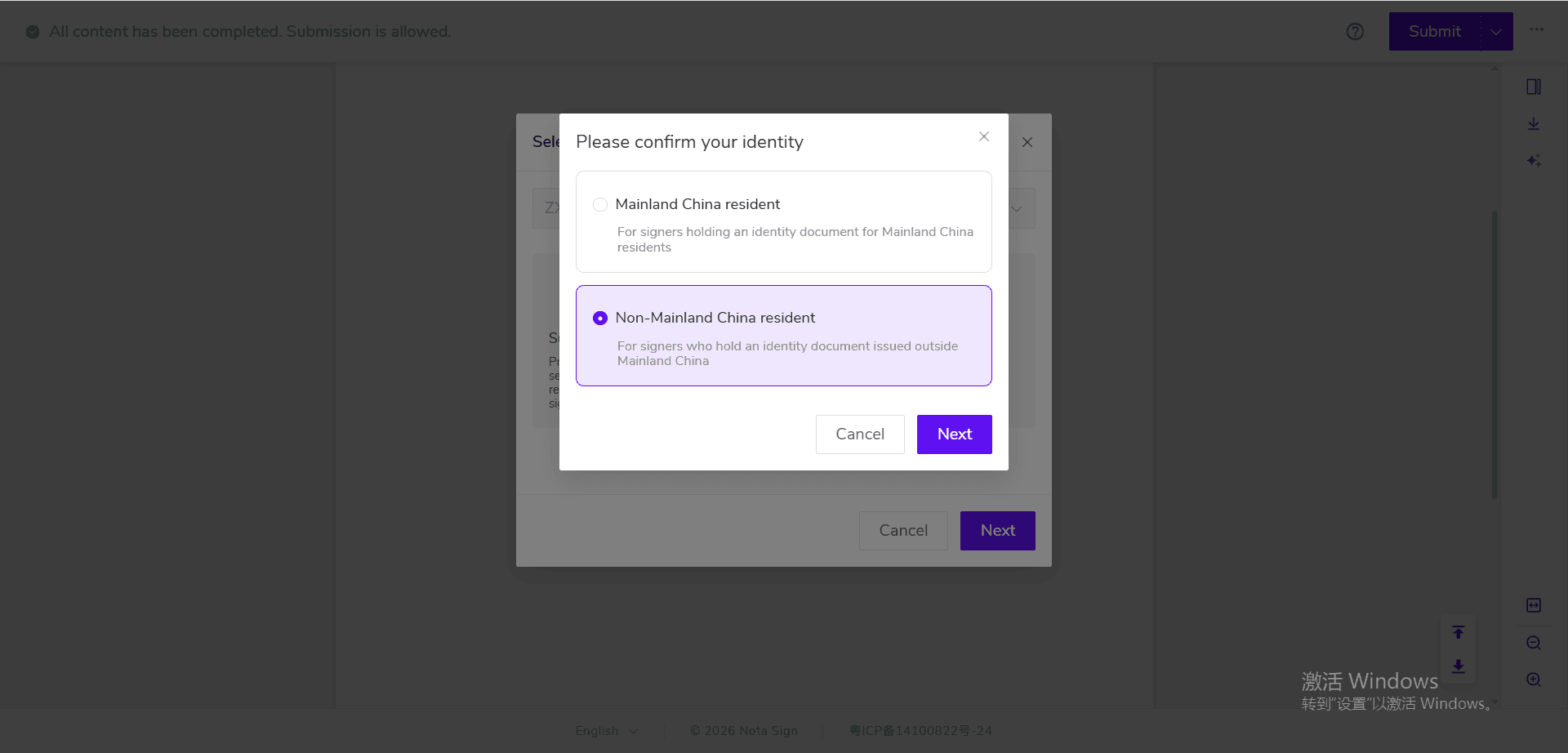
(4) The page will automatically redirect to the Zhixin Cloud application page. Follow the on-screen instructions to log in;
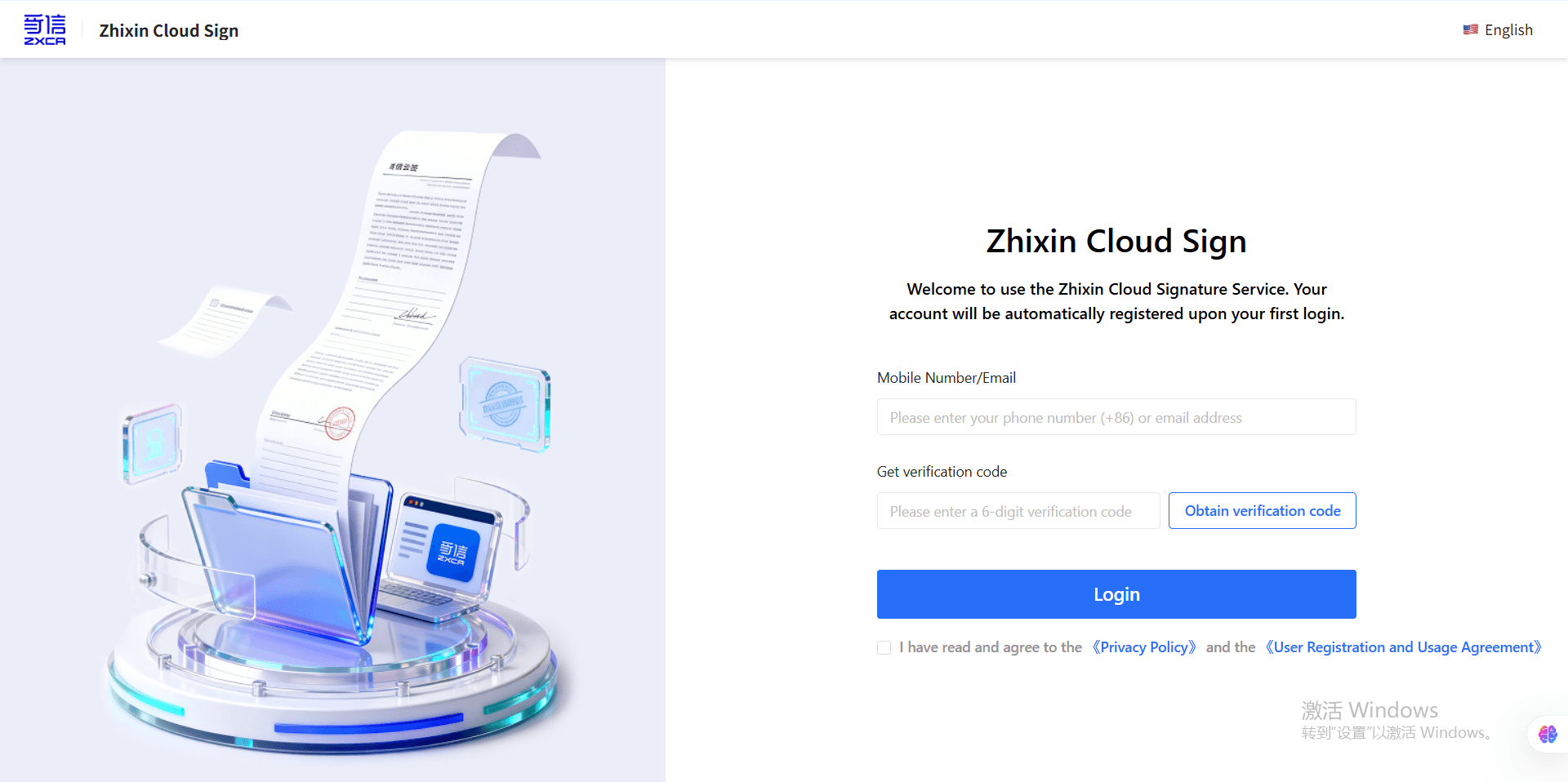
(5) After logging in, you will enter the identity verification page. Follow the on-screen instructions to complete identity verification using your passport and facial recognition;
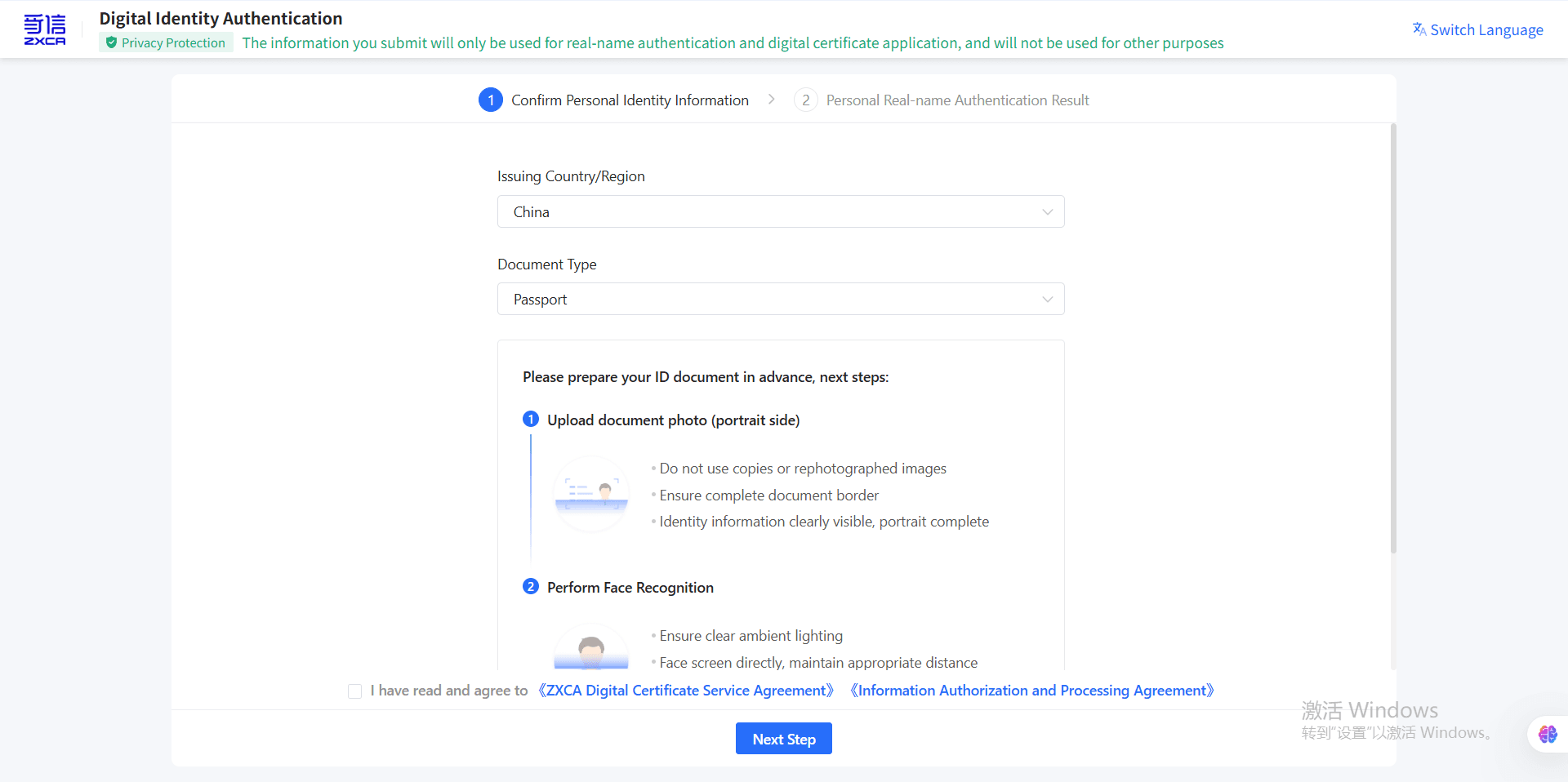
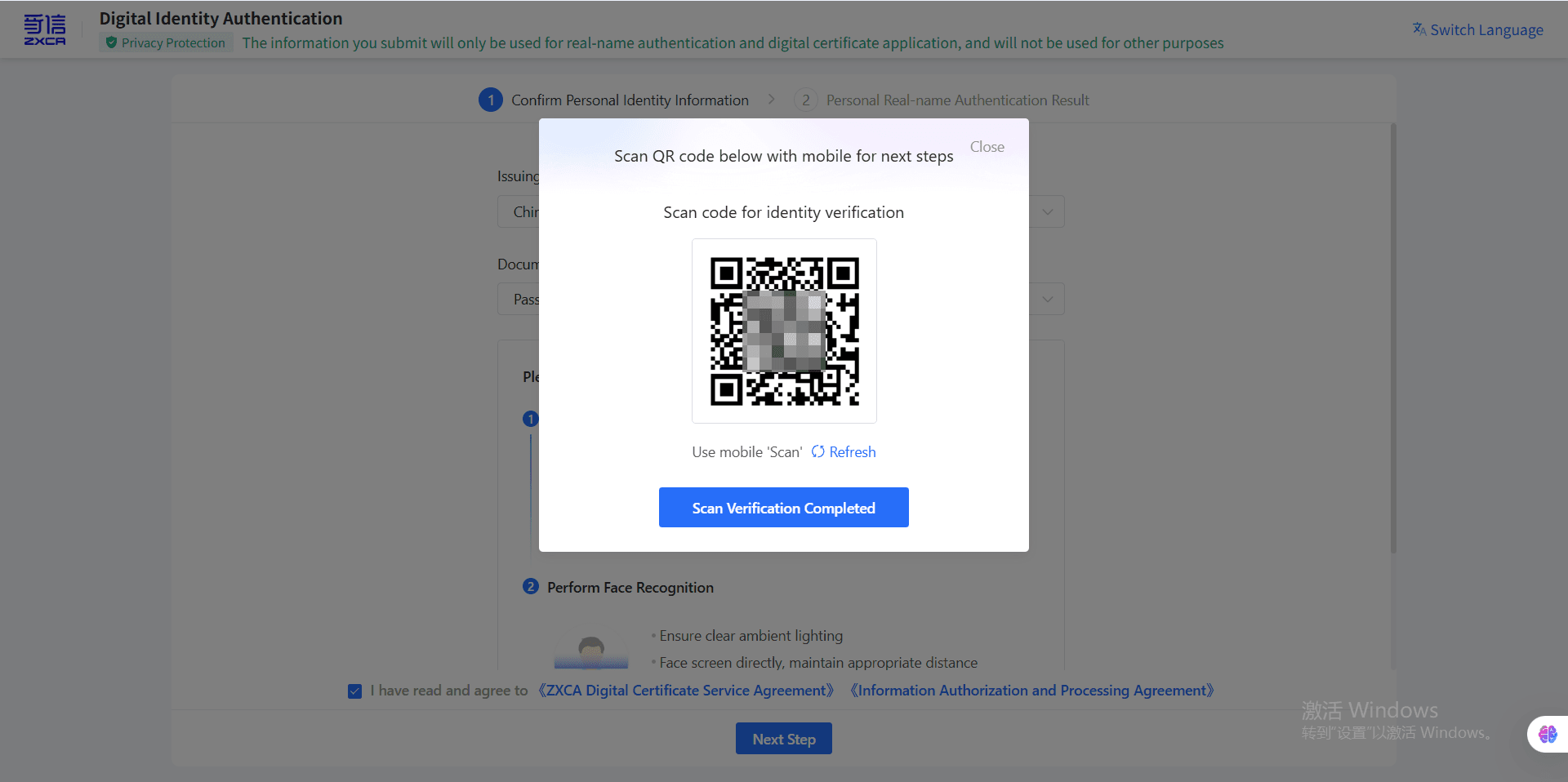
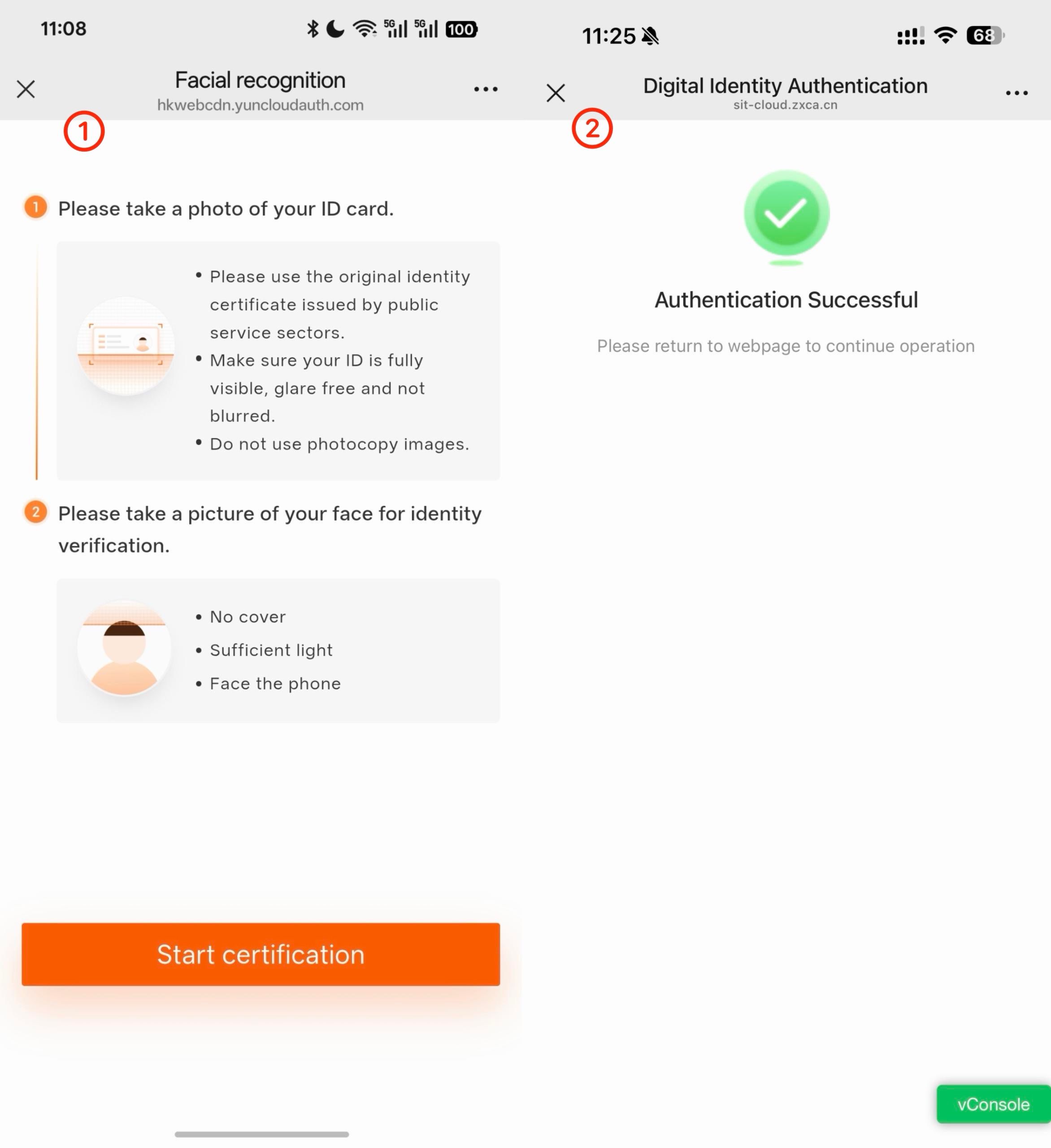
(6) After completing the verification, return to the signing task;
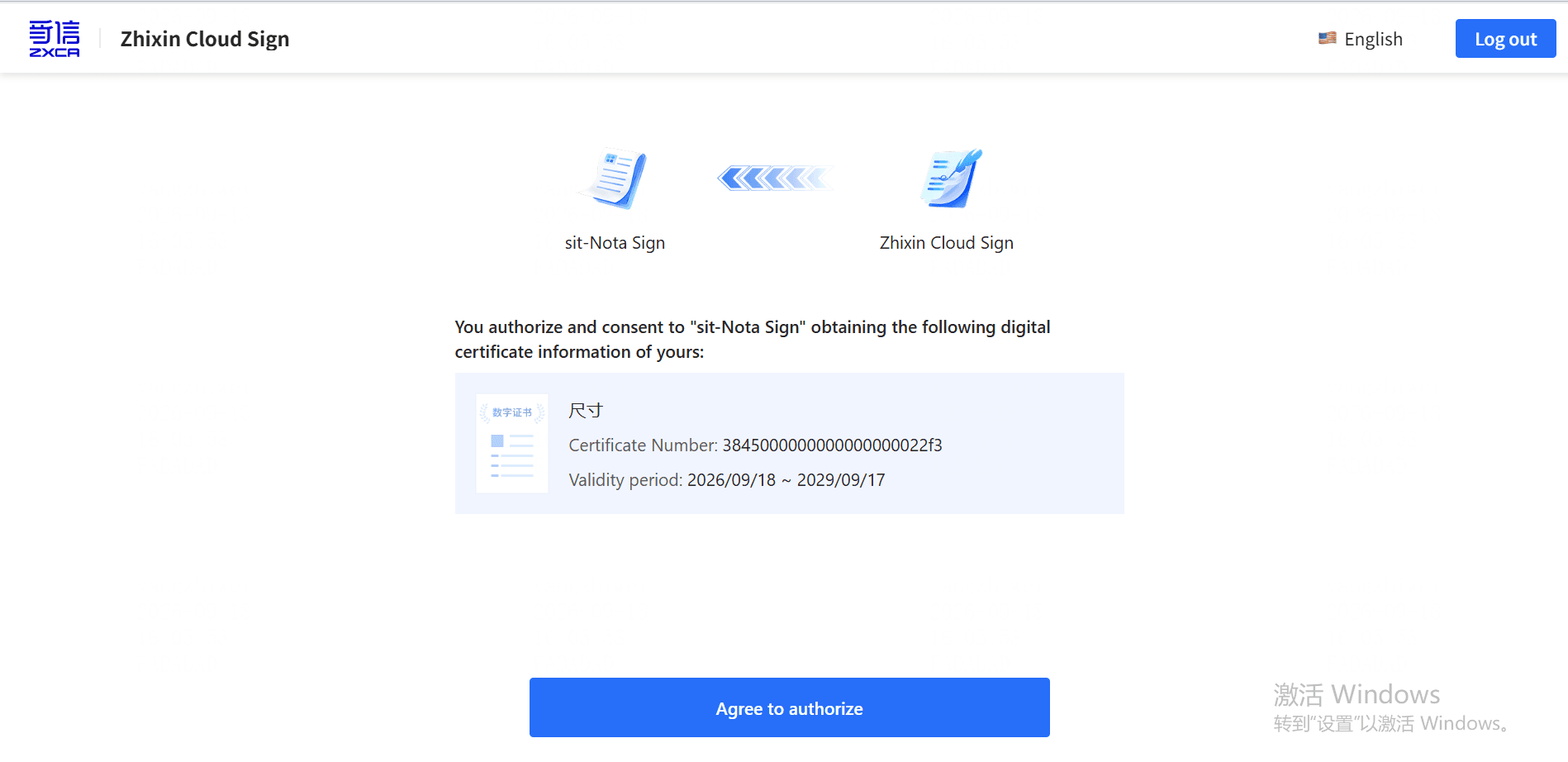
(7) The system will verify your identity using your registered email address or mobile number. Enter the verification code to complete the verification;
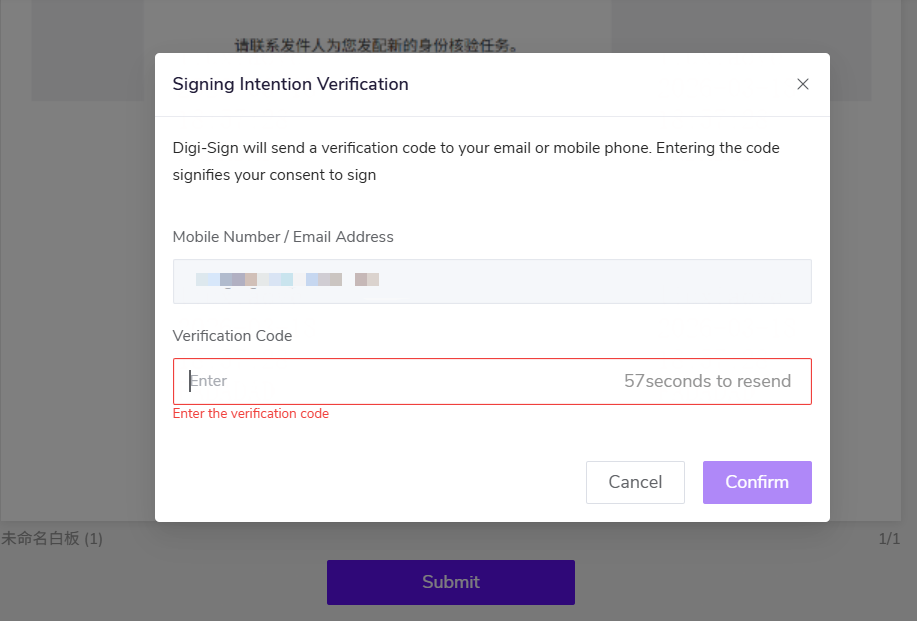
(8) The signing process is complete.
5. FAQ
5.1 Who needs to apply for ZXCA Personal Digital Certificate (International)?
ZXCA Personal Digital Certificate (International) is mainly intended for non-Mainland China residents.
Non-Mainland China residents can apply for this certificate when they need to complete a personal digital signature in an electronic signing scenario related to Mainland China.
5.2 I have purchased the product. Why can’t I see ZXCA Digital Signature?
Please check the following:
- The administrator has completed the product subscription;
- You have logged out of Nota Sign and logged back in;
- Go to 【Admin】-【Digital Signature】 and check whether 【ZXCA Digital Signature】 is displayed.
If it is still not displayed, please contact Nota Sign Customer Support or Sales for assistance.
5.3 Do I always need to apply for a new digital certificate during the signing process?
If the signer already has a valid ZXCA Personal Digital Certificate, the system will proceed directly to the digital signing process.
If the signer does not have a valid certificate, the system will guide the signer through the certificate application process.
5.4 What should I do if the digital certificate application fails?
If an issue occurs during the application process, follow the on-screen instructions.
If the issue cannot be resolved, please contact Nota Sign Customer Support or Sales for assistance.