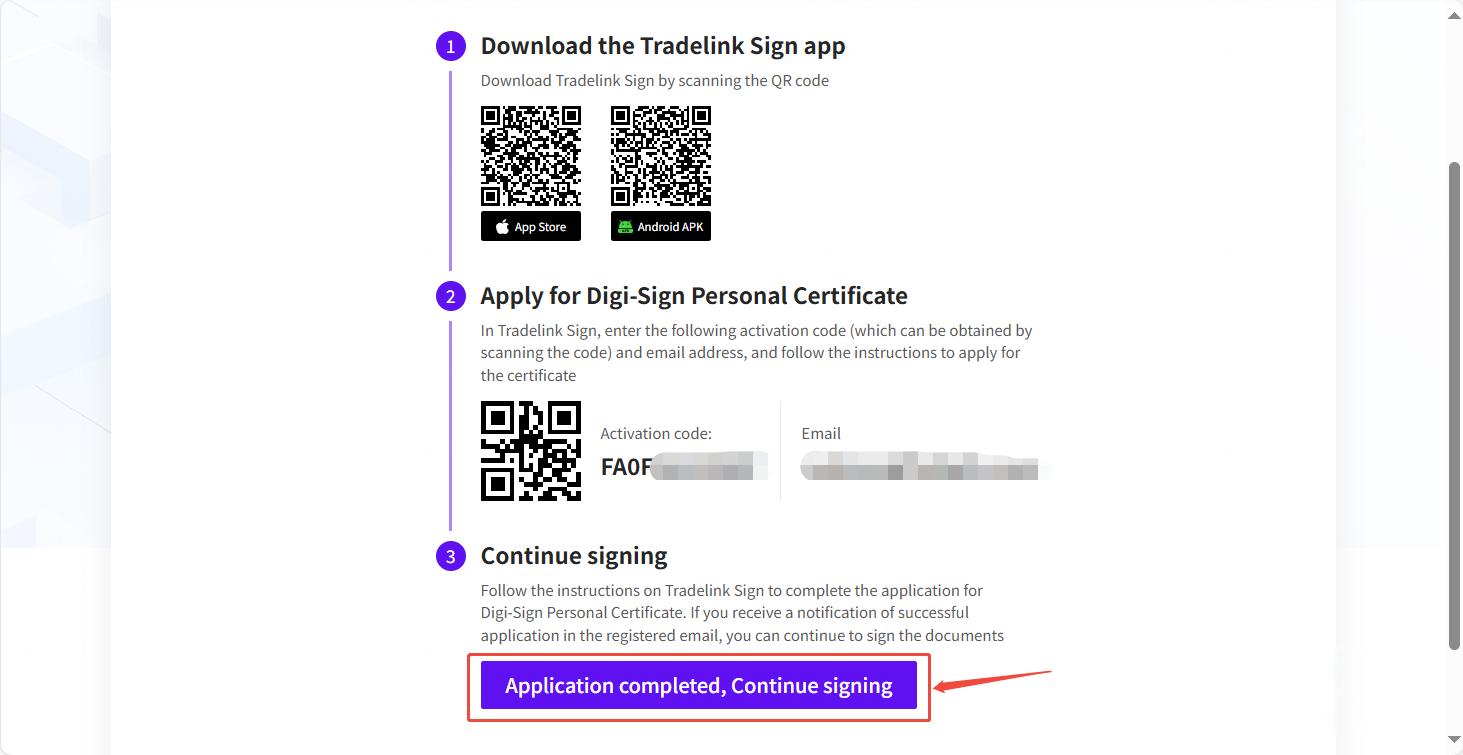
Apply for iD-One Digital Certificate
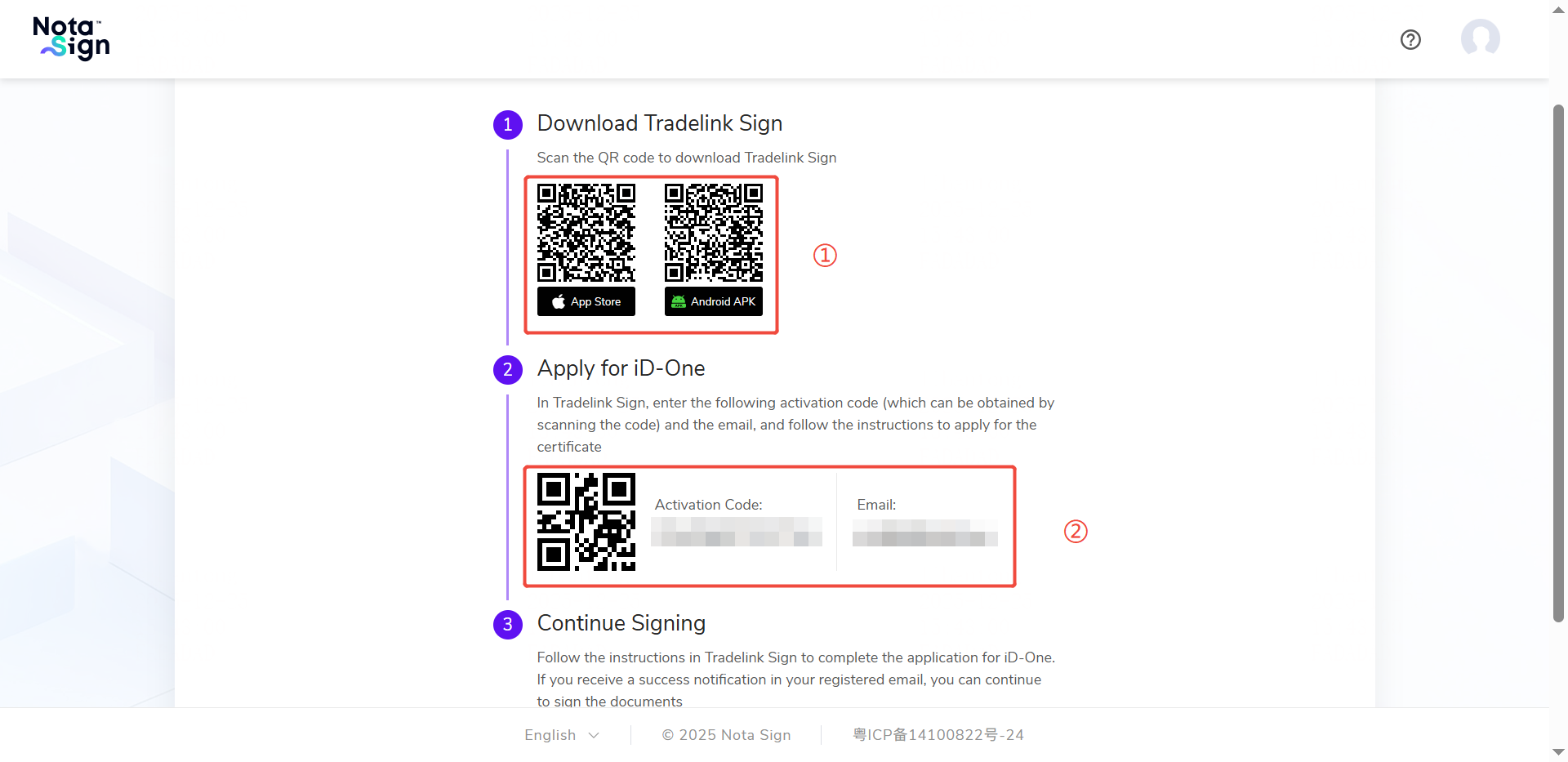
Use your mobile phone to scan the QR code on the page, download and install the Tradelink Sign app;
After launching the app, scan the activation code on the page or manually enter the activation code;
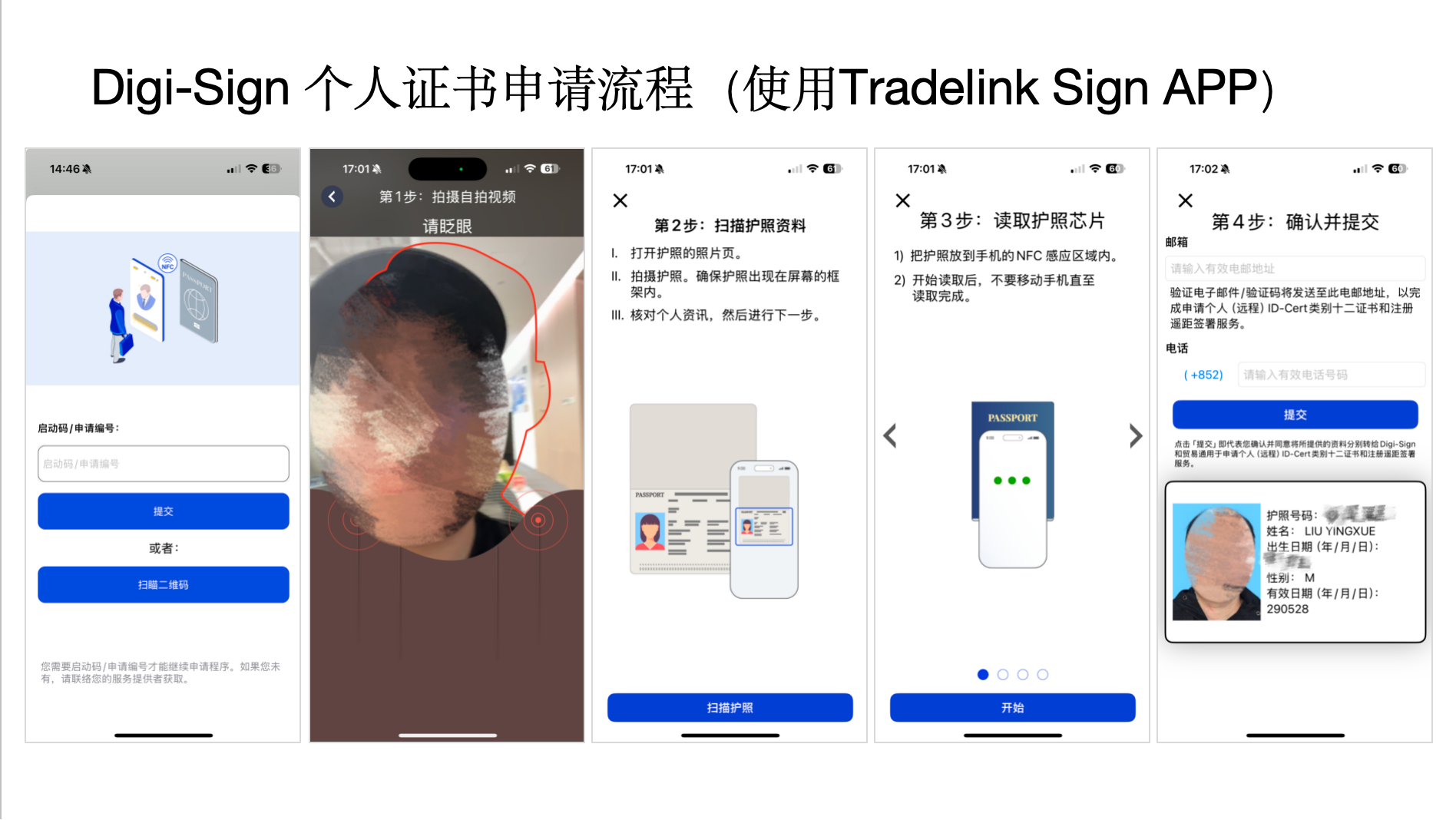
- Follow the guidance to complete the identity verification (please prepare your physical passport);
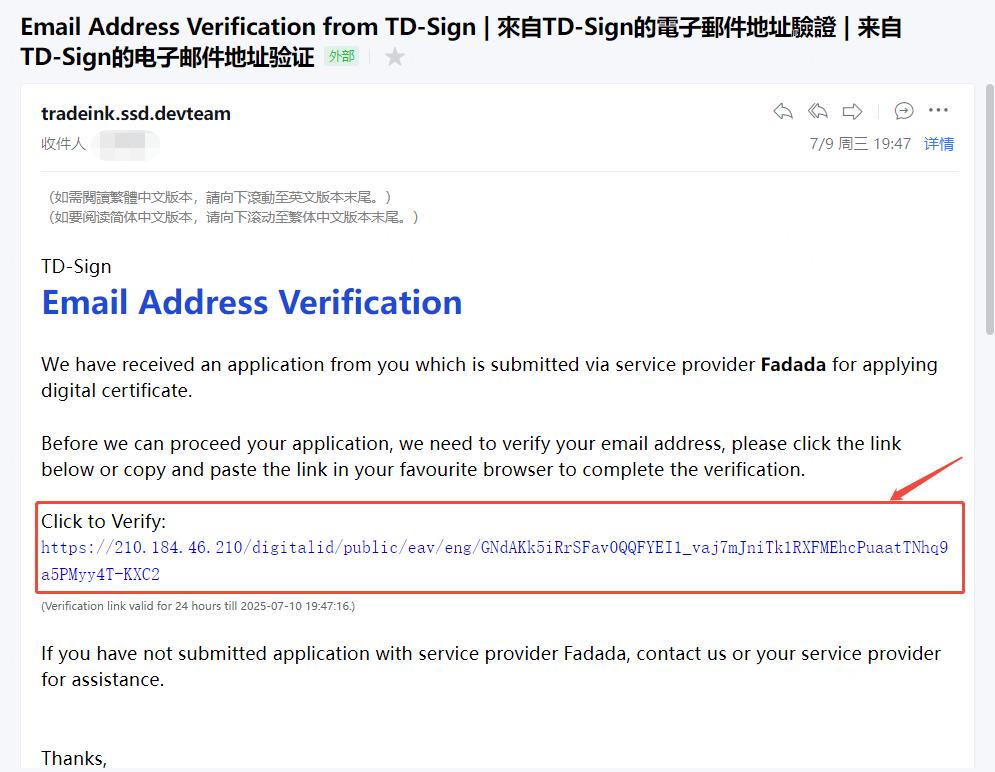
- After submitting the application, please check for a verification email in your registered mailbox and complete the confirmation.
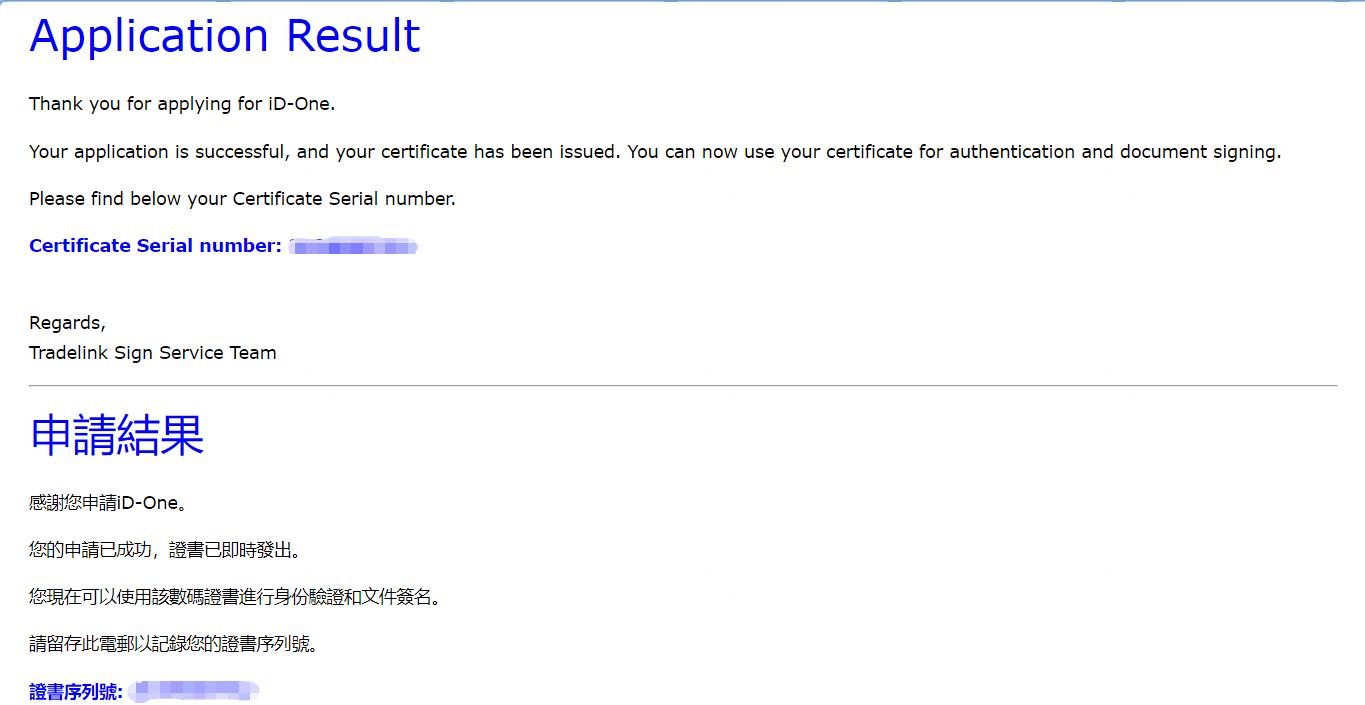
- After completing the verification, click [Application complete, continue signing] in the email to return to the signing page.