Customing Brand Logo
You can display your brand in email notifications and signing pages by uploading a brand image.
- Log in to your Nota Sign, click Admin > Brand Settings;
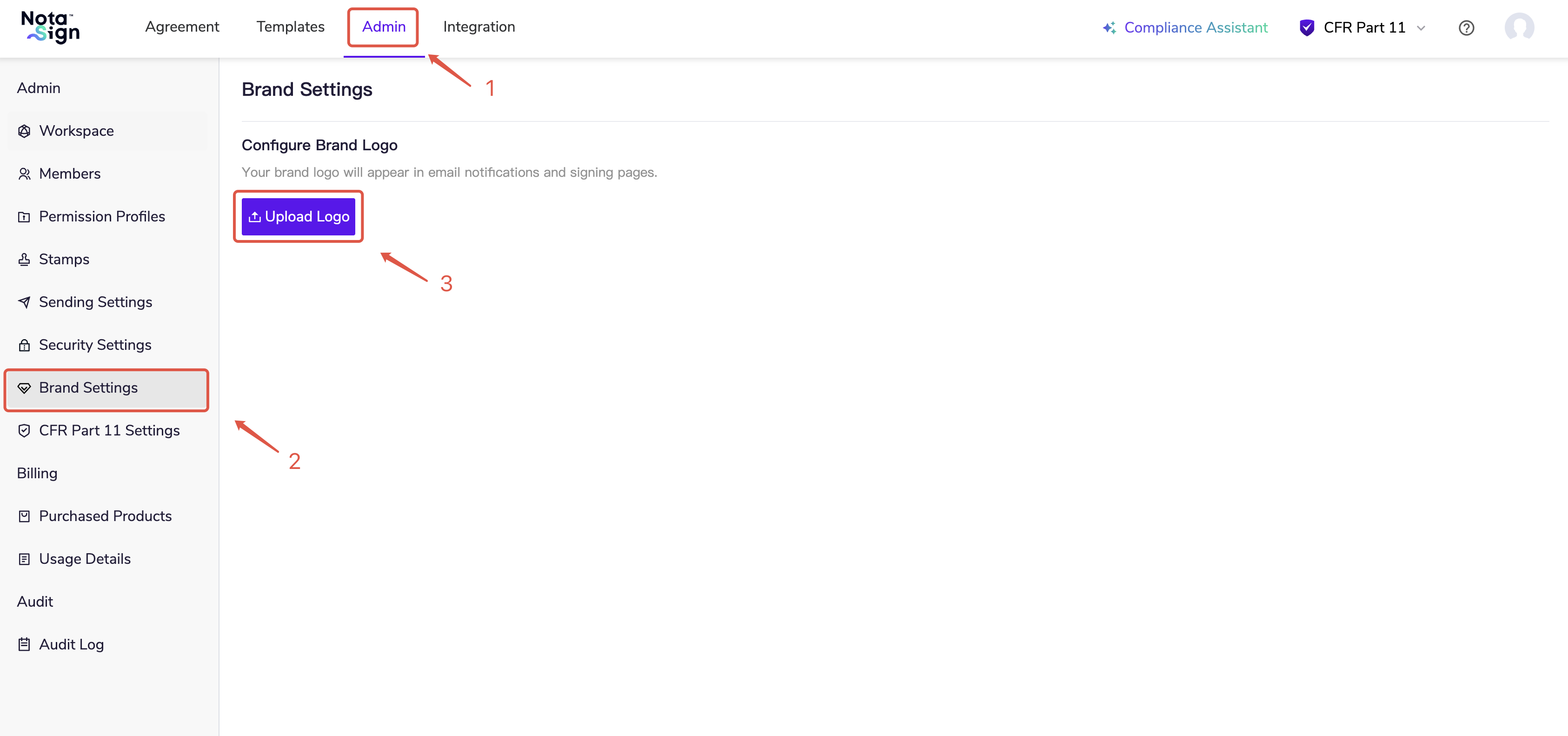
Click Upload Logo, then drag and drop or click to add an image (maximum size: 500 KB).
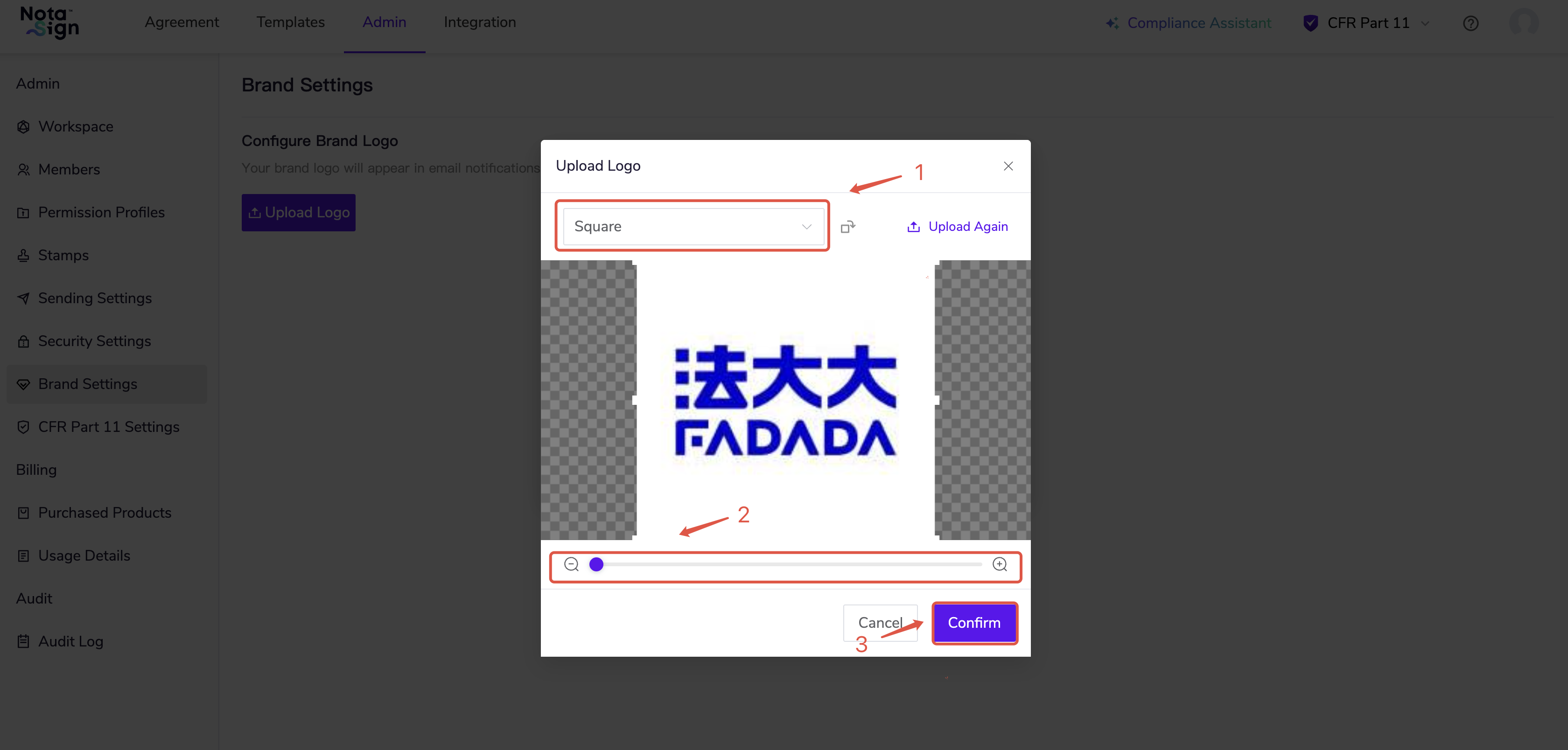
Select the frame shape or adjust the image size using the slider, then click Confirm.
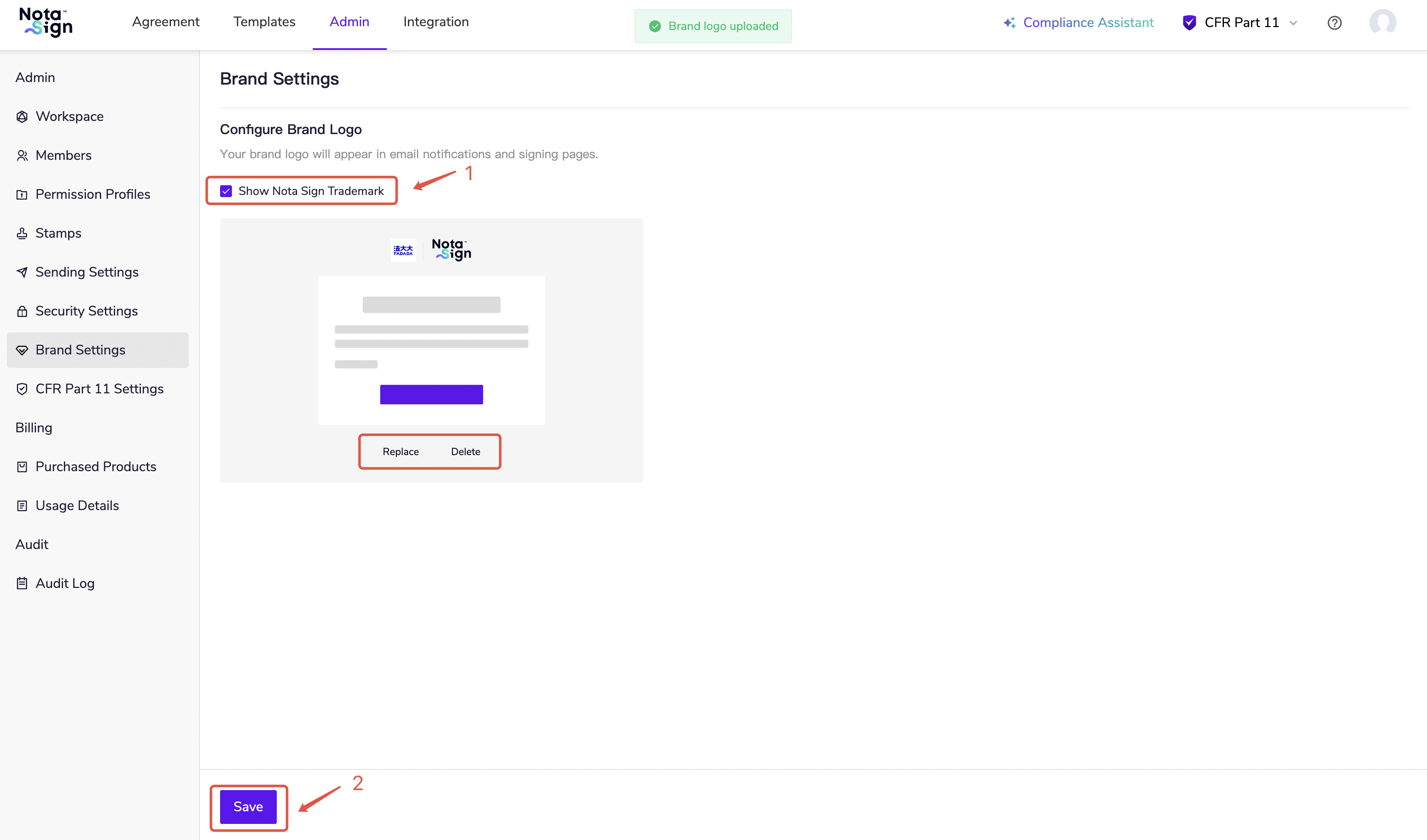
You can replace or delete an existing brand image at any time.
Check whether to show Nota Sign trademark, and click Save to complete the setup.