iAM Smart Envelope Signing
Signing an Envelope via iAM Smart
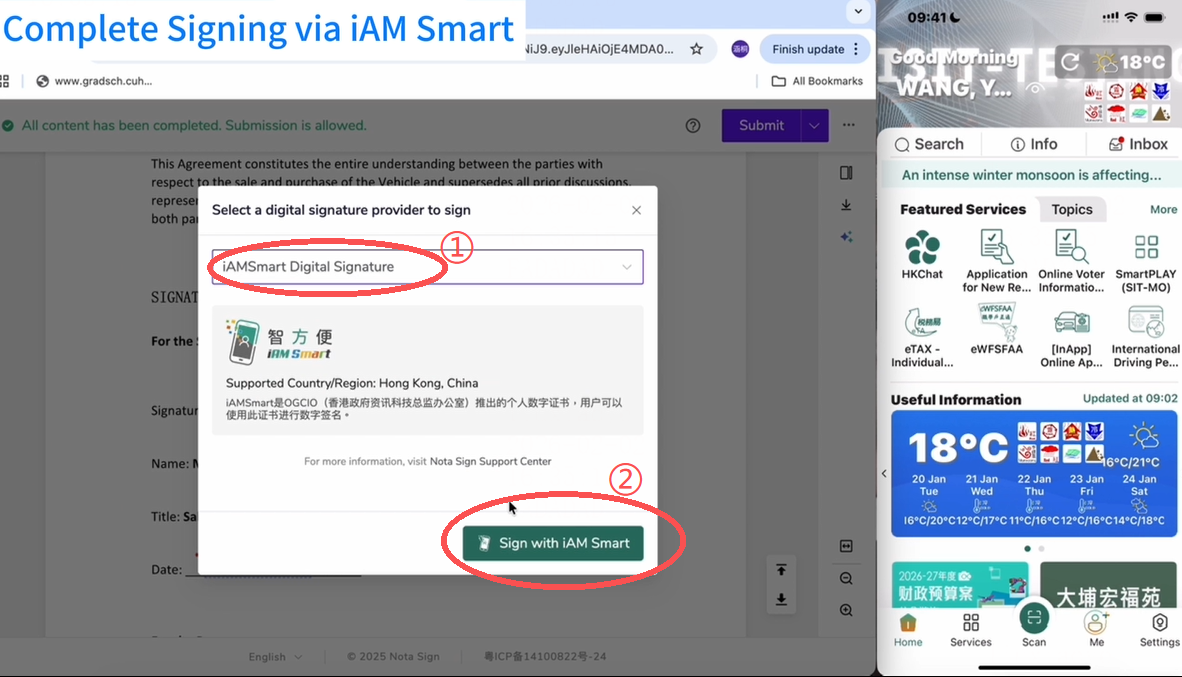
- After initiation, select "iAM Smart Digital Signature" as the digital signature provider and click "Sign with iAM Smart".
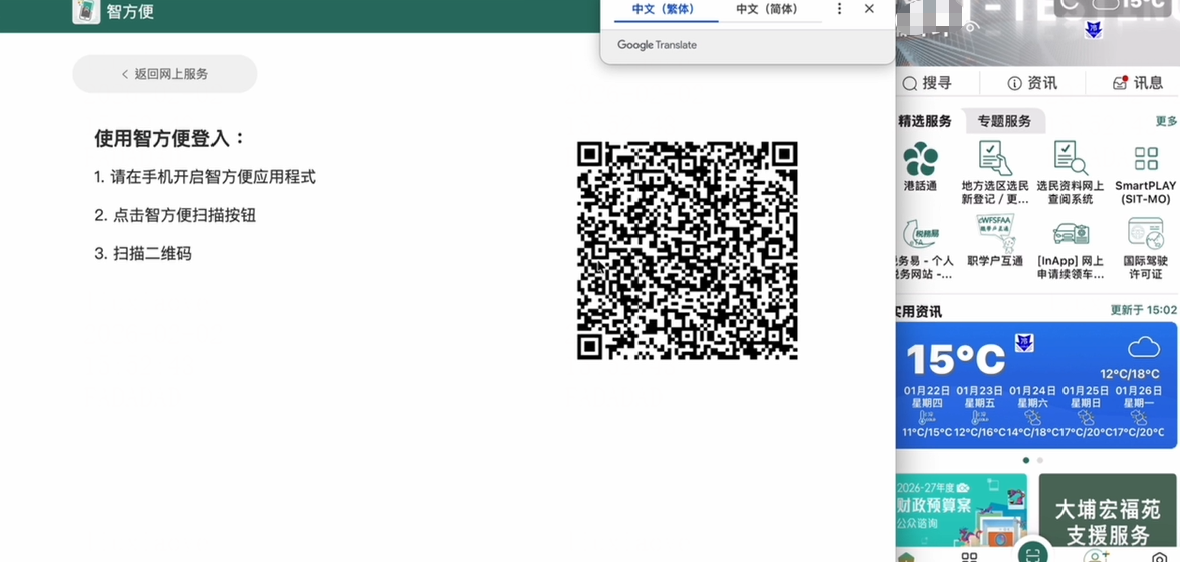
- Open the iAM Smart app and scan the QR code to sign.
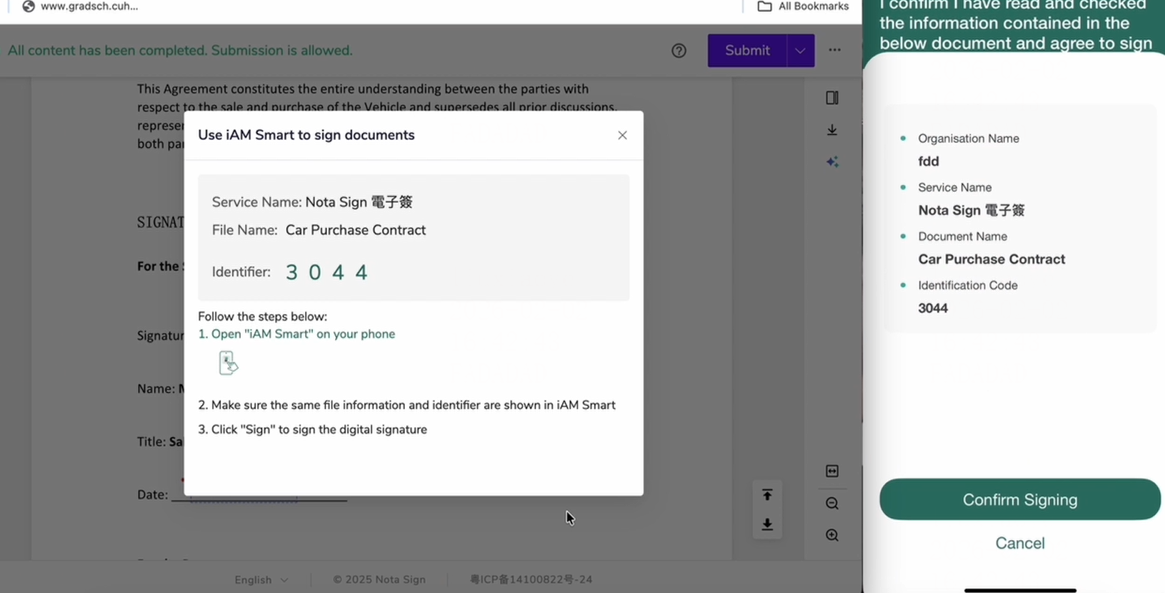
- After successful scanning, the webpage will automatically redirect to a verification code pop-up window. Please confirm the relevant information. If the information is correct, click "Continue to Sign".
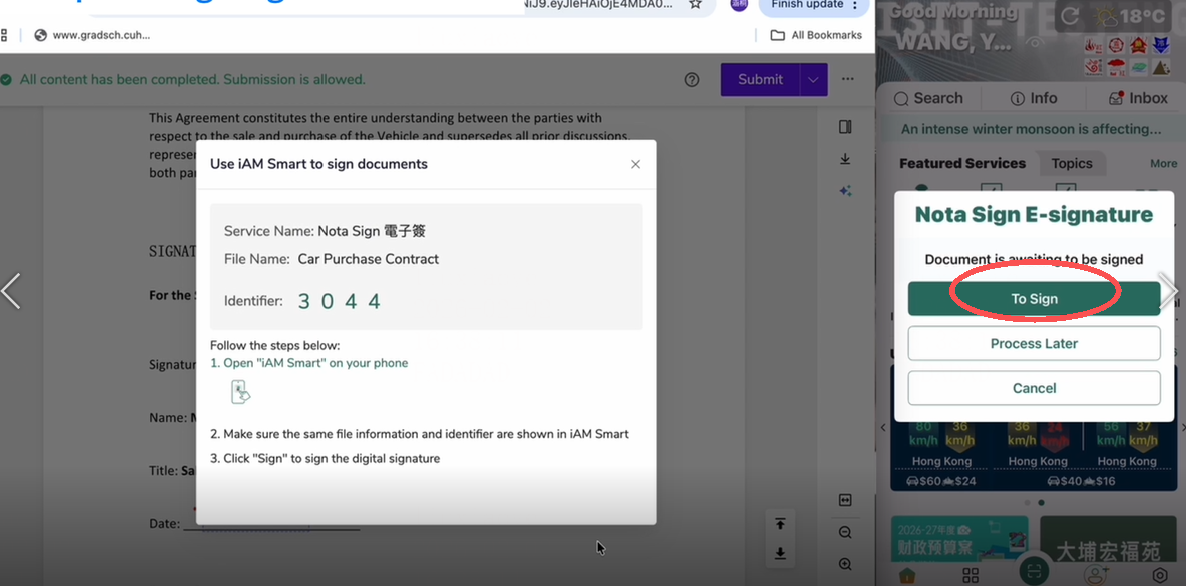
- After clicking "Continue to Sign", the application will redirect. Verify the information and the verification code, then click "Confirm Signing".
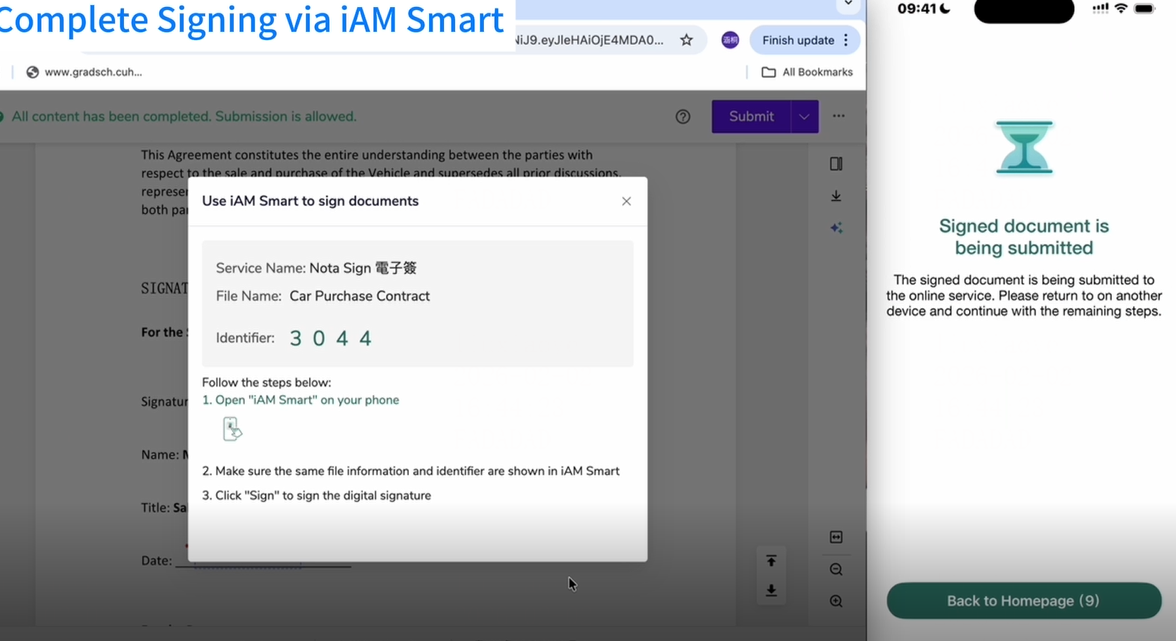
- After completing identity verification on the mobile application, the webpage will automatically redirect to a "Signing Successful" page, indicating the signing process is complete.