
Apply for Electronic Seal
Video Tutorial:
Fill in Basic Information
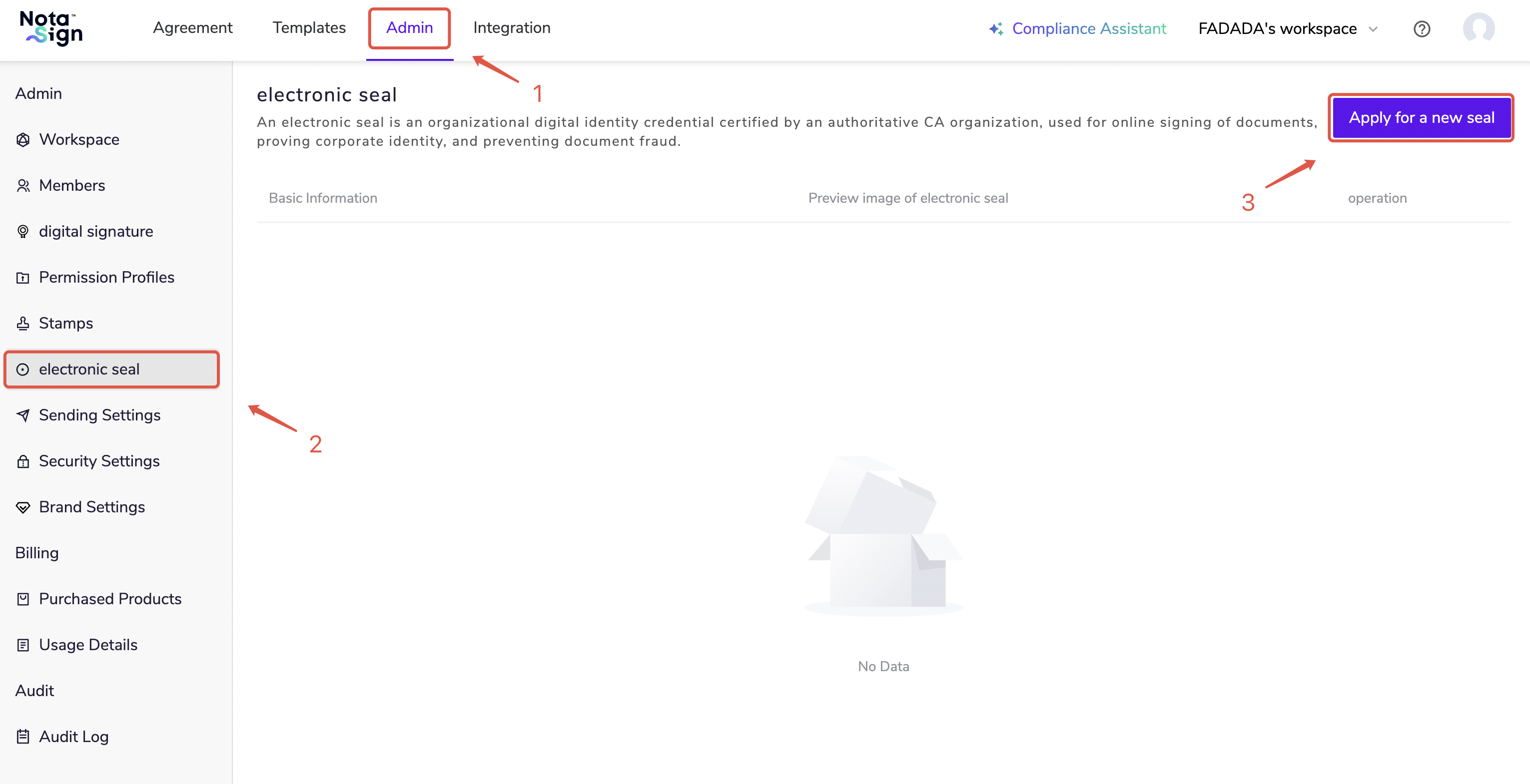
- Log in to the Nota Sign Workbench, click 【Management】 - 【Electronic Seal】;
Click 【Apply for New Seal】.
- Create a name for the new electronic seal, select an already enabled trust service provider, and click 【Apply for Certificate】.
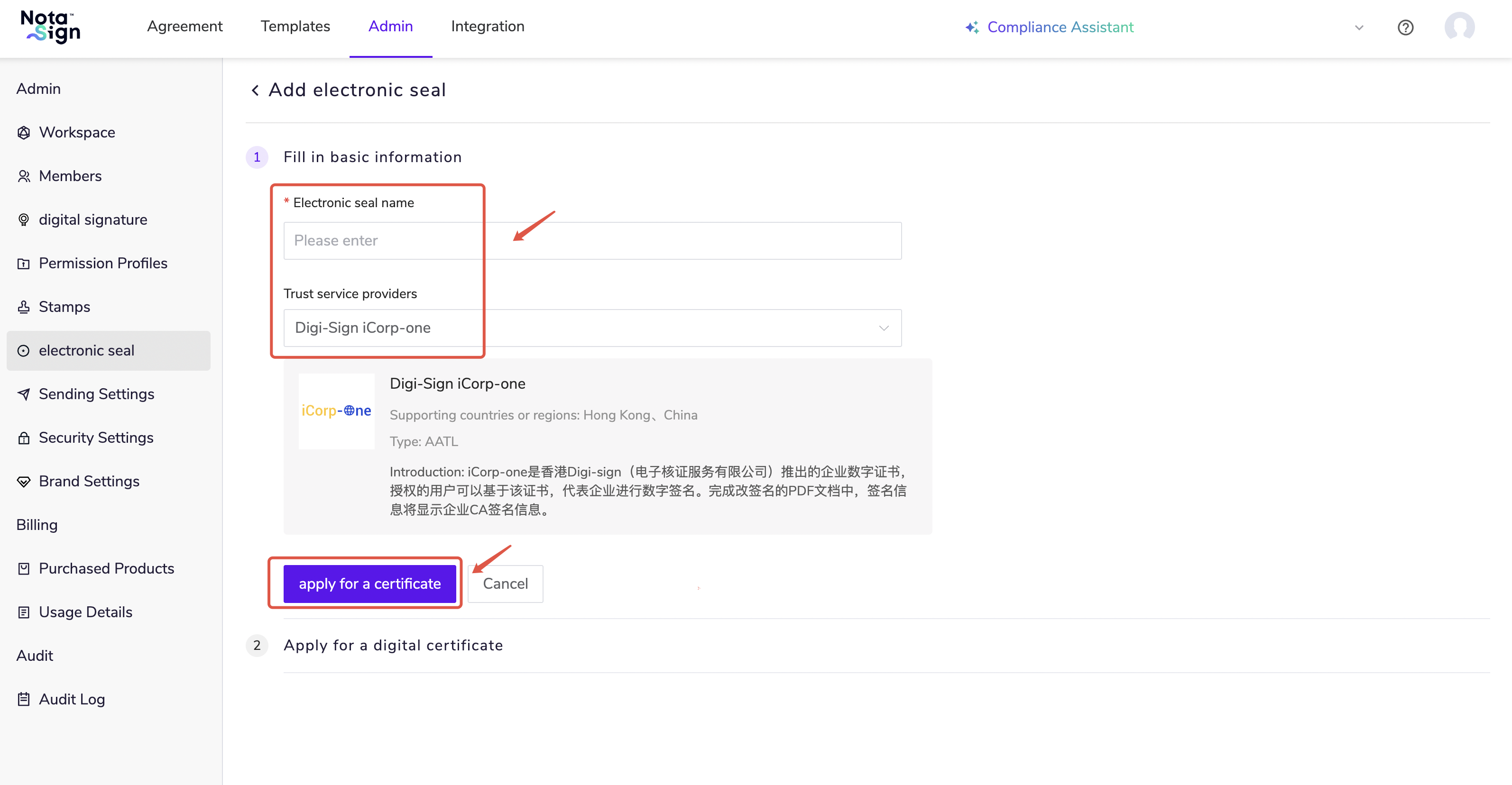 Currently, Nota Sign Global Sign supports the application of the following digital certificates. For specific application tutorials, please click the links below:
Apply for iCorp-One Digital Certificate
Apply for iD-One Digital Certificate