Configuring Enterprise Domain
Step 1. Add a Domain
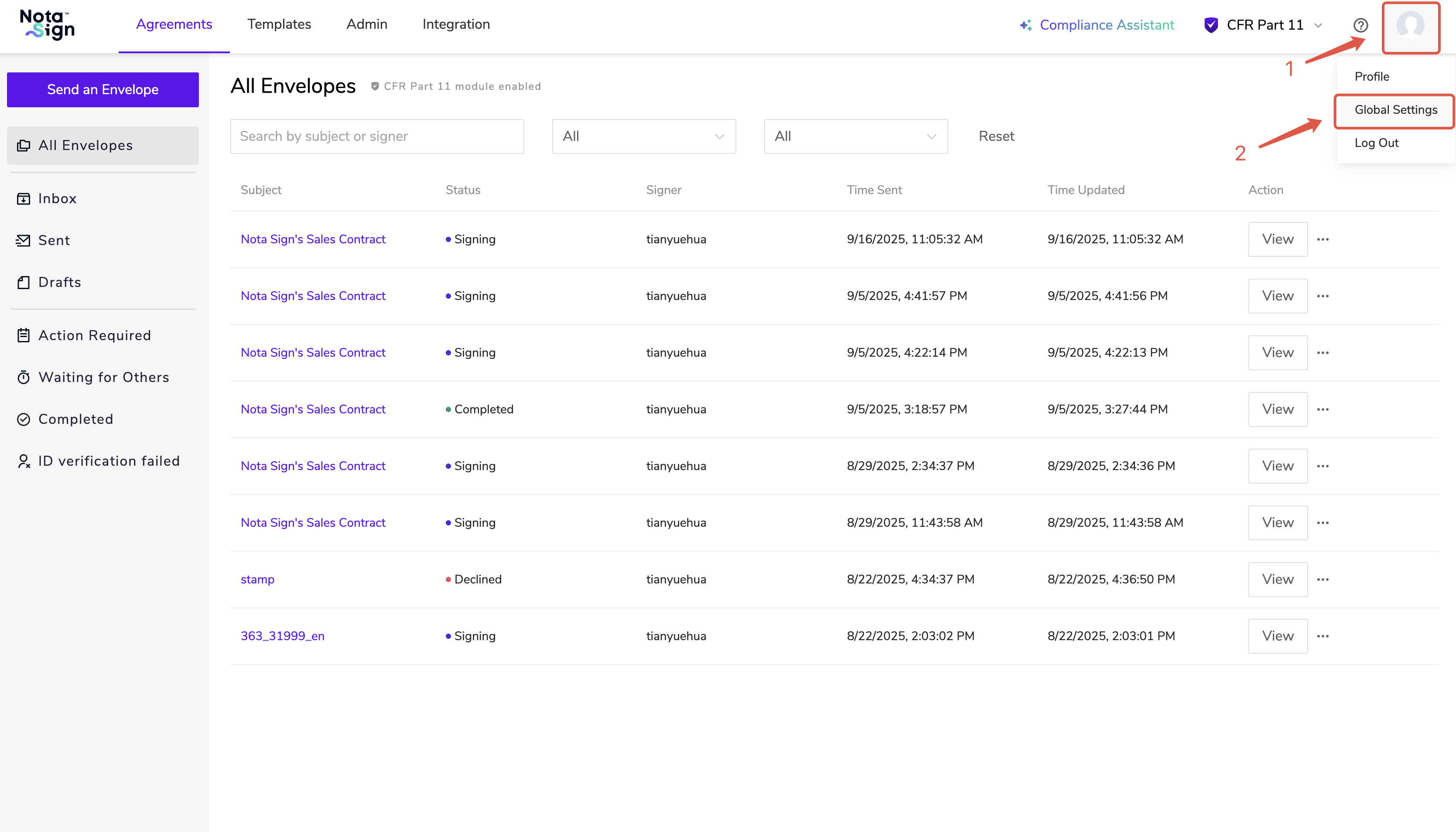
- Log in to the Nota Sign and click Global Settings.
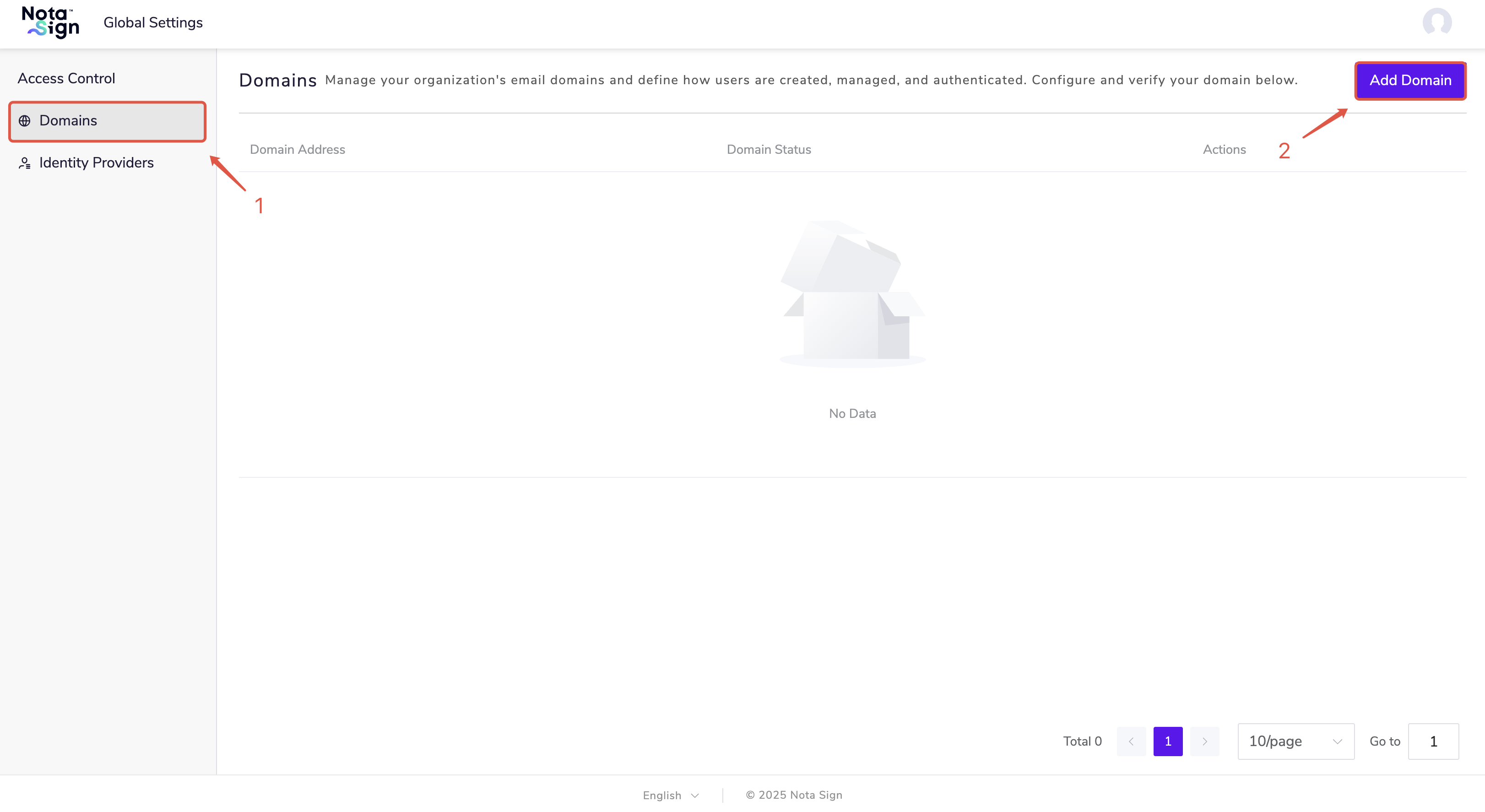
- Click Domains, then select Add Domain.
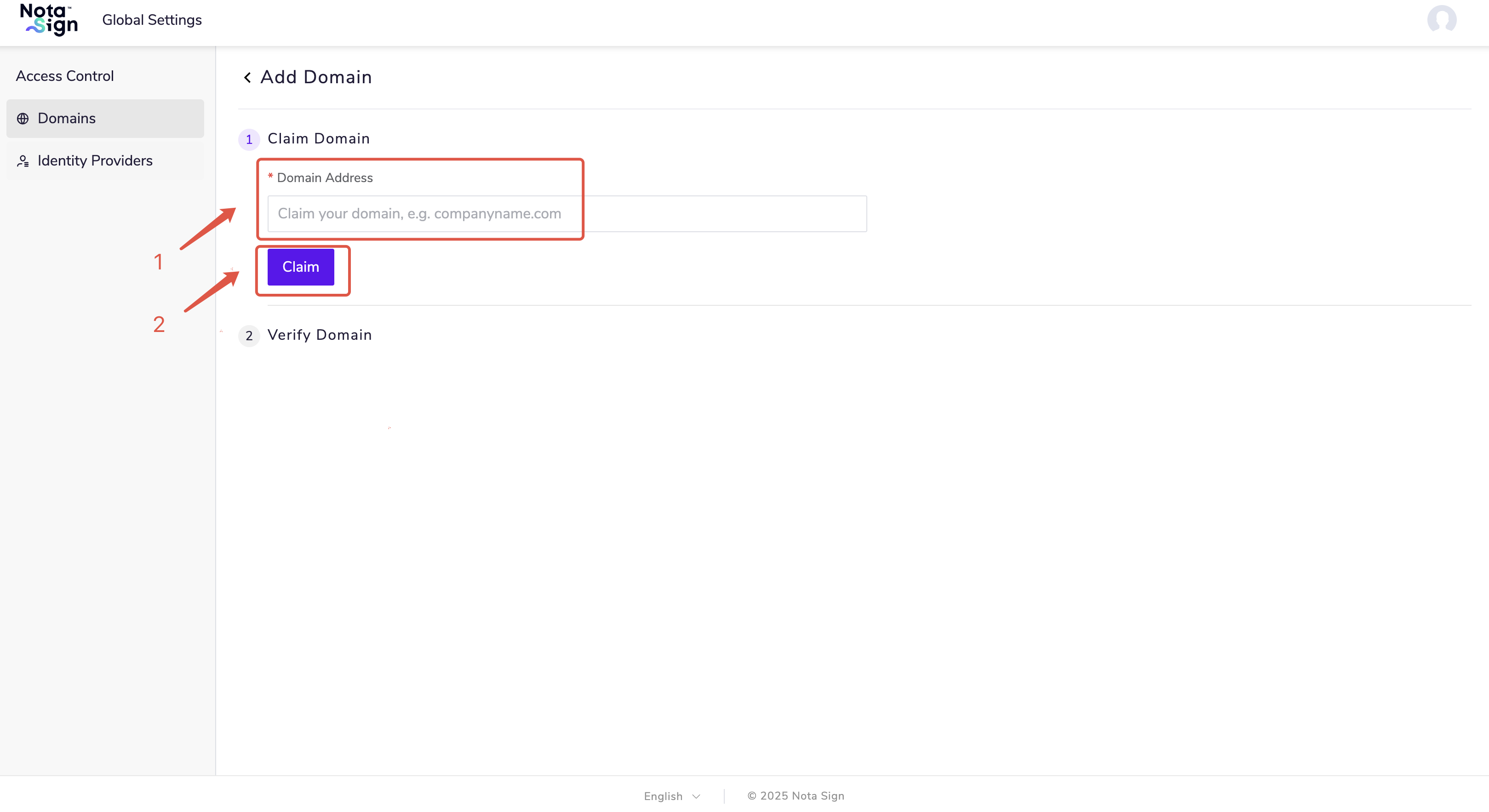
- Enter the domain address and click Claim.
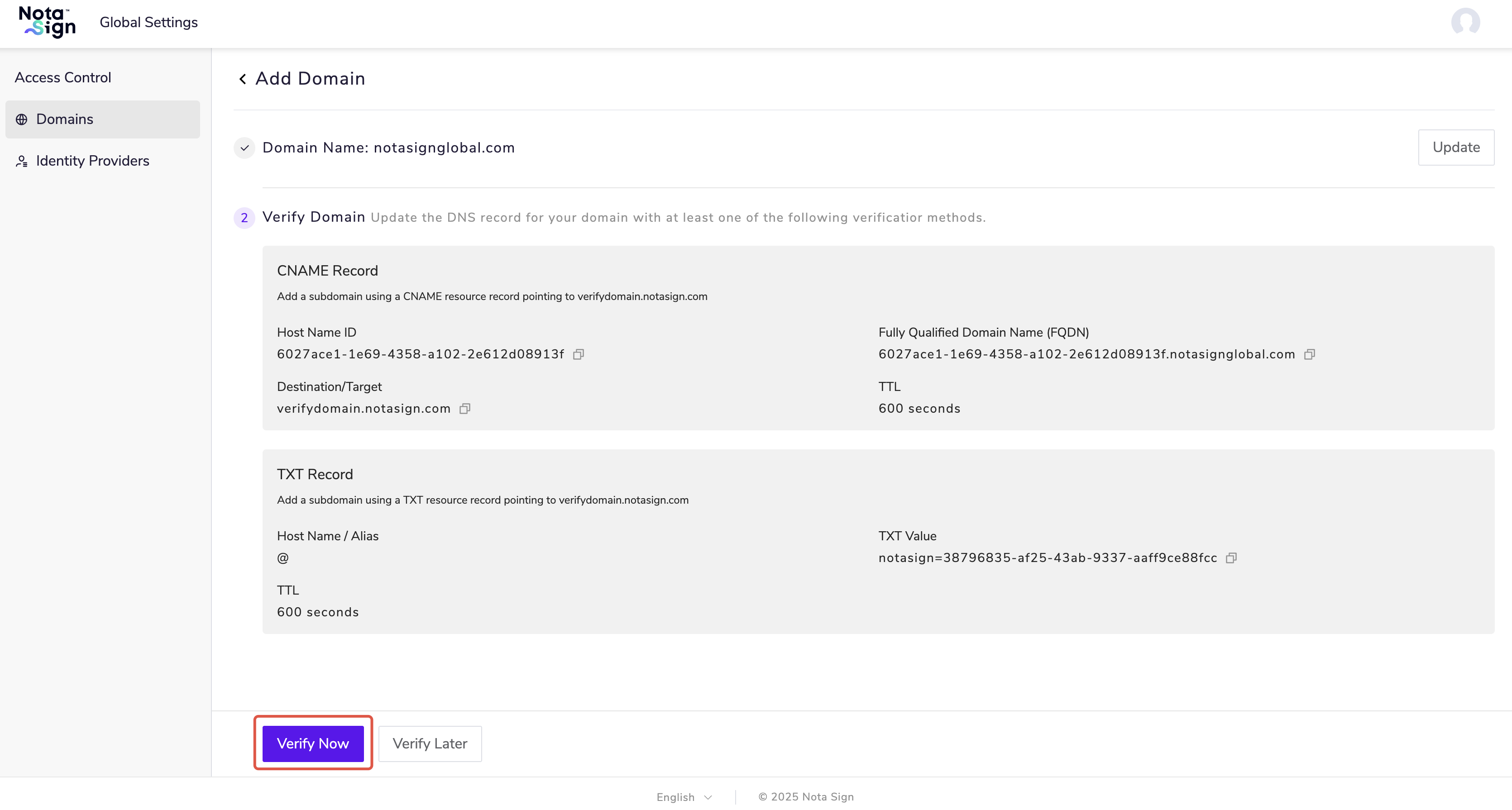
Step 2. Verify the Domain
In your domain provider’s DNS configuration, add any one of the verification values provided by the system to complete domain ownership verification.
Click Verify Now.