
Set a Default Workspace
Overview
Nota Sign allows you to designate a default workspace. Once configured:
- You’ll be automatically directed to your default workspace upon login—no manual selection needed.
- When others send you envelopes, the system will automatically receive them into your default workspace, ensuring clear and consistent file organization.
How to Set a Default Workspace
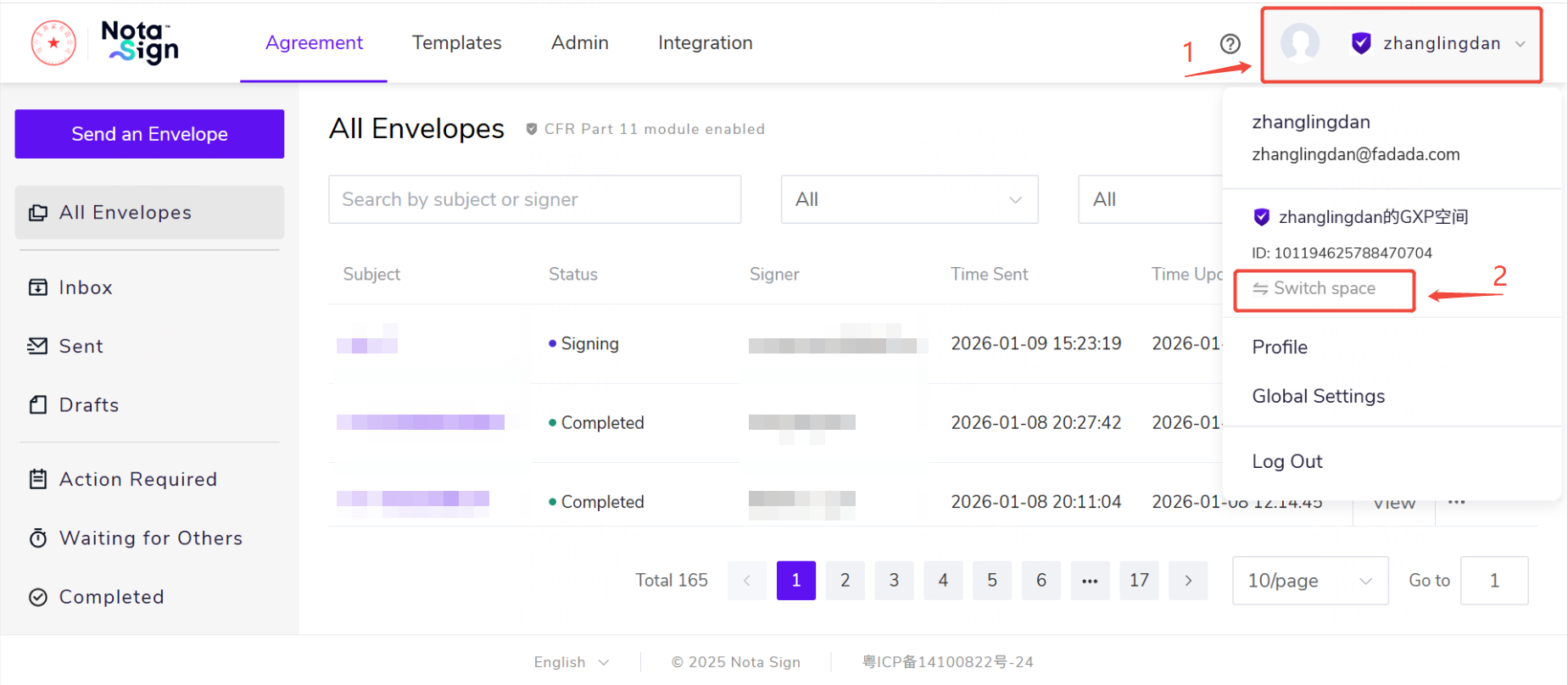
1.Click your profile avatar in the top-right corner of the page, then select Switch Workspace from the dropdown menu.
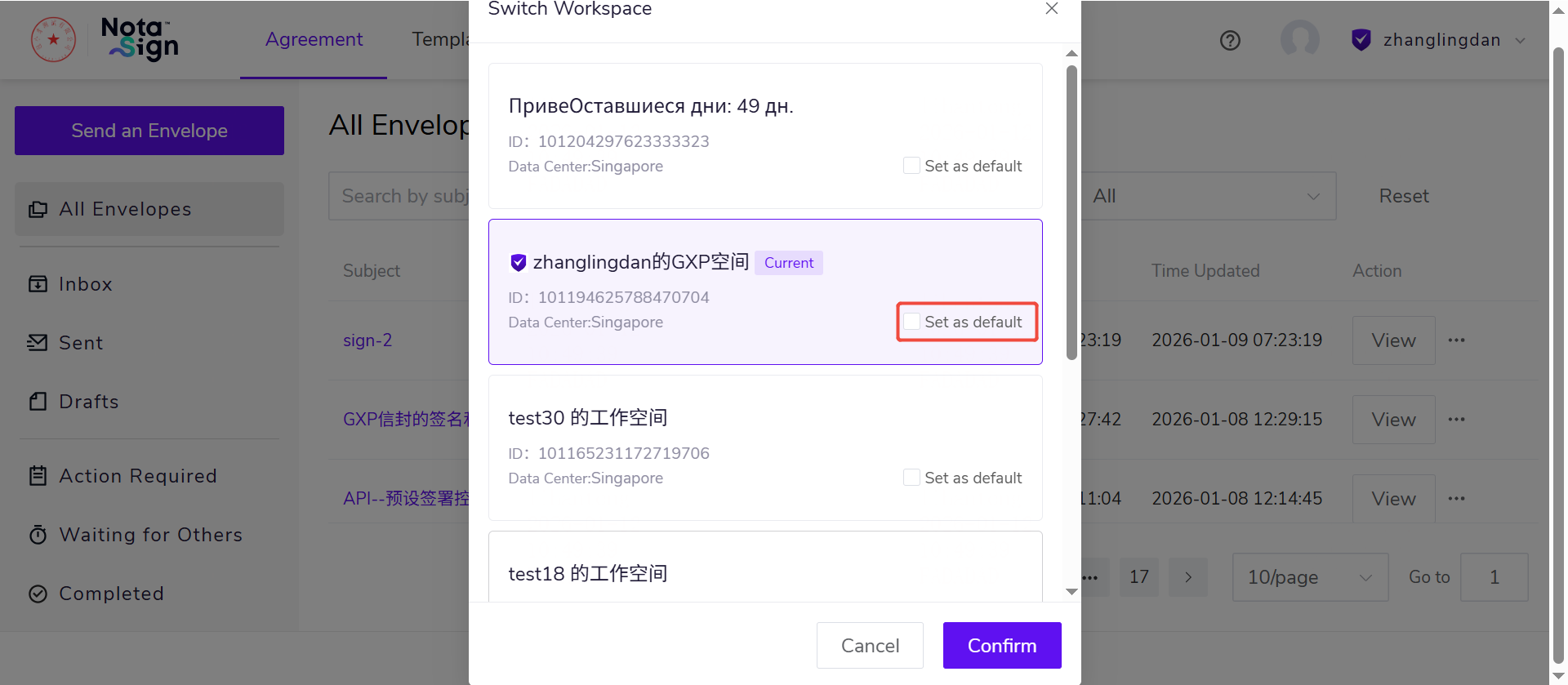
2.In the workspace list, locate the workspace you’d like to set as default and click Set as Default.
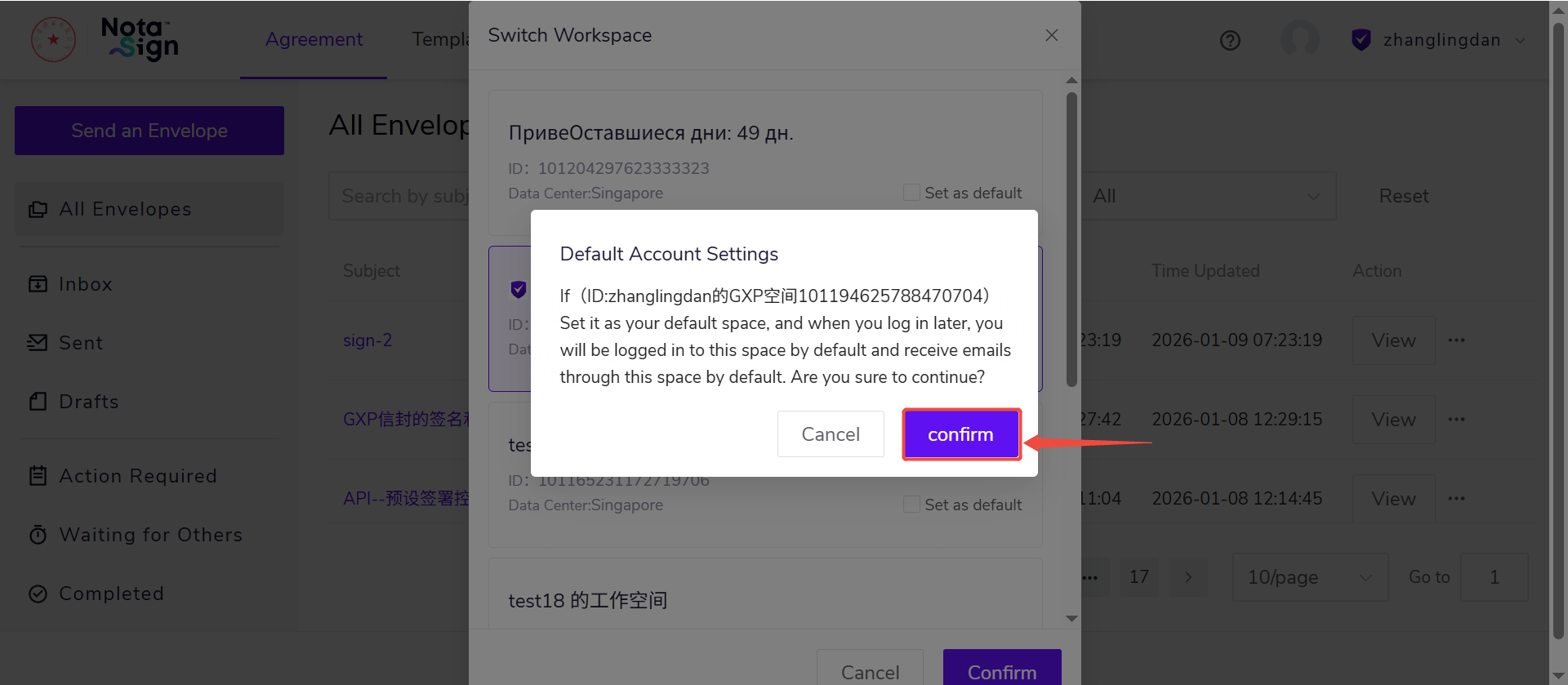
3.A confirmation panel will appear showing the workspace name and ID. Review the details—this workspace will be used by default for both login and envelope receipt.
4.Click Confirm to complete the setup.
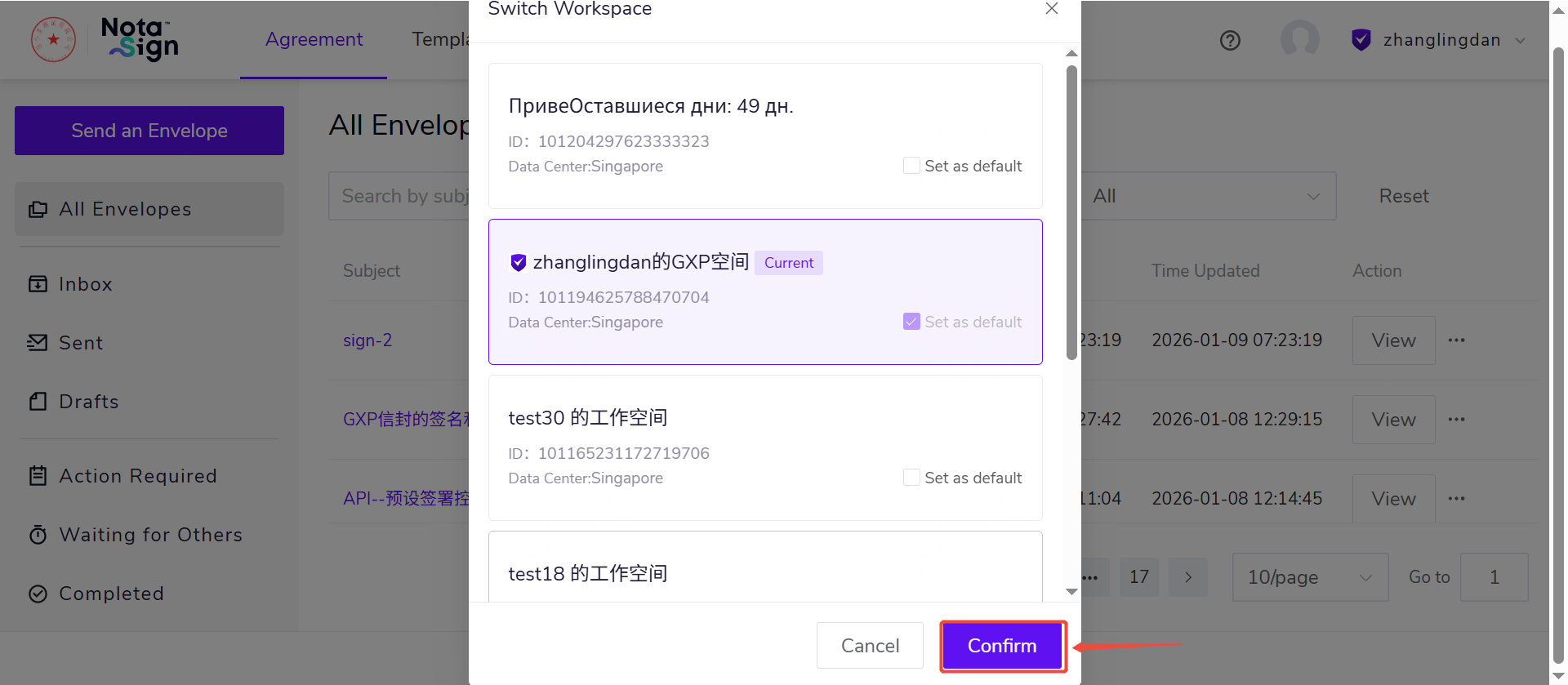
Once successfully configured, a “Default” badge will appear next to the workspace name in your profile dropdown menu.
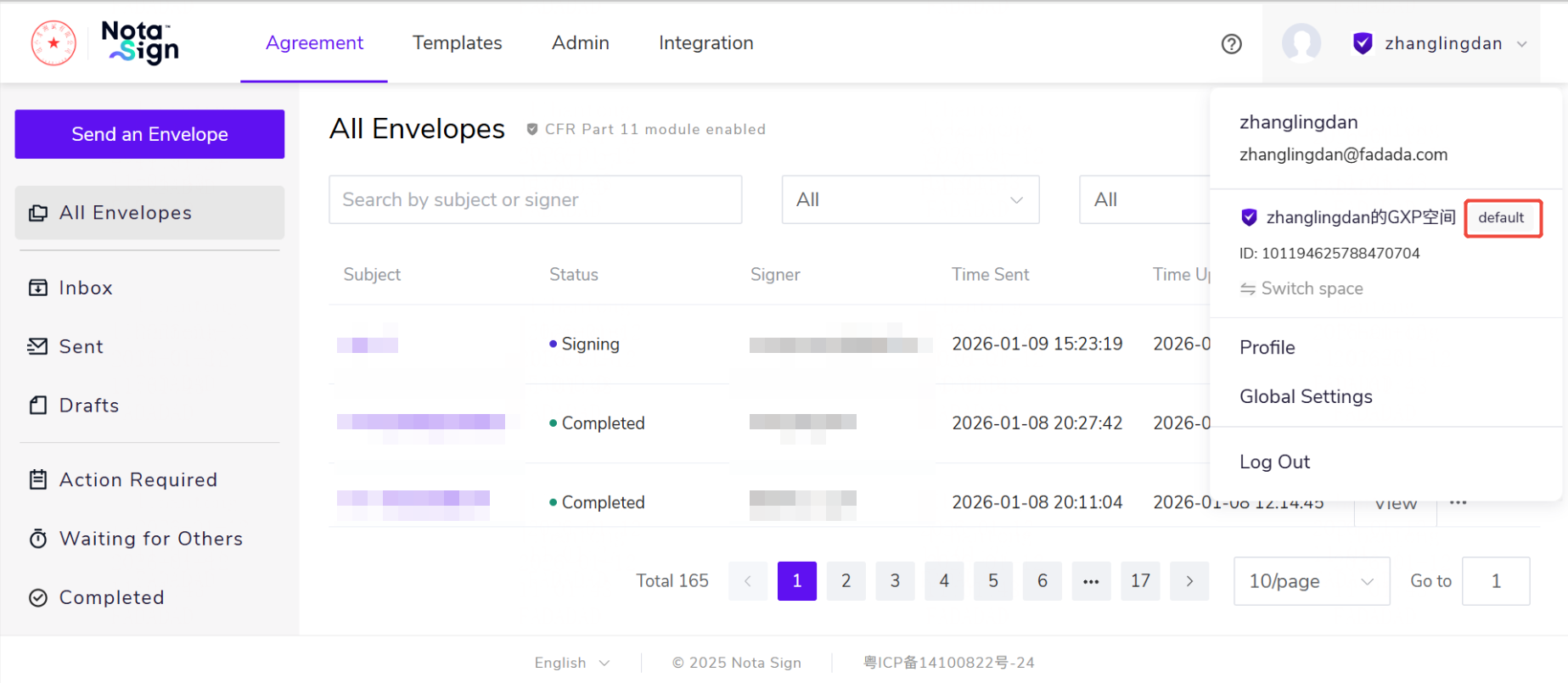
Note: After logging in, if your default workspace is active and accessible, you’ll be automatically redirected to it.