Allow Verifier Rename Setting
Feature Introduction Nota Sign now supports verifiers to rename themselves during eKYC verification scenarios, resolving process deadlocks caused by accidental spelling errors in the eKYC verification process, thereby making the signing experience more flexible and smooth.
How to Allow Verifiers to Rename Themselves?
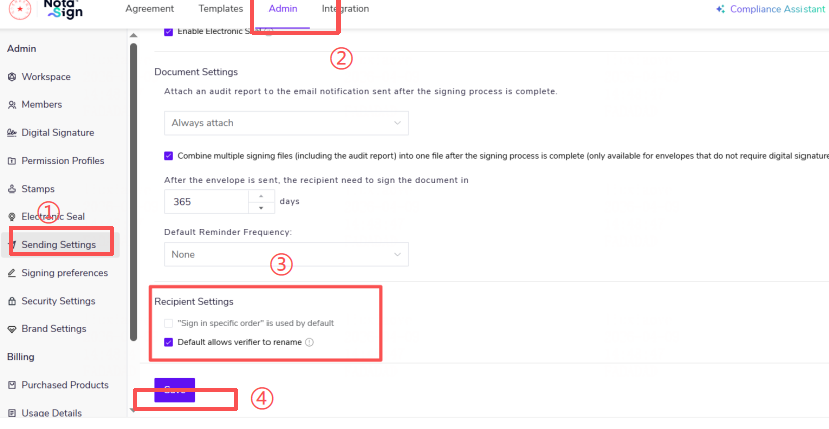
Log in to the Nota Sign Workbench;
Click [Manage] - [Send Settings];
In [Send Settings], locate the [Recipient Settings] component. The default option is set to [Default Allow Verifier Rename]. This setting will be pre-selected by default when the sender creates an envelope. Users can choose to deselect it as needed.
Click [Save] to complete the setting.
Click [Save] to complete the setting.