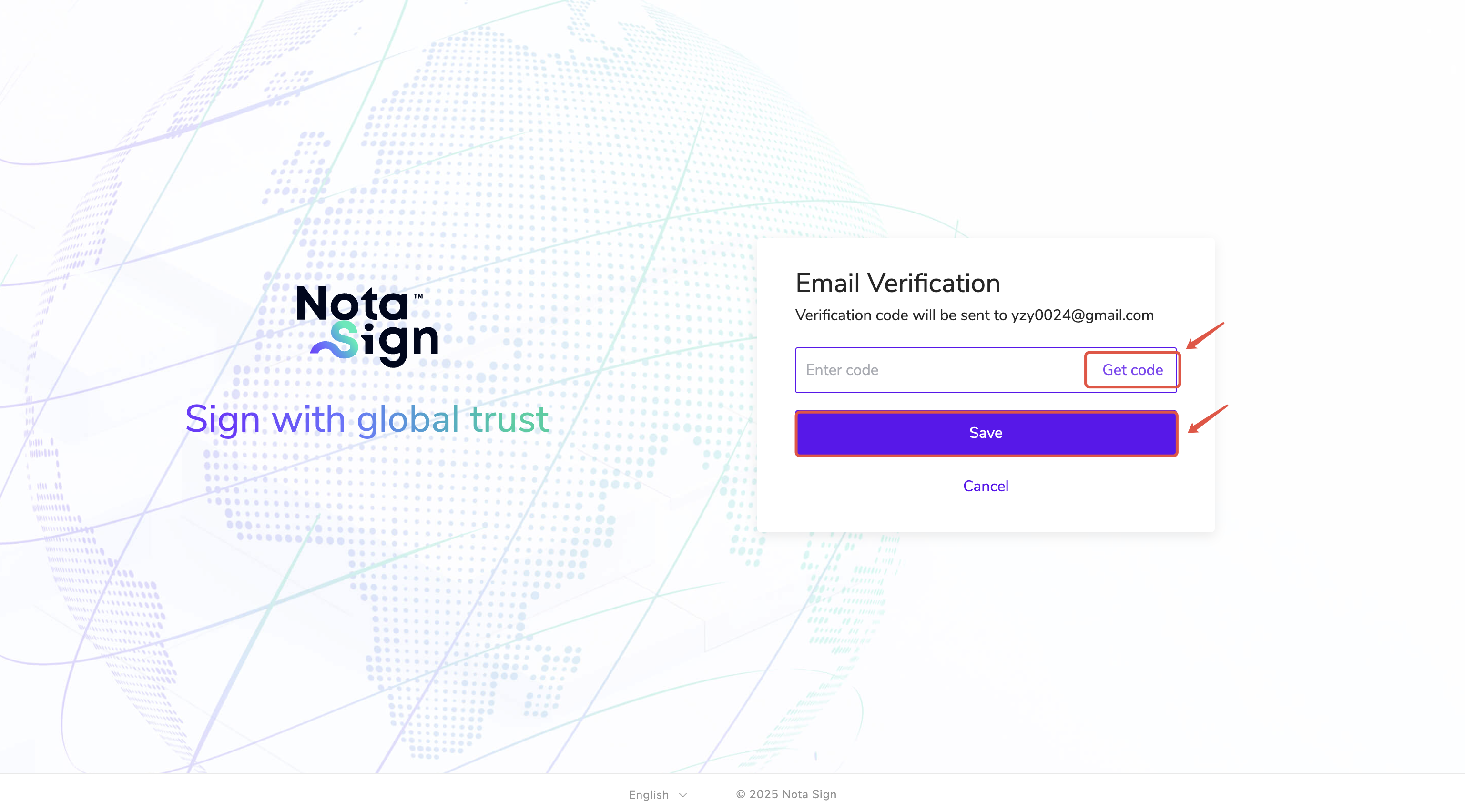
Enabling Two-Step Verification
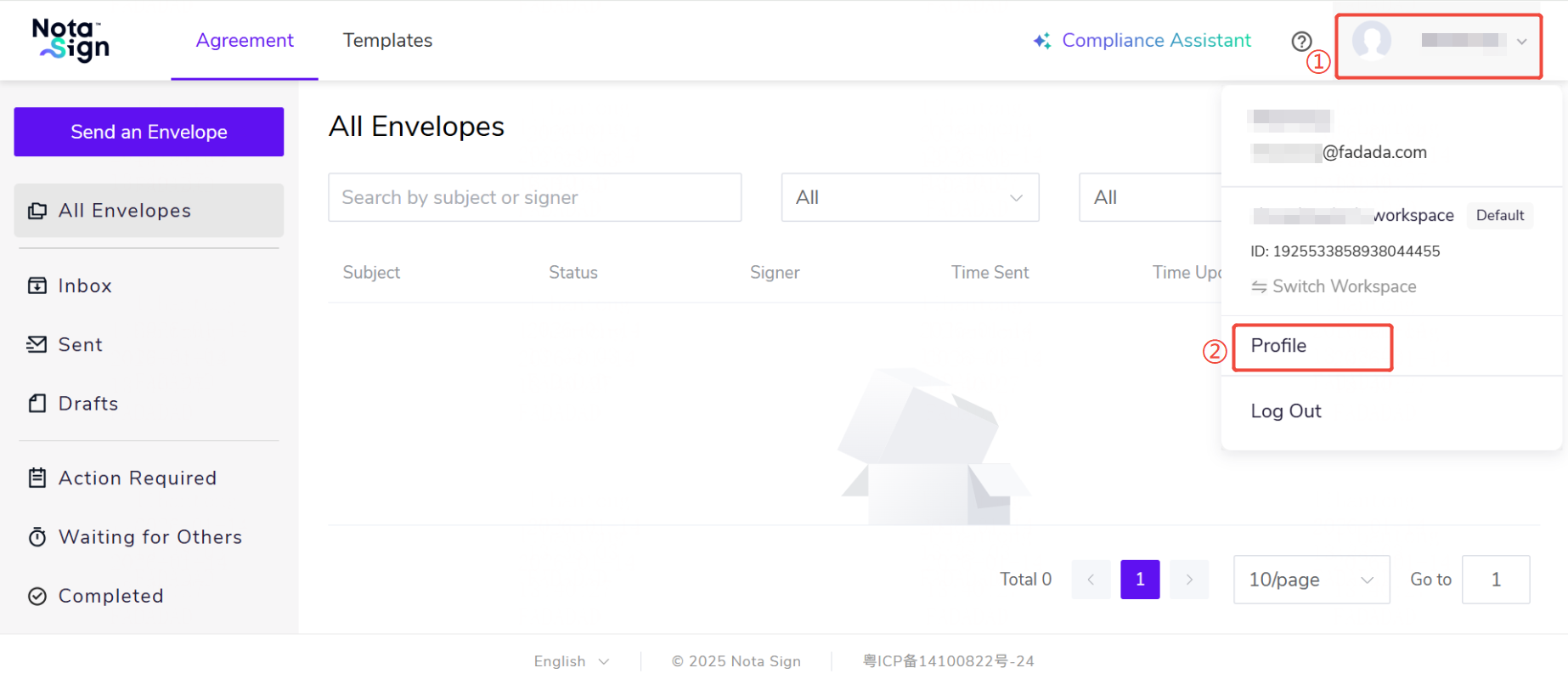
- Log in to the Nota Sign, click the profile avatar in the upper-right corner, and select Profile;
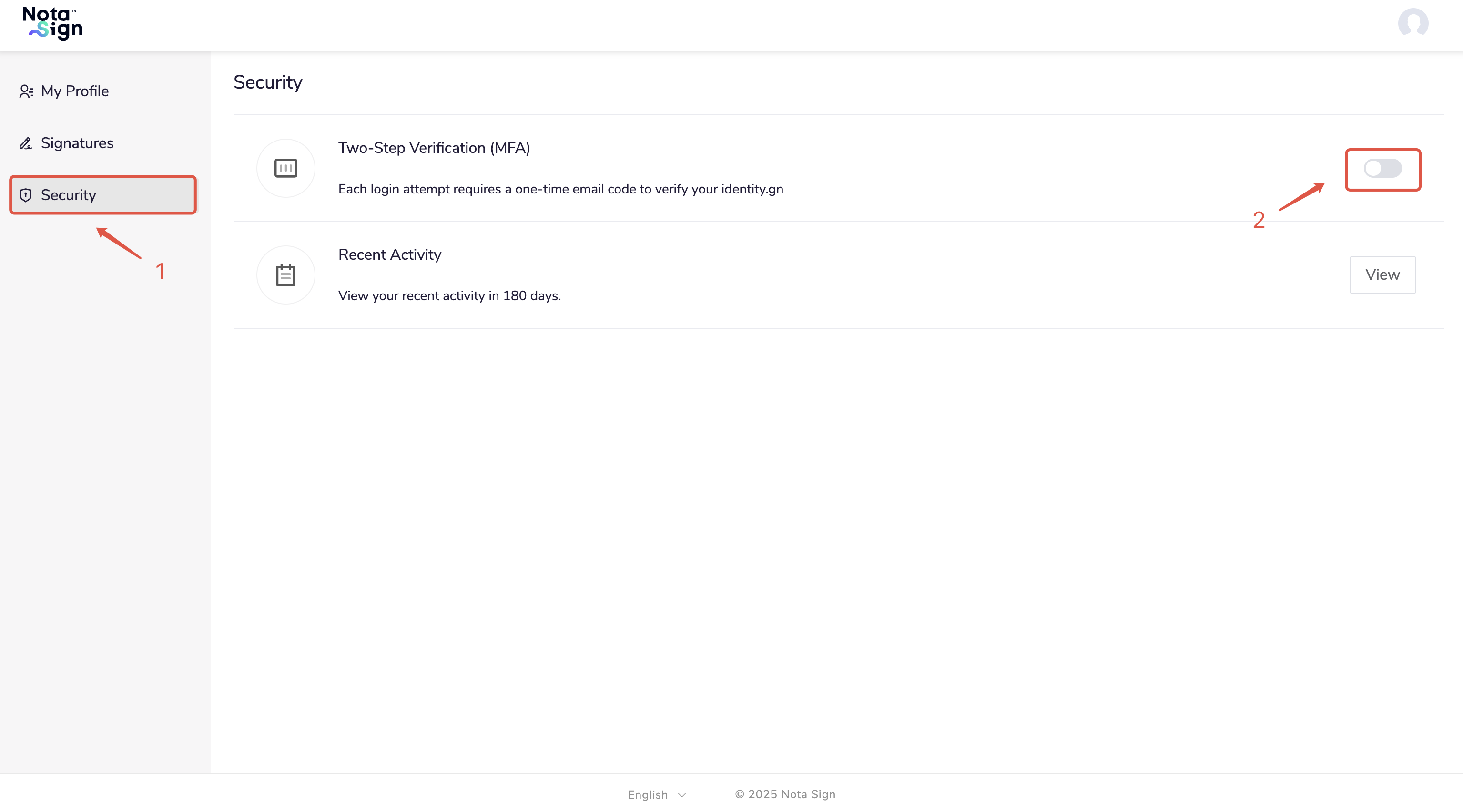
- Select Security, then click Two-Step Verification;
- After enabling, you will be required to enter your account and password at login, and then verify with a code sent to your email.