
Configure Email OTP Verification
In addition to standard account login verification (or SSO), the system supports mandatory One-Time Passwords (OTP) sent to the signer's email, establishing a dual-factor authentication mechanism. If email verification is not required in certain scenarios, or if it is only needed for external users, you can adjust the validation rules in the OTP Verification Settings to simplify the signing process.
Set Email OTP Verification Rules
Log in to Nota Sign and navigate to the【Admin】page.
In the left-hand admin submenu, find and click【CFR Part 11 Settings】to enter the configuration page.
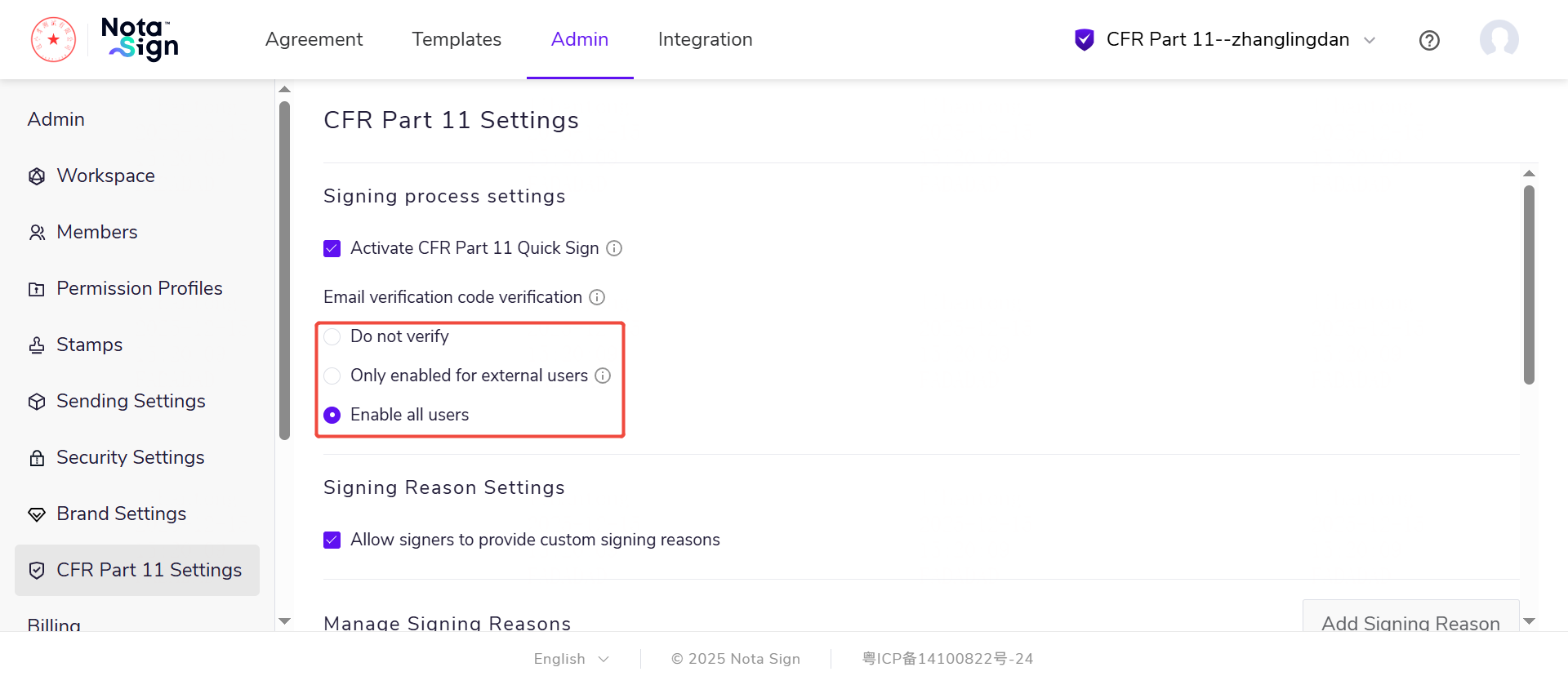
1)Select 【Disabled】:All recipients are only required to complete account login verification (or SSO verification) during identity verification; Email OTP is not required.
2)Select 【Enable for External Users Only】:External users refer to recipients who are not members of the current workspace (member lists can be checked in[Admin - Member Management]). Once configured, external users must complete "Account Login + Email OTP" for every identity verification, while internal members only require account login verification.
3)Select 【Enable for All Users】:All recipients must complete "Account Login + Email OTP" for every identity verification.