
Sign an Envelope Using an Electronic Seal
Video Tutorial:
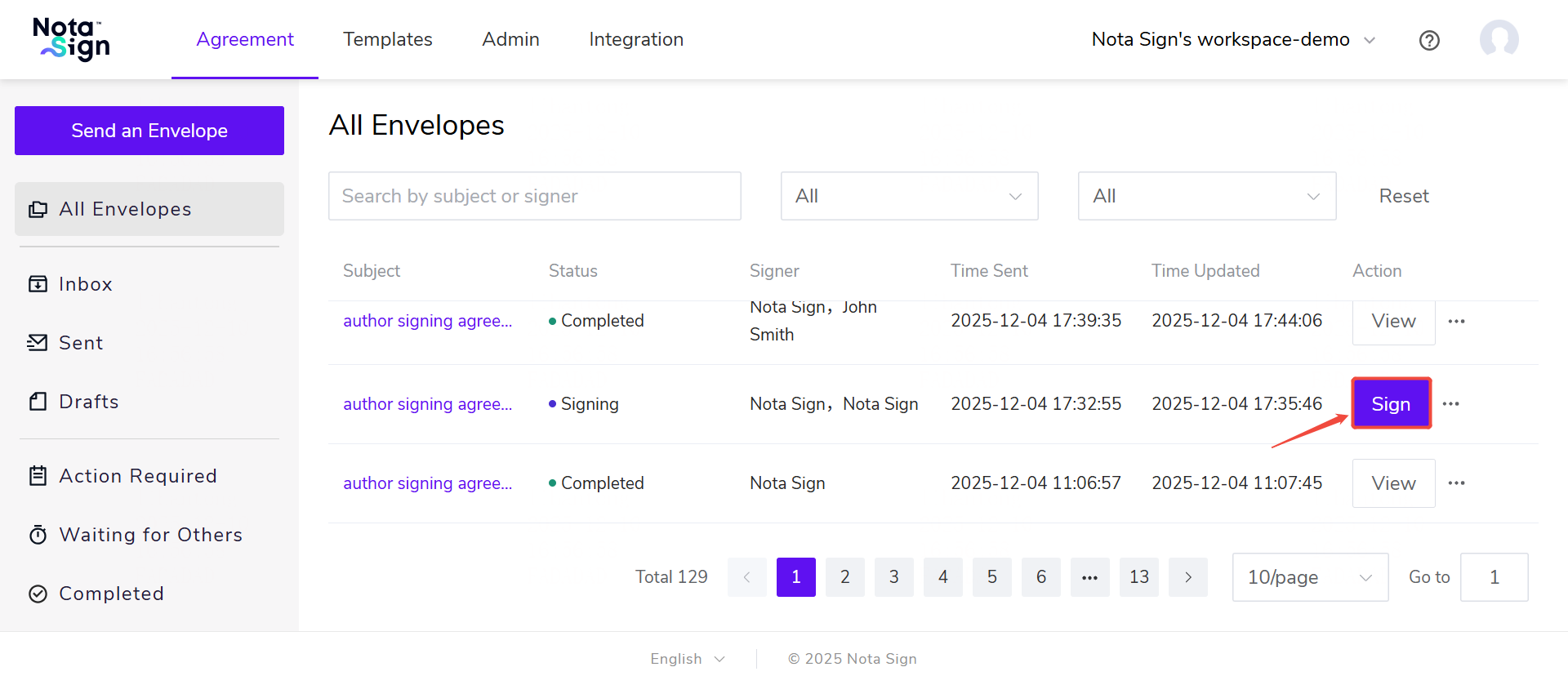
Click [Agreement] - [All Envelopes]
Locate the document pending signature and click [Sign]
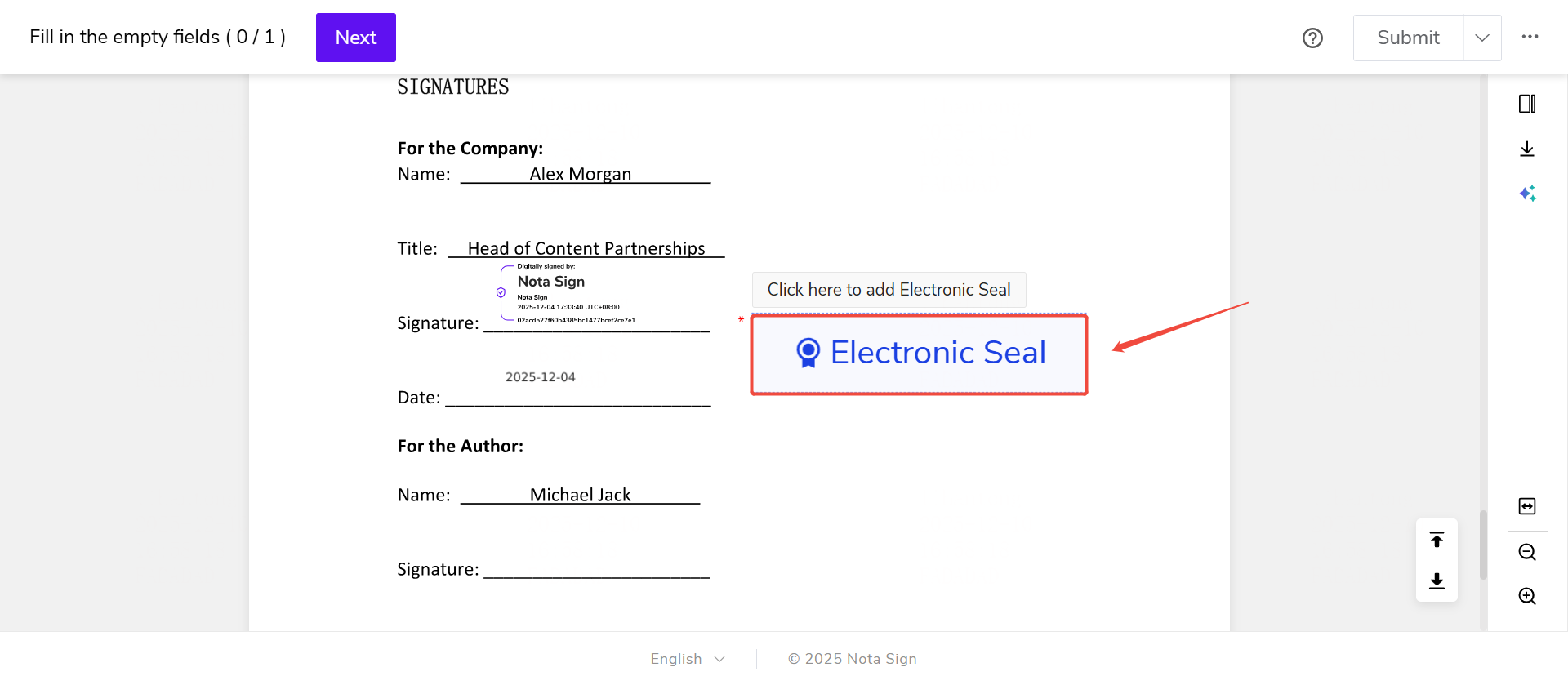
- Click the Electronic Seal Widget
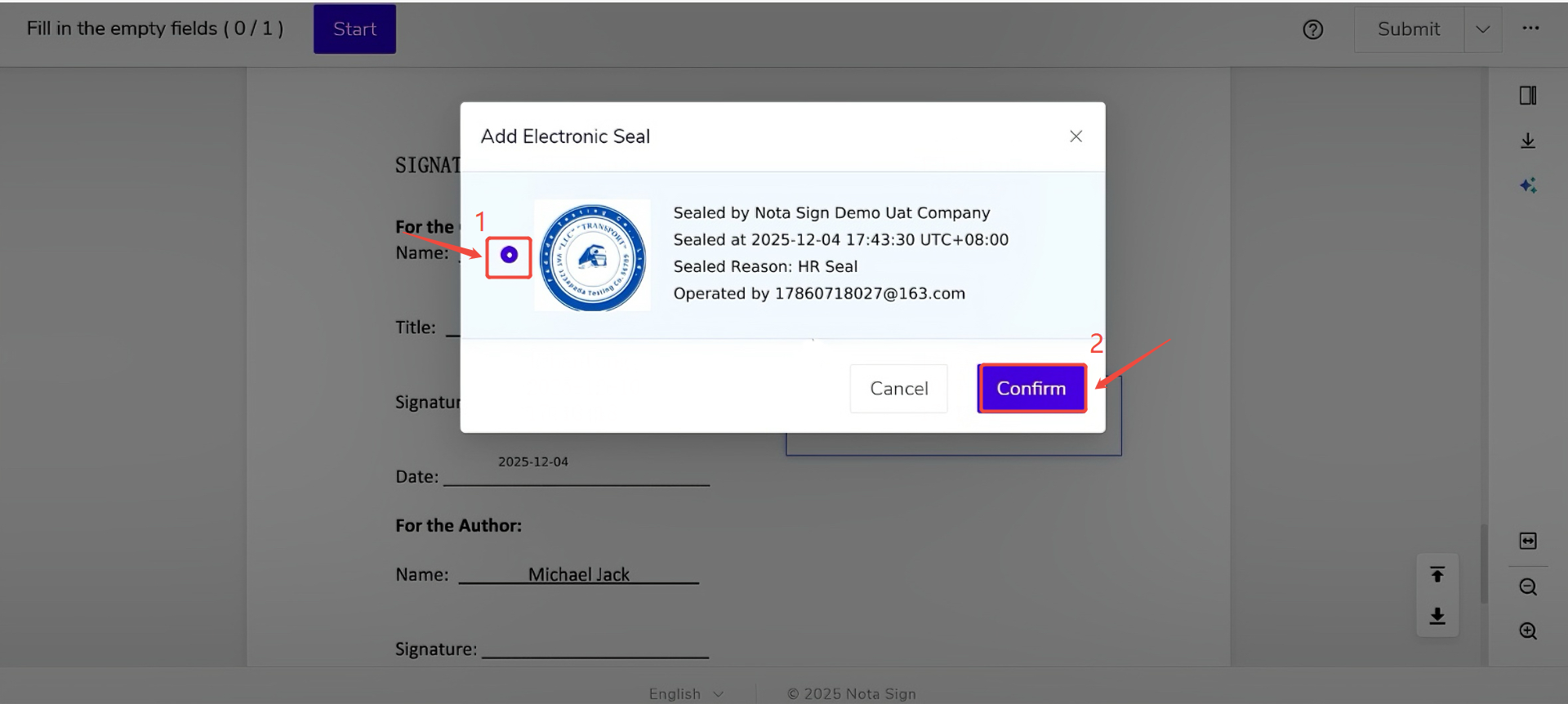
- Select an authorized electronic seal
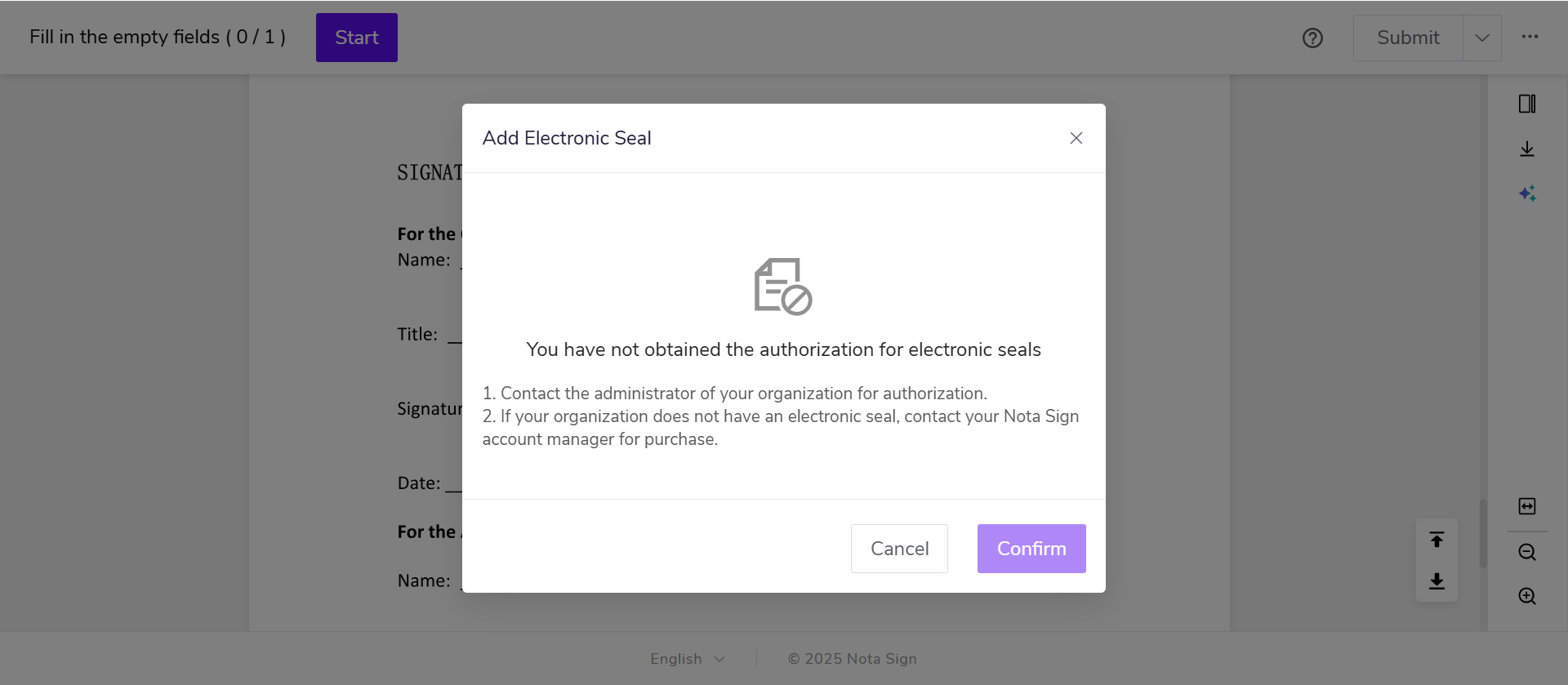
If the signer does not have an authorized electronic seal, an application must be submitted first
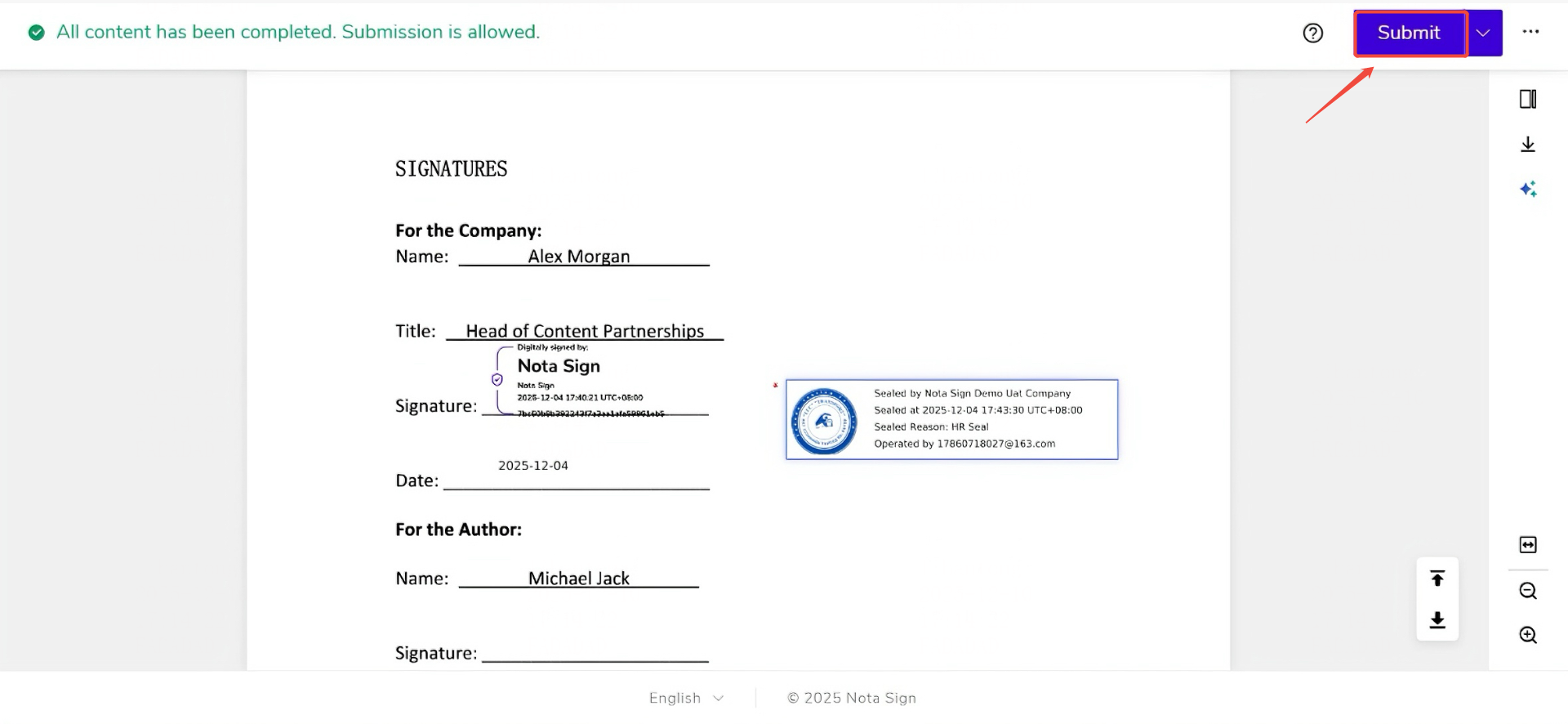
- Click Submit and complete email verification
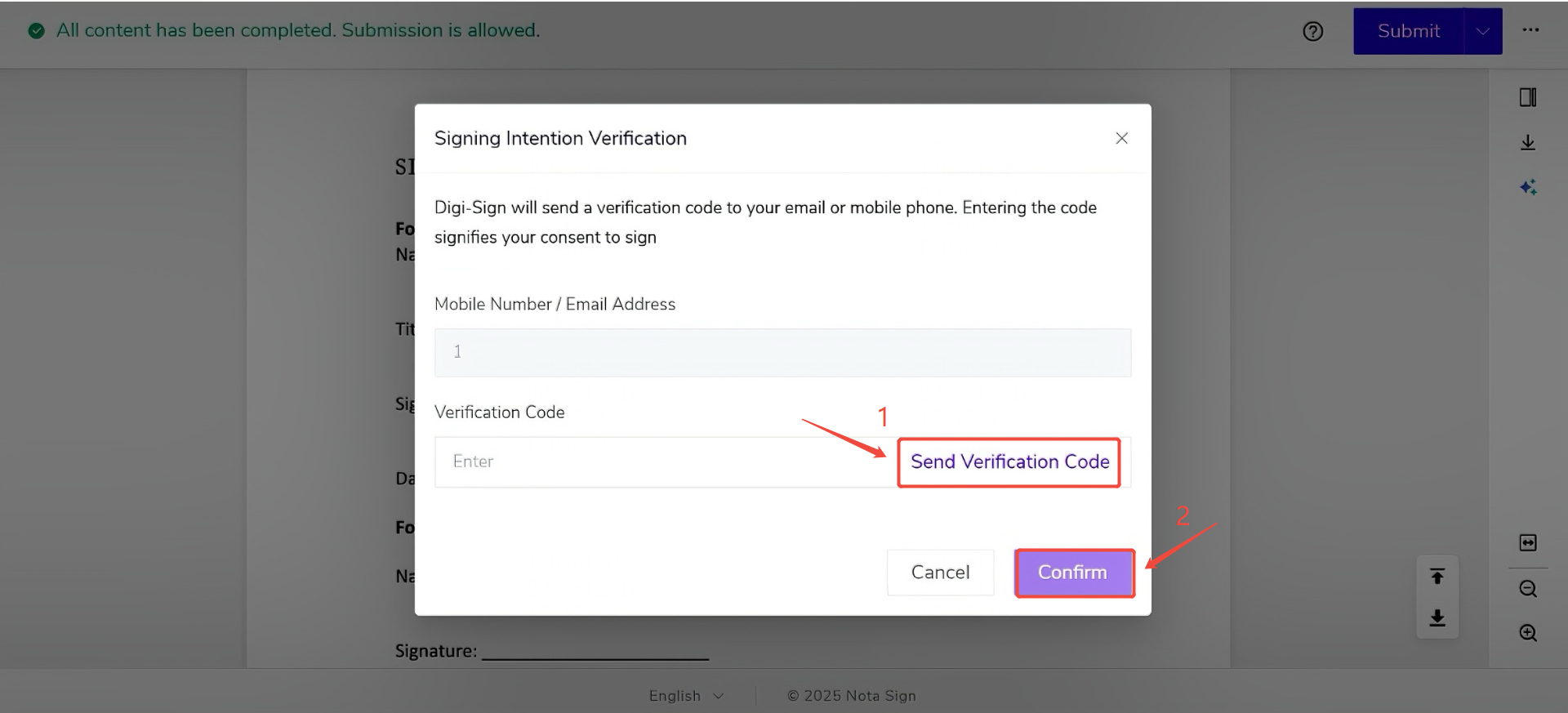
- Click Confirm to complete the signing