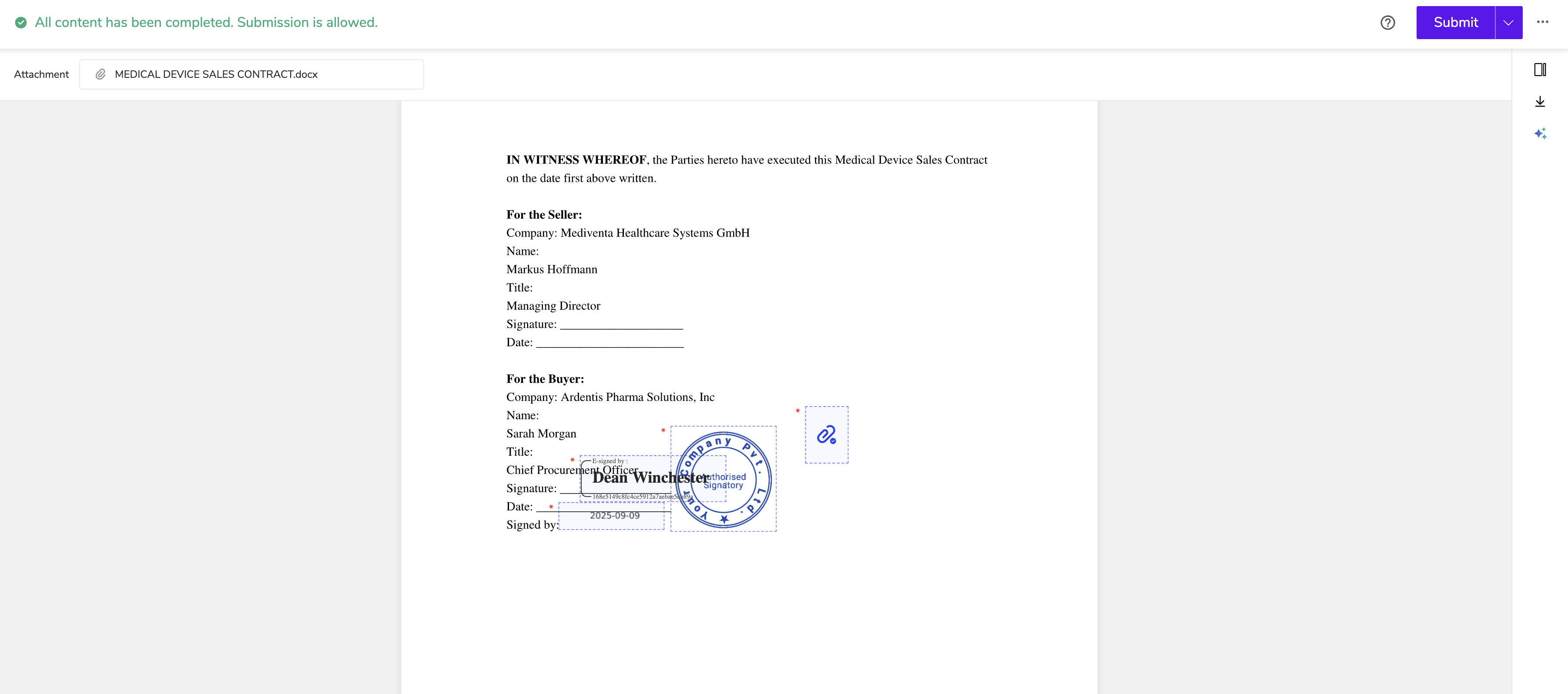
How to Sign with a Stamp
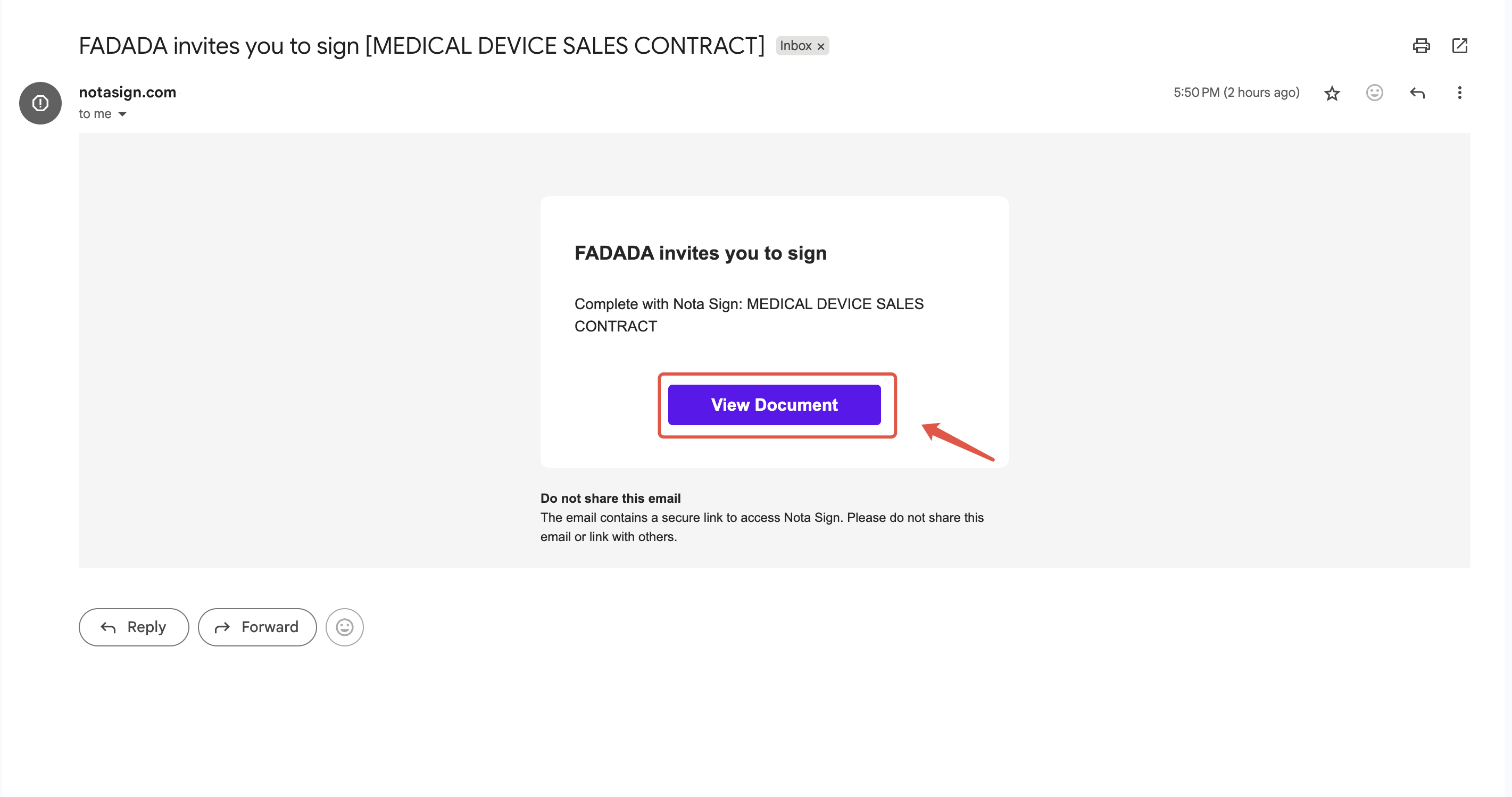
Step 1. View Document
In the email, click View Document to open the envelope;
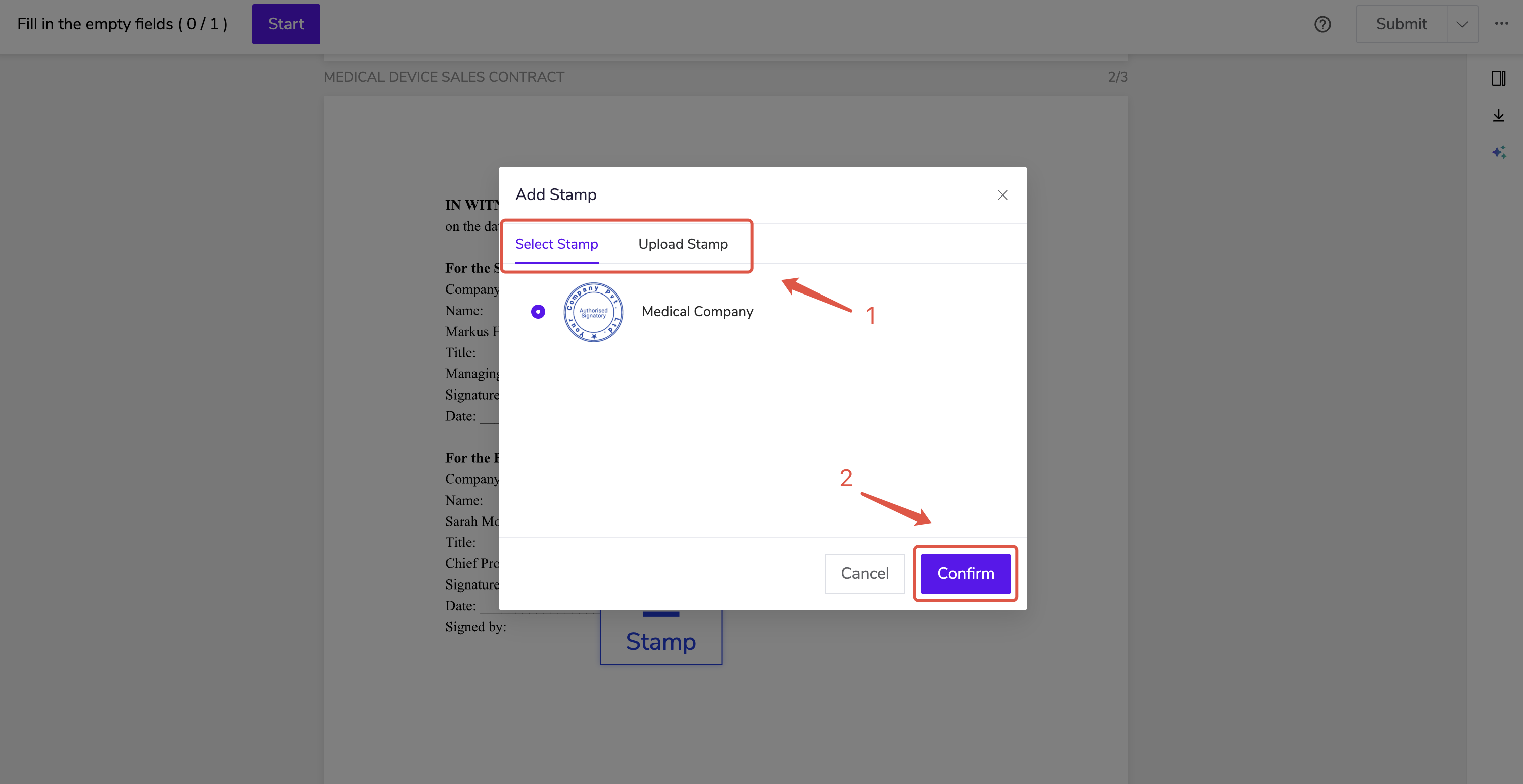
Step 2. Use the electronic stamp
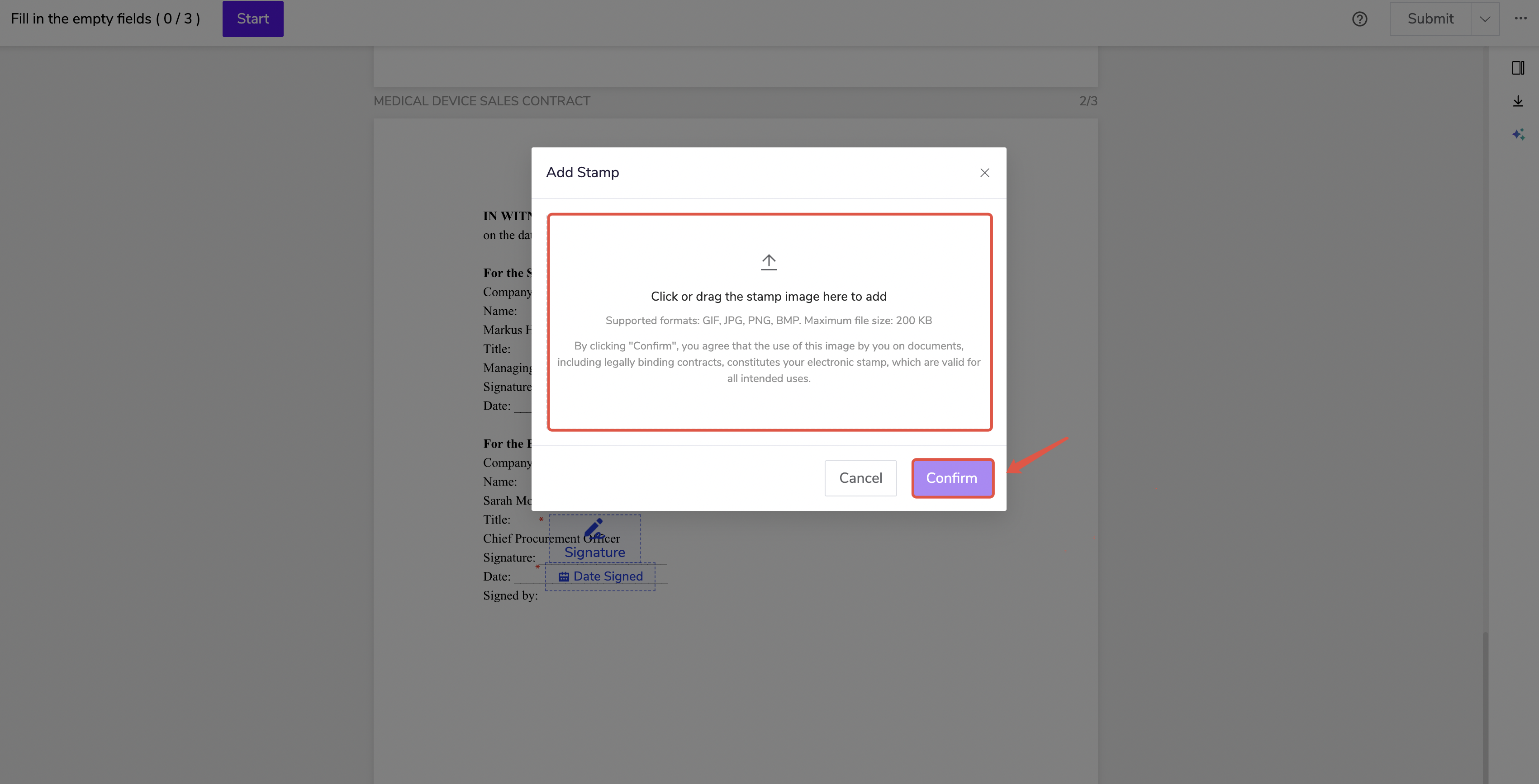
- If the sender does not restrict stamp usage, the recipient may either upload a stamp or select an authorized electronic stamp, then click Confirm;
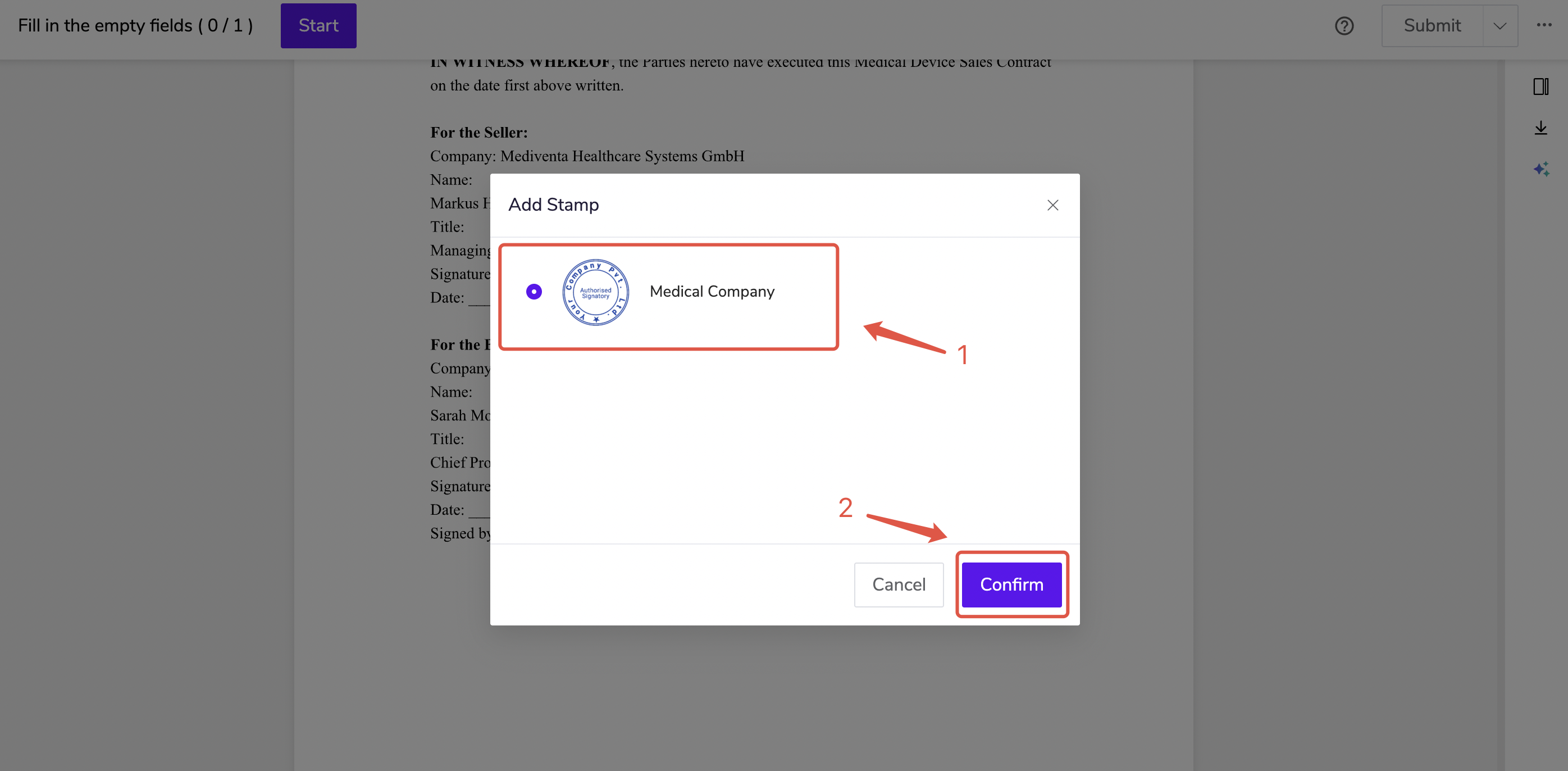
- If the sender restricts usage to Authorized Stamps only, the recipient may only select an authorized electronic stamp, then click Confirm;
- If the sender restricts usage to Uploaded Stamps only, the recipient may only upload or drag and drop an electronic stamp, then click Confirm.
Step 3. Complete Signing
Complete all pending signatures and click Submit to finish signing.