
Set a Default Signing Expiration Period
Overview
To ensure signing workflows move forward efficiently and prevent documents from remaining unsigned indefinitely, Nota Sign allows you to predefine a default signing expiration period for envelopes. This setting is automatically applied to all newly created envelopes, requiring recipients to complete signing within the specified number of days. Envelopes that exceed this timeframe will expire automatically. By standardizing this setting, you can better manage workflow timelines and reduce manual oversight.
How to Set a Default Signing Expiration Period
1.In the left-hand navigation menu, click Management, then select Sending Settings.
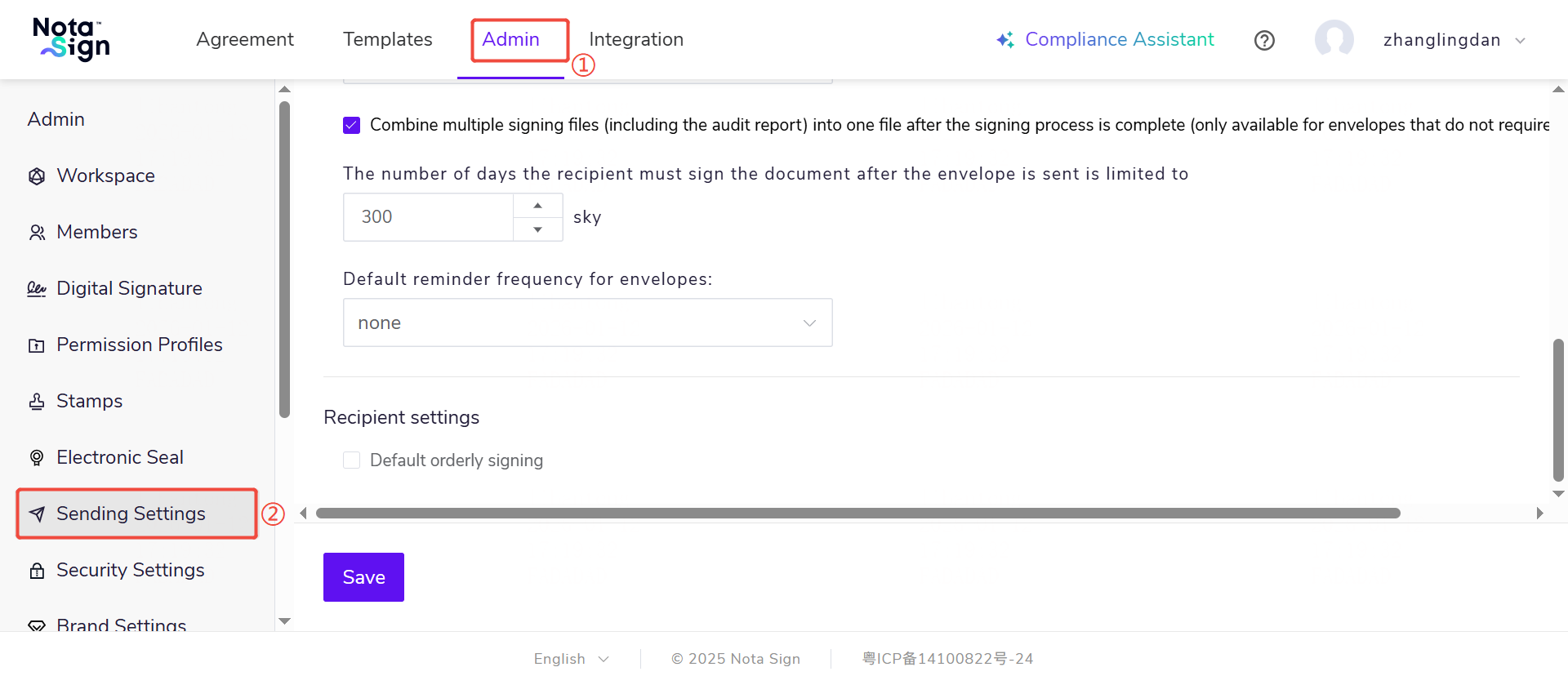
2.Under Signing Expiration, enter the number of days recipients have to sign the document after the envelope is sent.
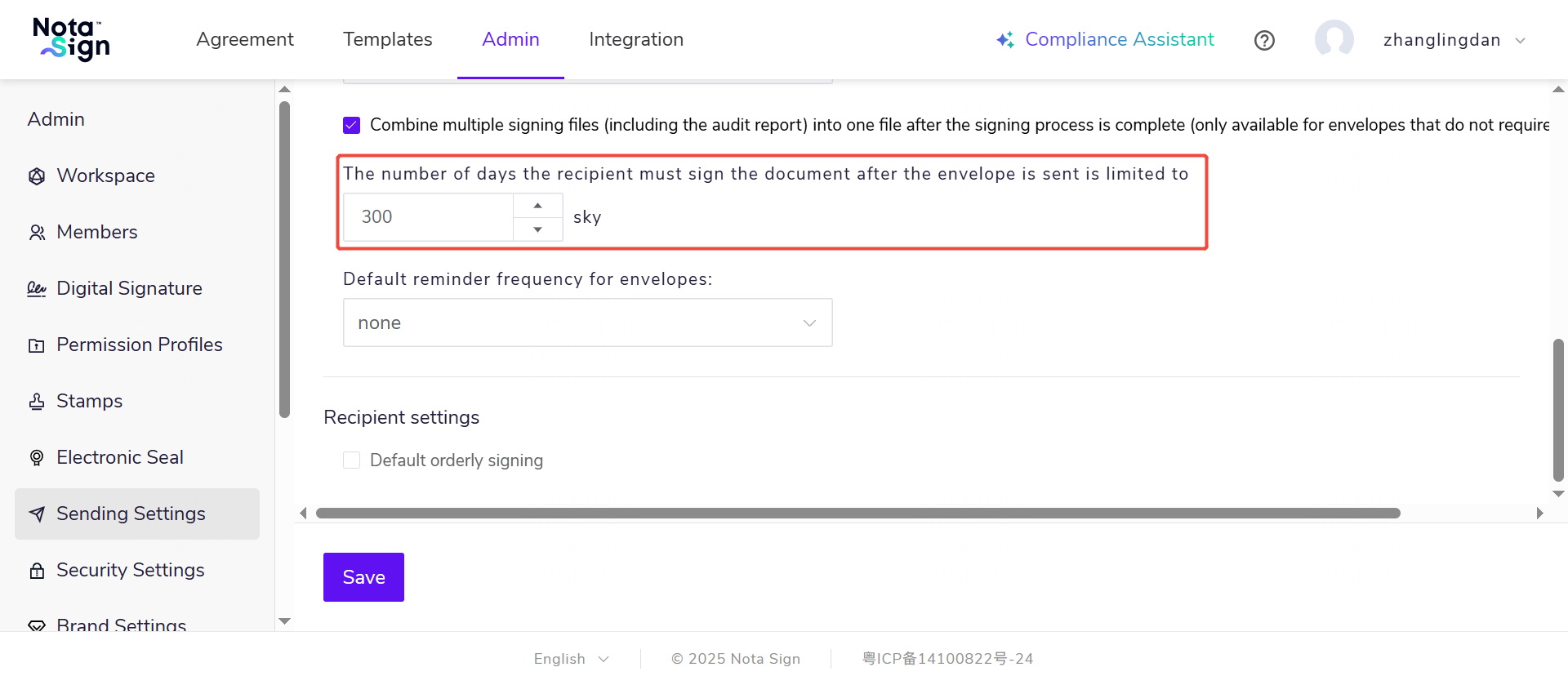
3.Click Save. The new expiration period will apply to all envelopes you send going forward.