
Set Default Auto-Reminder Frequency
Overview
To help ensure timely signing of envelopes, administrators can enable the auto-reminder feature for a workspace and customize both when reminders start and how frequently they are sent—striking the right balance between keeping signers on track and avoiding unnecessary notifications.
Configure Auto-Reminders
1.In the left navigation menu, click Management, then select Sending Settings.
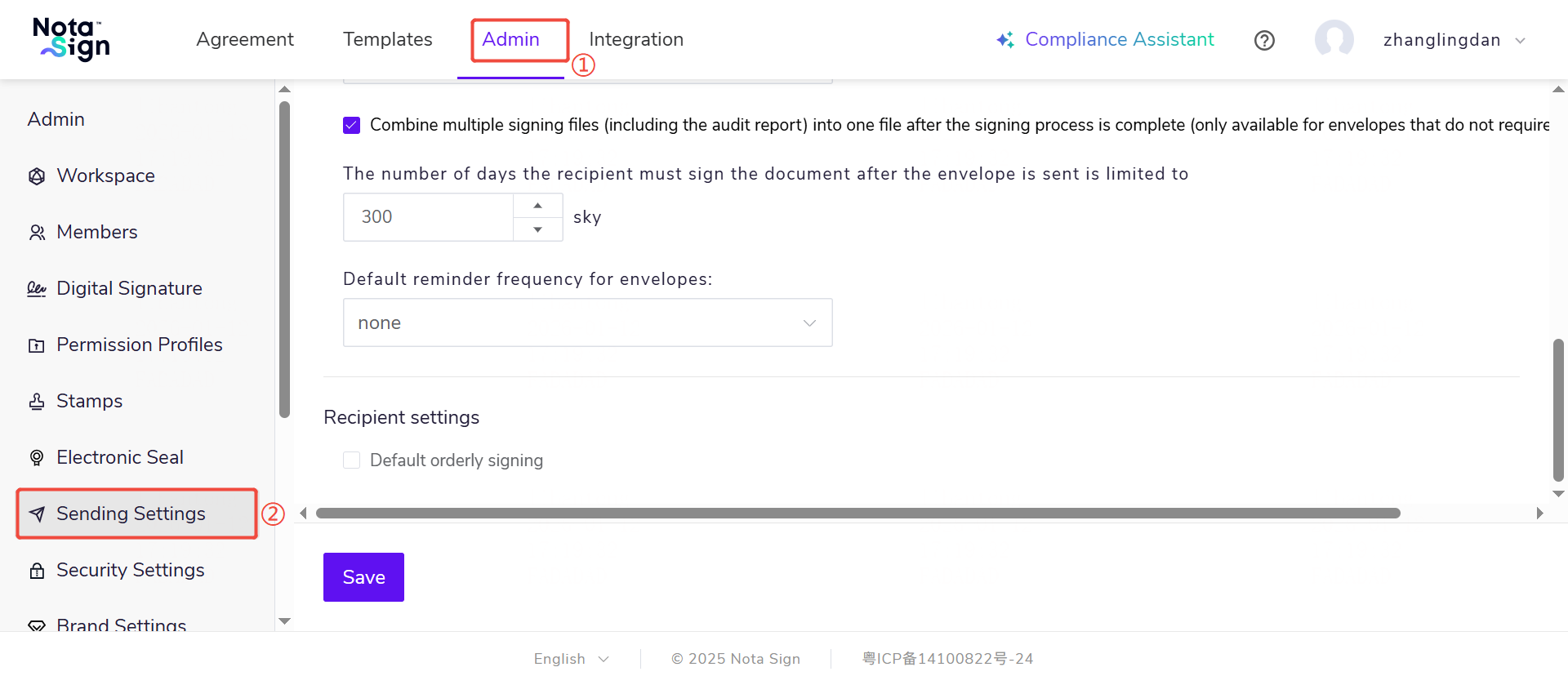
2.Customize reminder frequency: After an envelope is sent, the system will automatically send signing reminders to recipients who haven’t completed their action, at the interval you specify (e.g., every 2 days).
- In standard (parallel) signing: All unsigned recipients receive reminders according to the set frequency.
- In sequential signing:
- Only the current recipient in the signing order receives reminders.
- Recipients who have already signed will not receive any further reminders.
- Subsequent recipients begin receiving reminders only after the previous signer completes their step—and then follow the same reminder schedule.
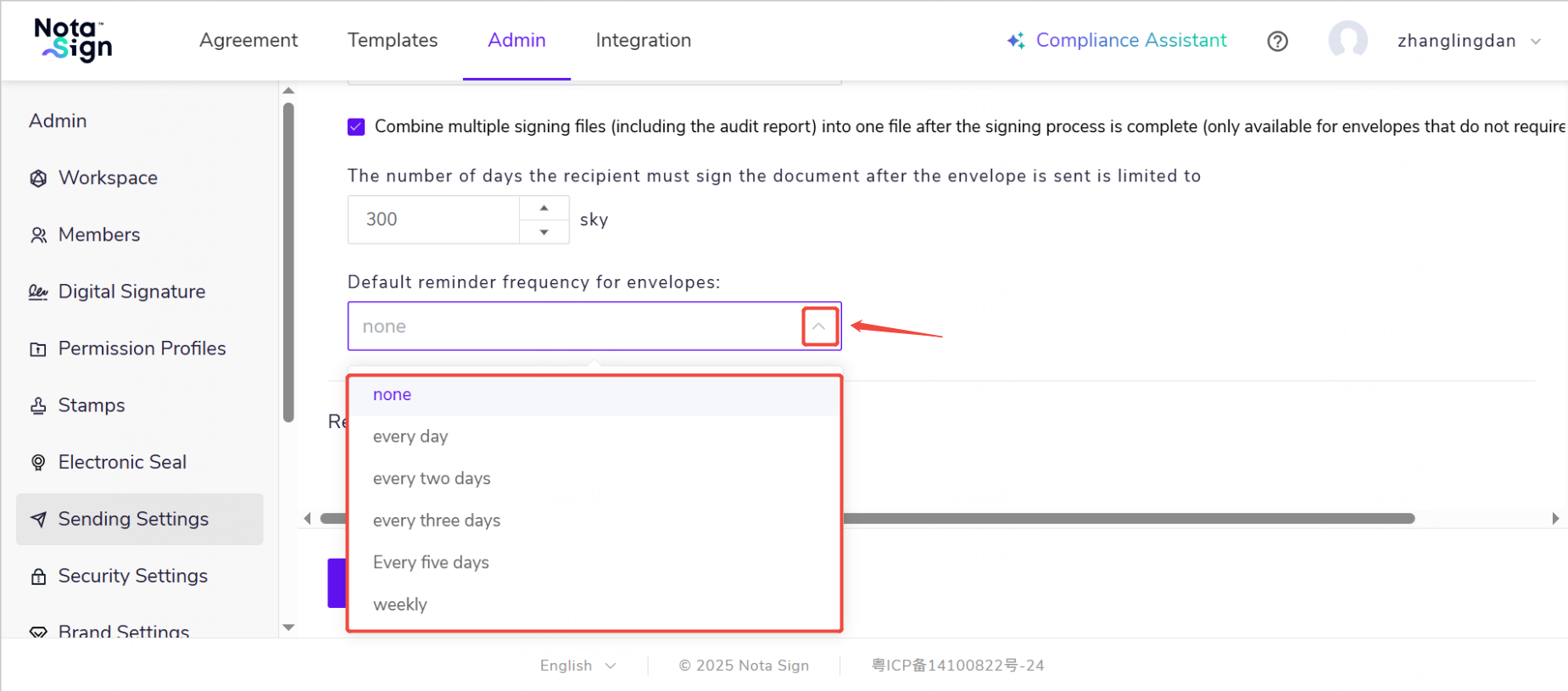
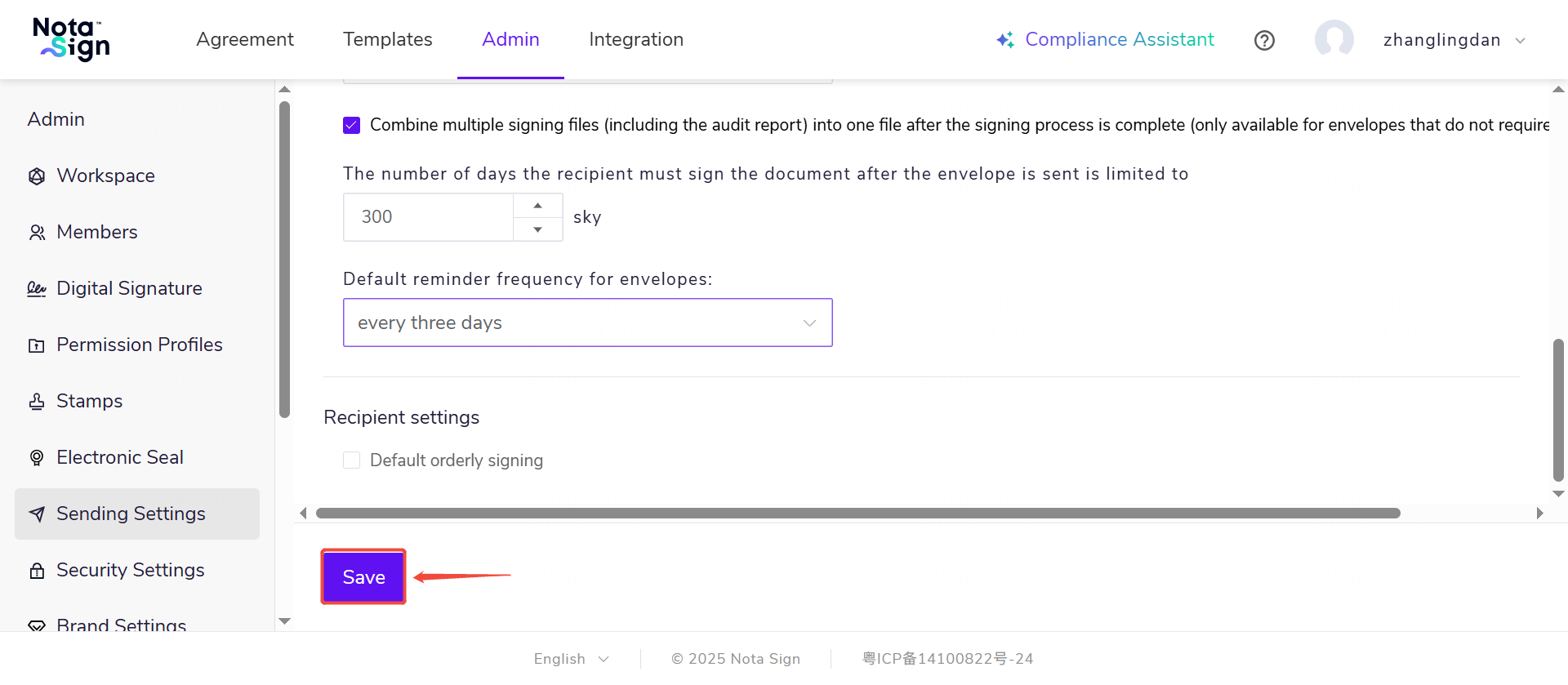
- Click Save Changes. Once saved, all new envelopes created by members of this workspace will include automatic reminders for recipients.
Note: Reminders are sent only under the following conditions:
- The envelope is still within its validity period;
- The recipient has not yet completed signing.
If the envelope expires or the recipient finishes signing, reminders stop automatically.
Additionally, if your reminder interval extends beyond the envelope’s expiration date, reminders will cease as soon as the envelope becomes invalid.