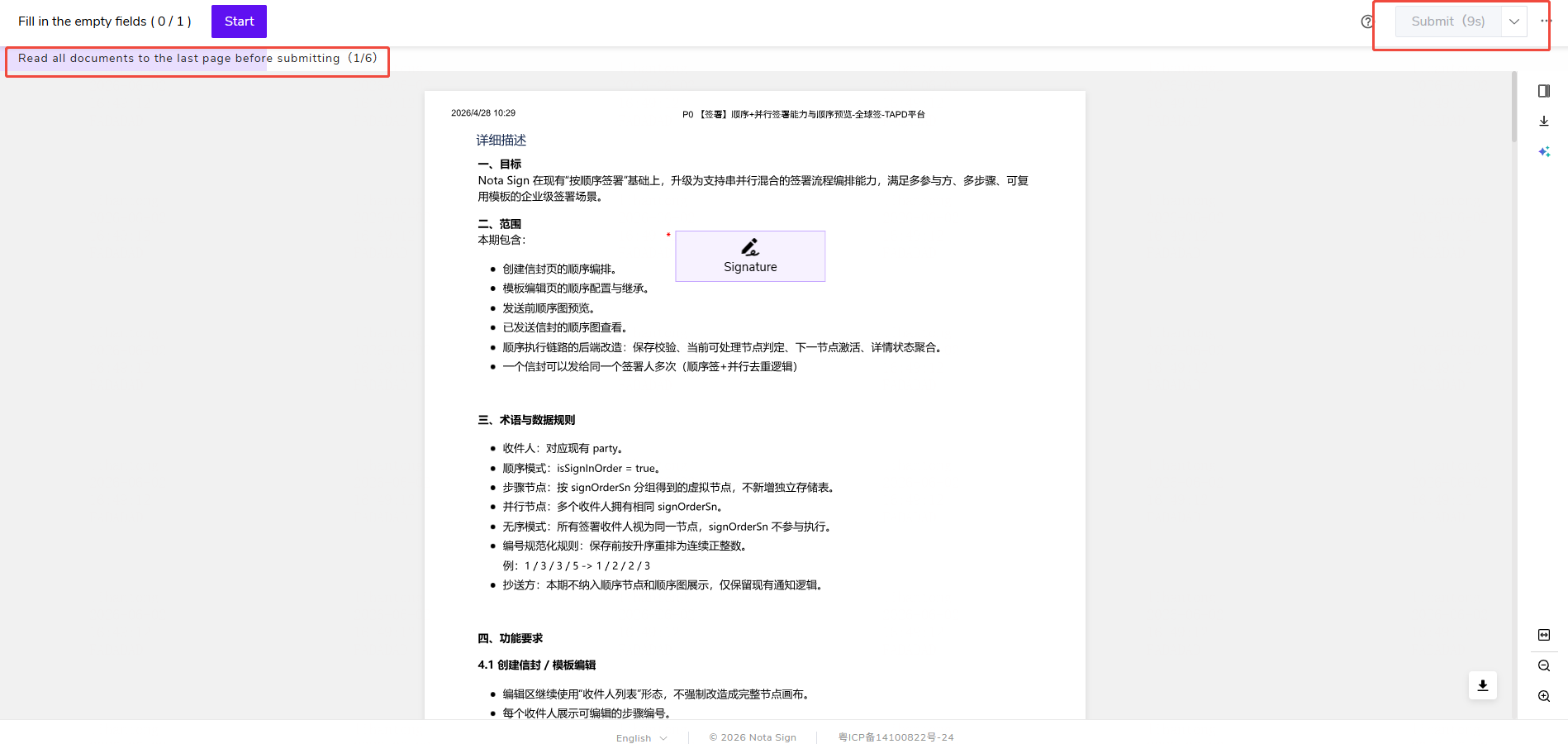
Compulsory Reading
You can now configure compulsory reading settings for envelopes.
- In Management -> Sending Settings, you can configure compulsory reading settings for envelopes;
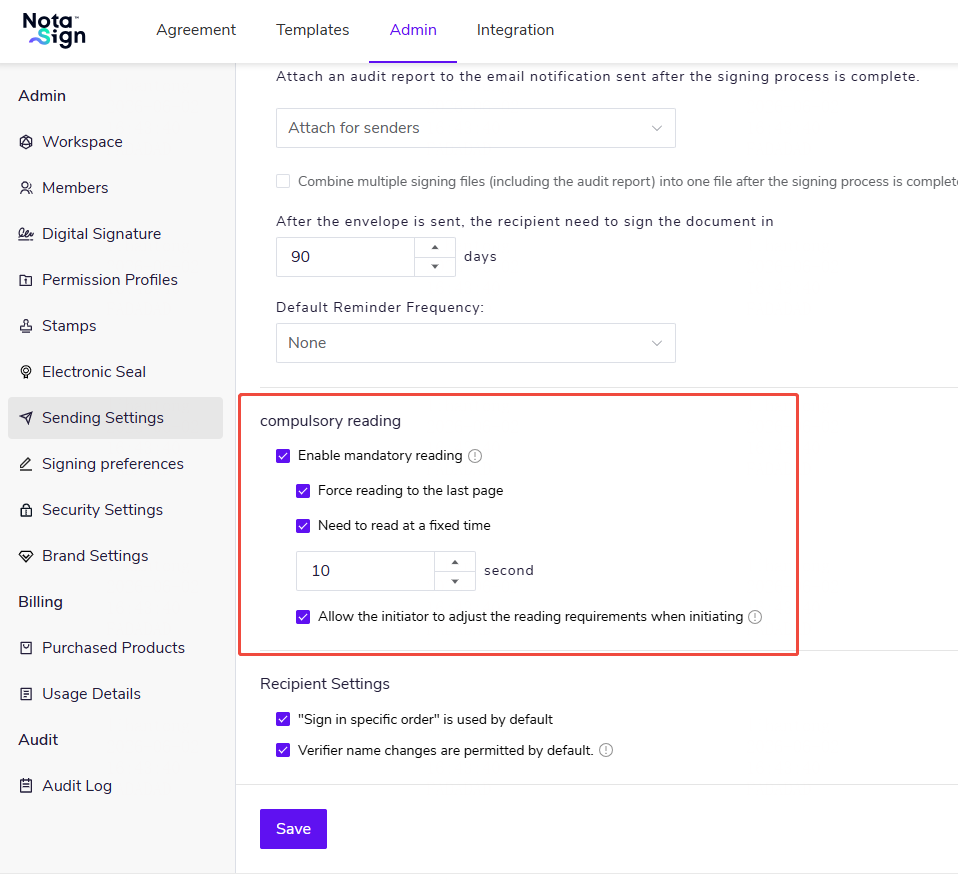
- 💡 Note: You can set the fixed reading time to between 1 and 3600 seconds. -
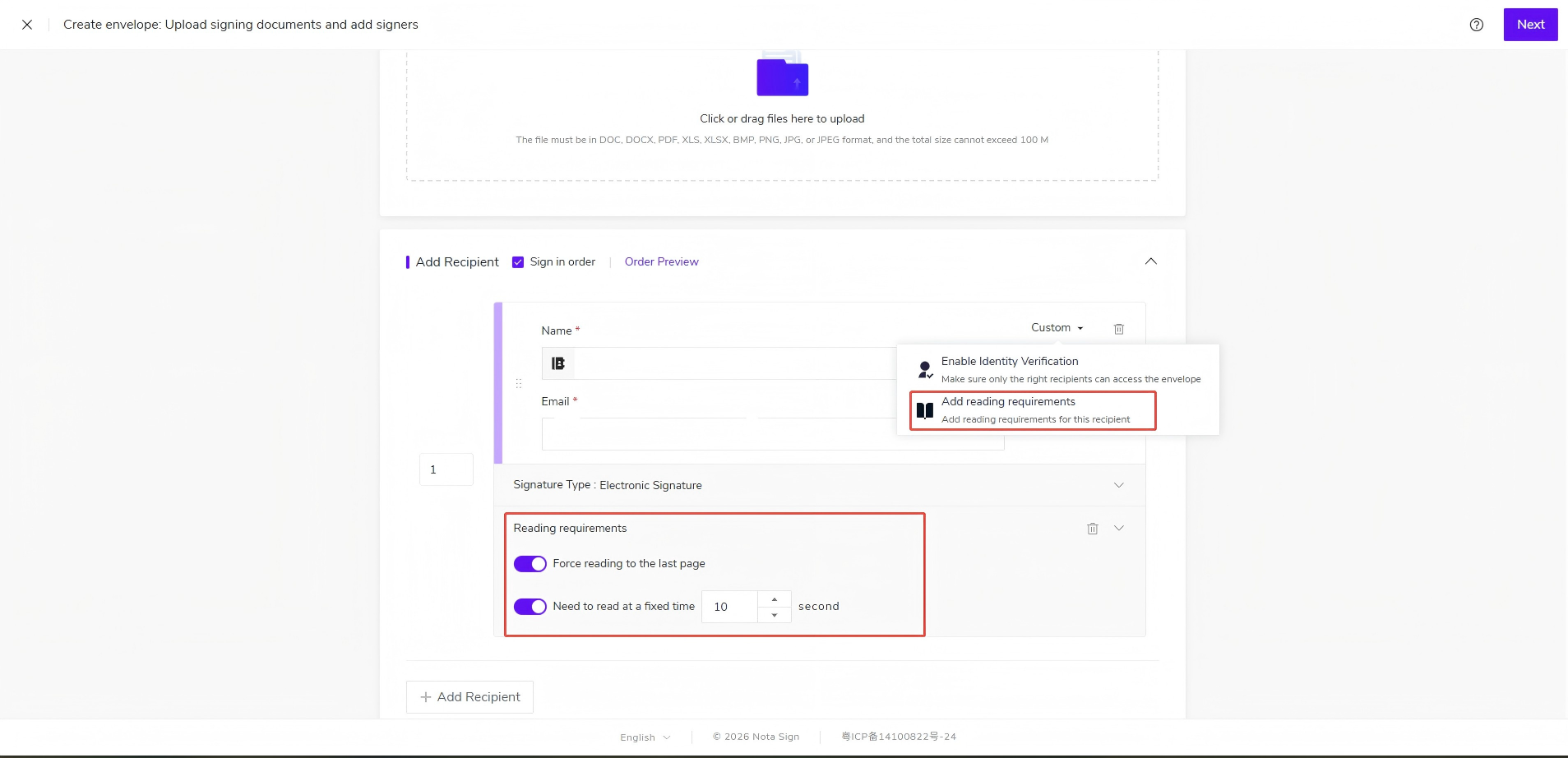
- When initiating a signing request, you can configure compulsory reading settings under Customize -> Add Reading Requirements.
- When signing an envelope, the signing page will display the remaining number of pages to read and the remaining compulsory reading time for recipients.