
Bind Intesi Enterprise Digital Certificate
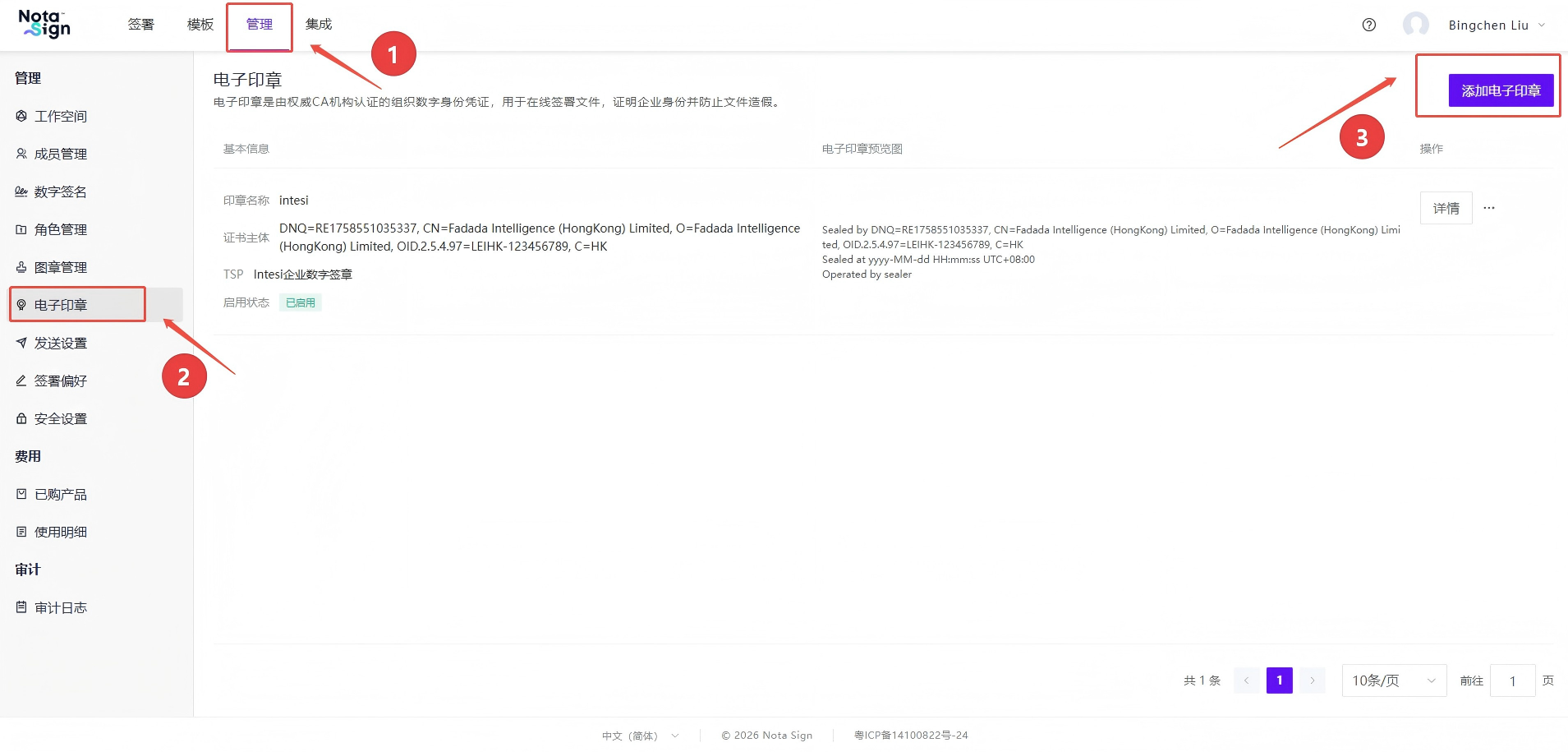
- Go to Administration -> Electronic Seal page and select Add Electronic Seal;
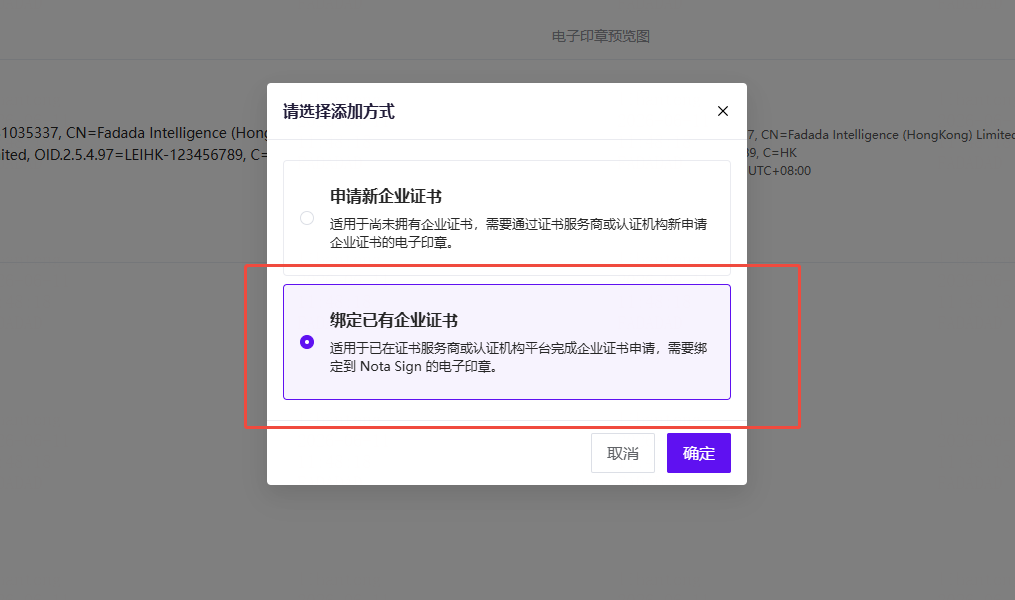
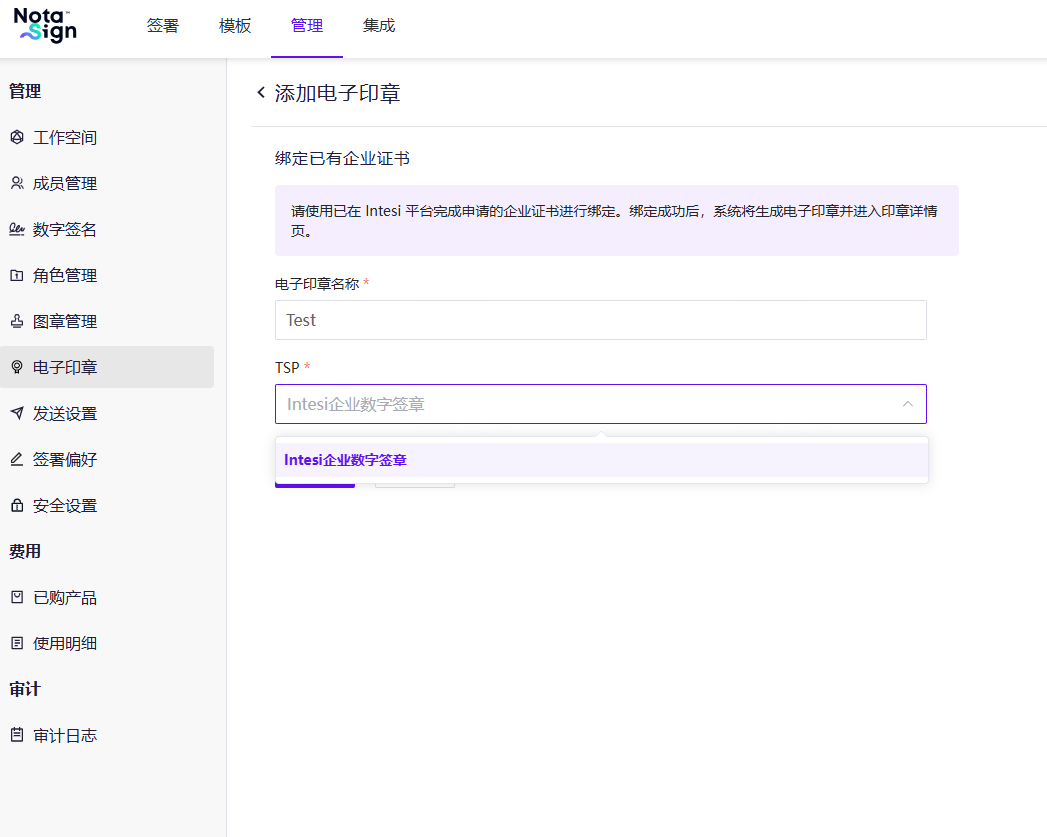
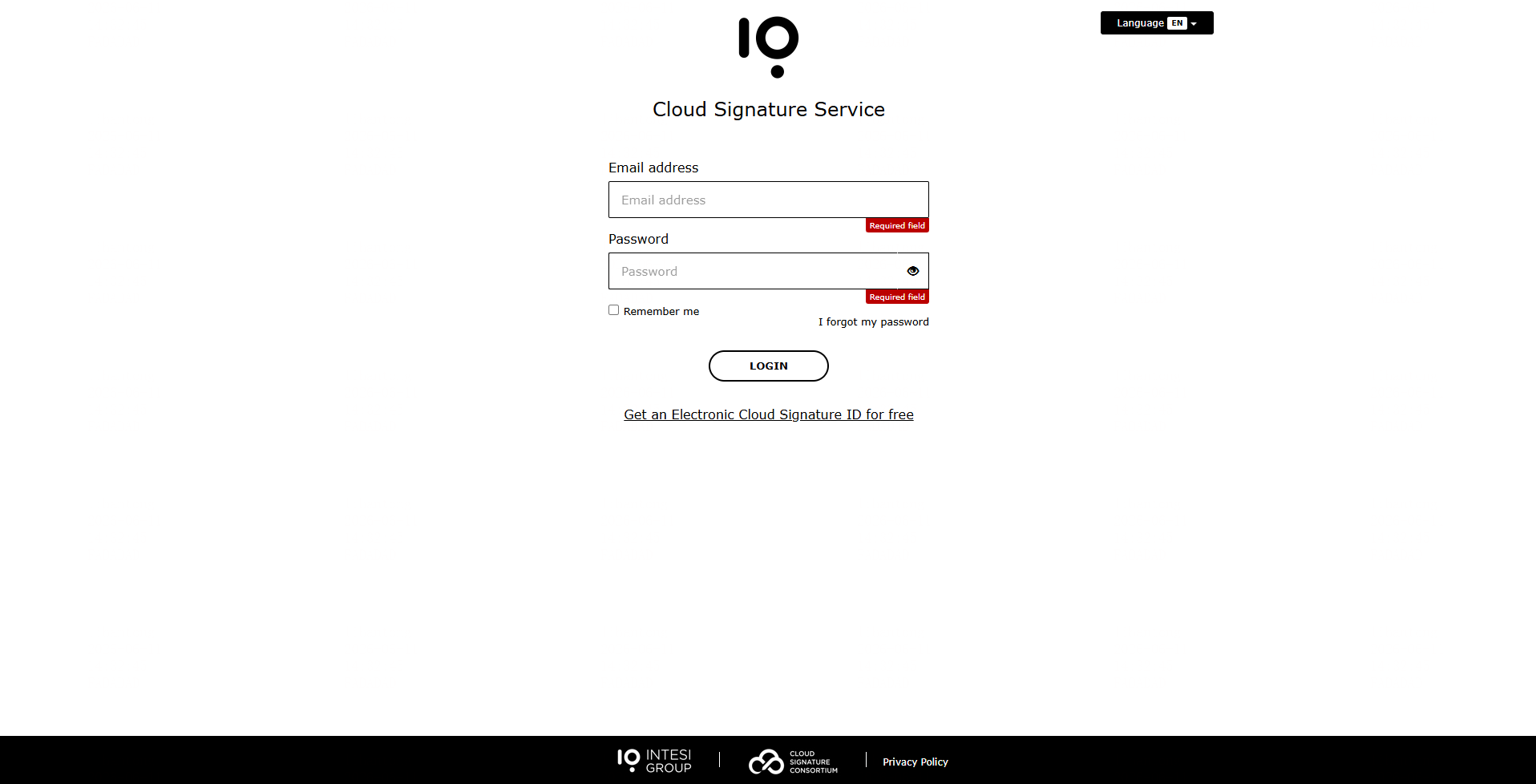
- Select "Bind Existing Enterprise Certificate", choose "Intesi Enterprise Digital Seal" for the TSP, then click "Go to Bind". You will be redirected to the Intesi login page — enter your Intesi account credentials to complete the binding;
- 💡 Note: Users must register an Intesi account first -
For the next steps, please read: