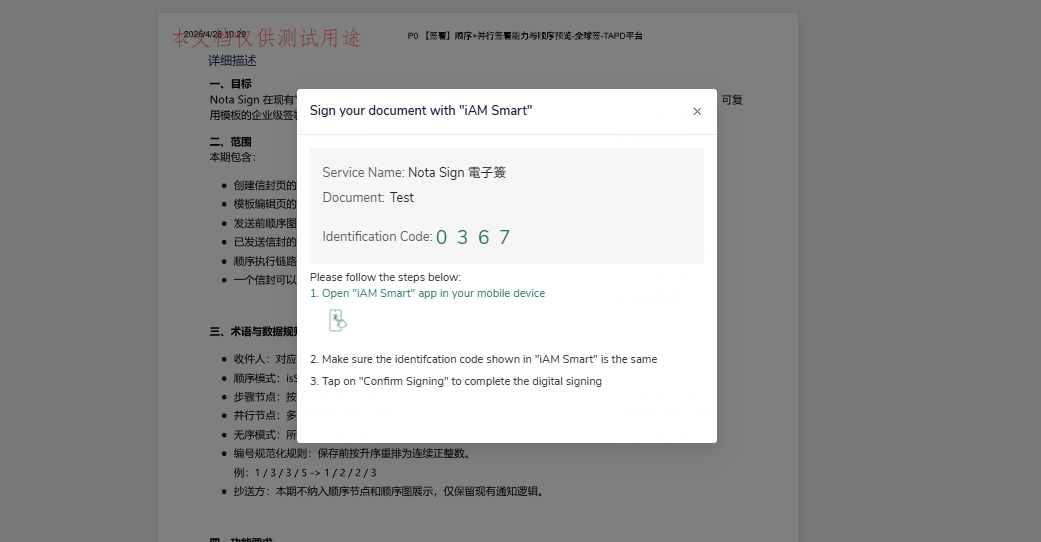
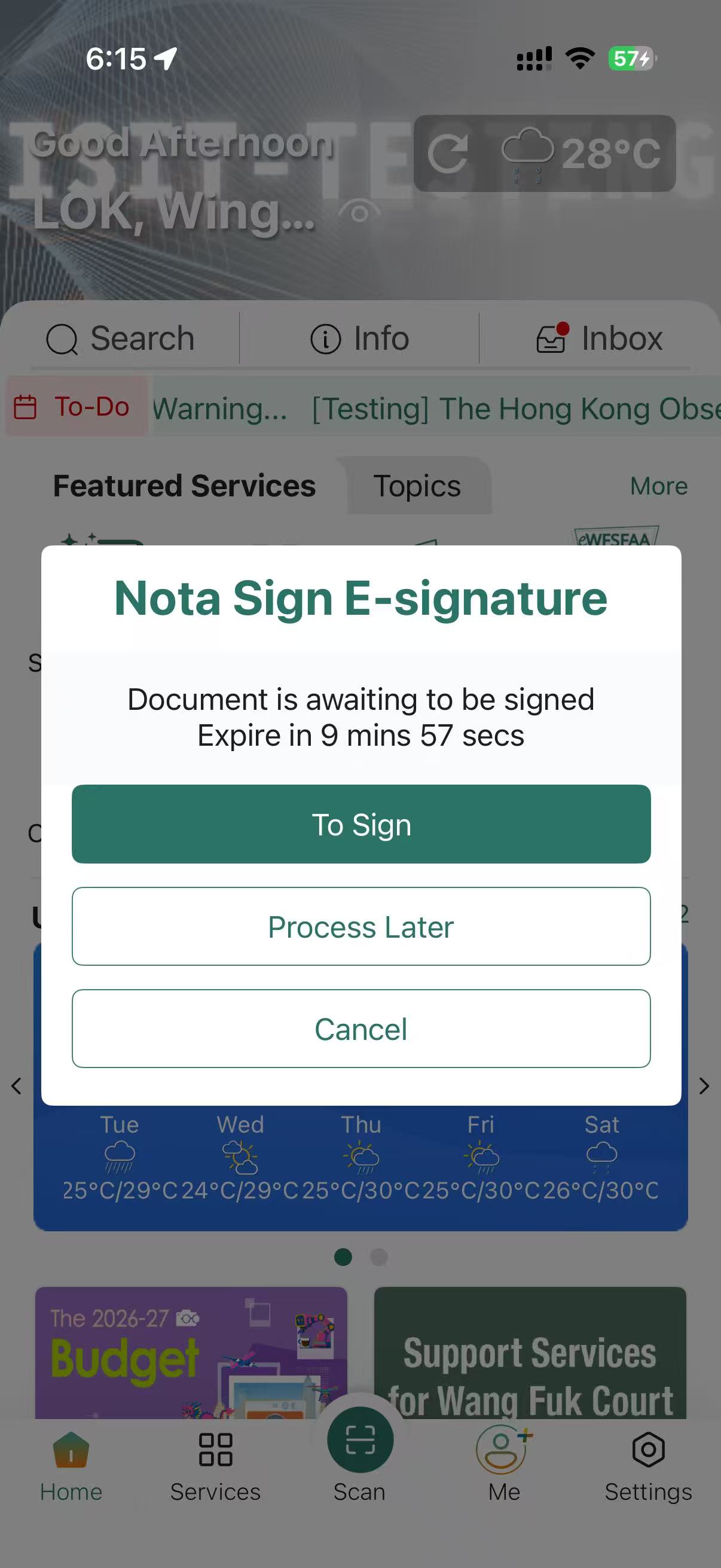
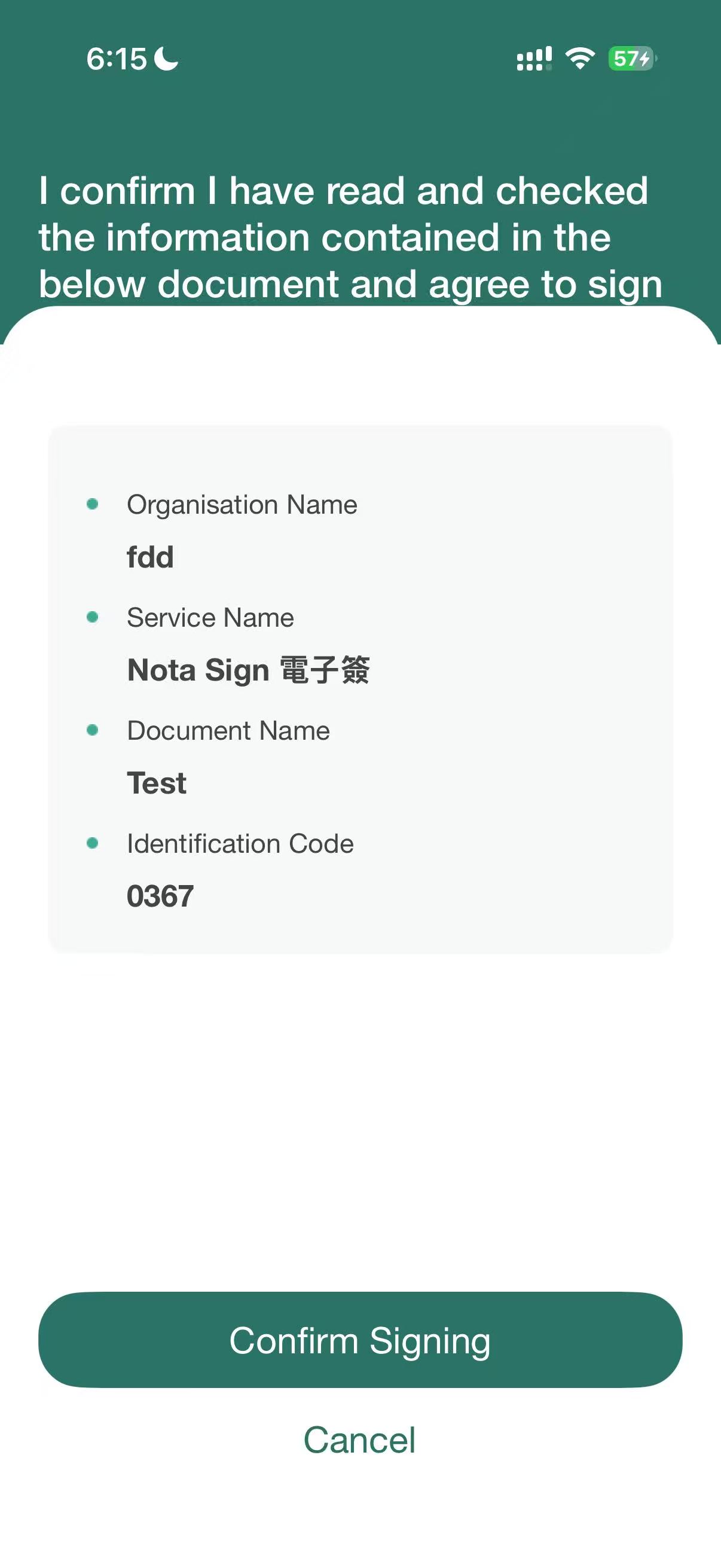
Sign with iAM Smart
Video Tutorial:
- When the sender sends out the envelope, the signature type must be selected as digital signature;
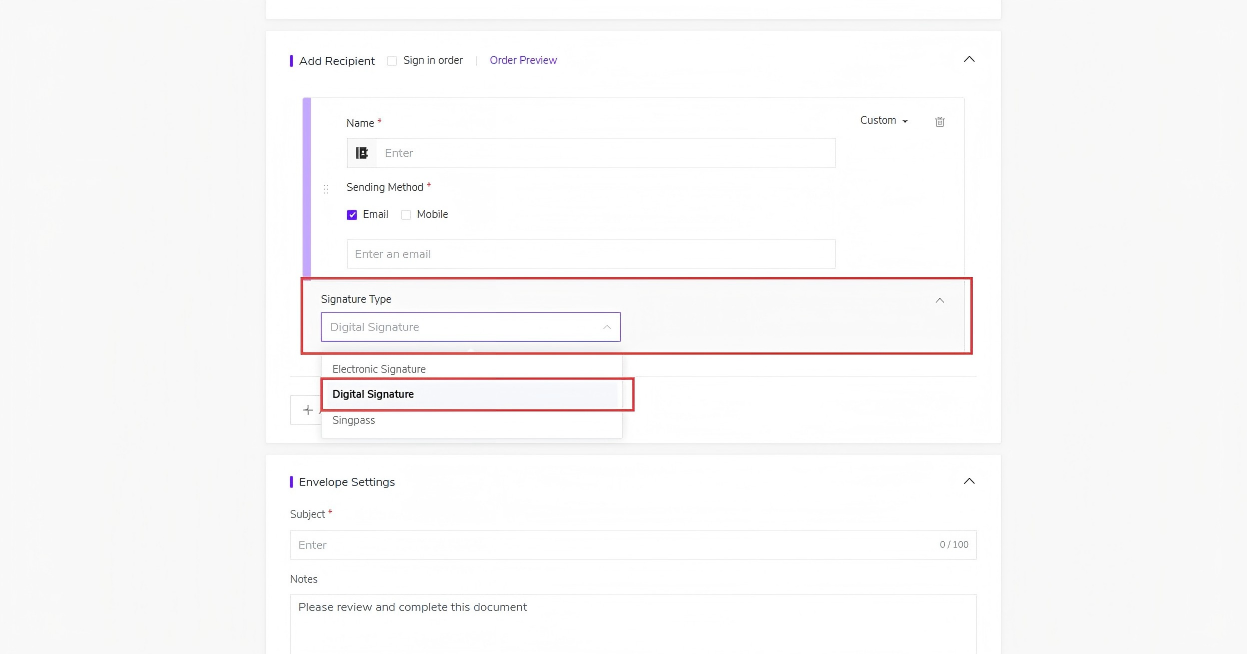
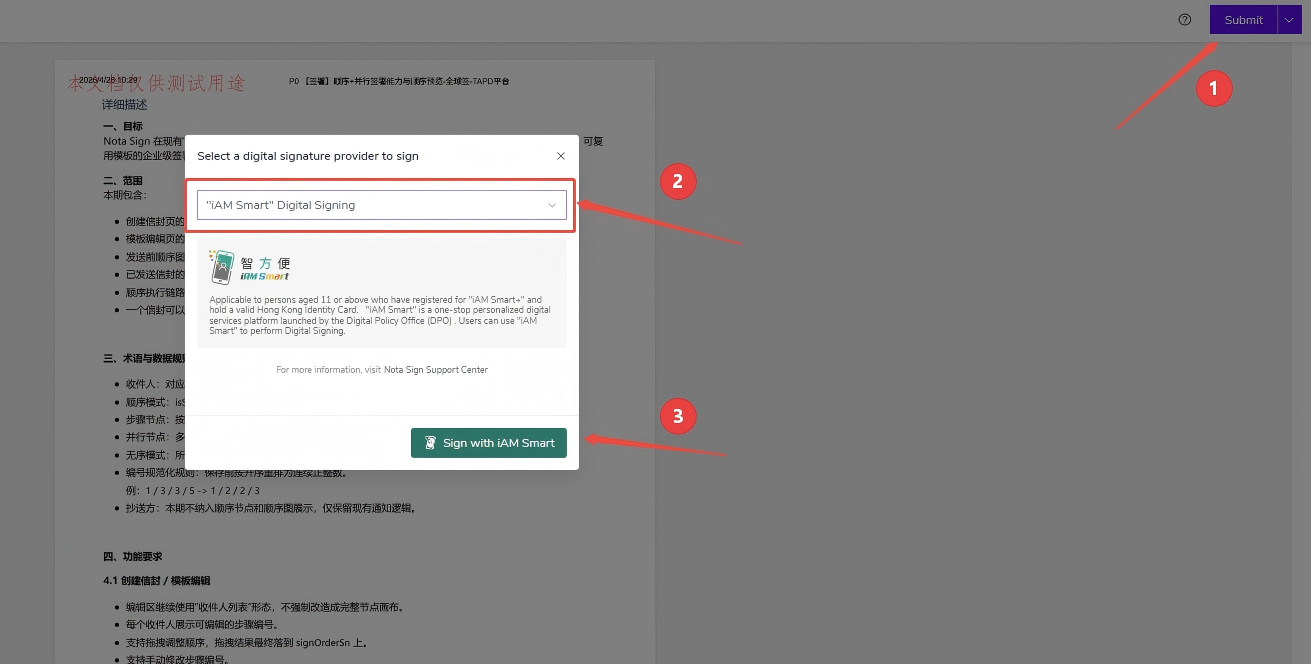
- Select the document to sign. After completing the signature, click "Submit" and select "iAM Smart Digital Signing" as the digital signature provider;
- Receive the signing notification on the iAM Smart mobile app, verify the identification code and select "Agree to Sign" to complete the signing process.